





Refurbished MacBook Pro UK: A Buyer’s Guide

30/09/2026

12 Mins
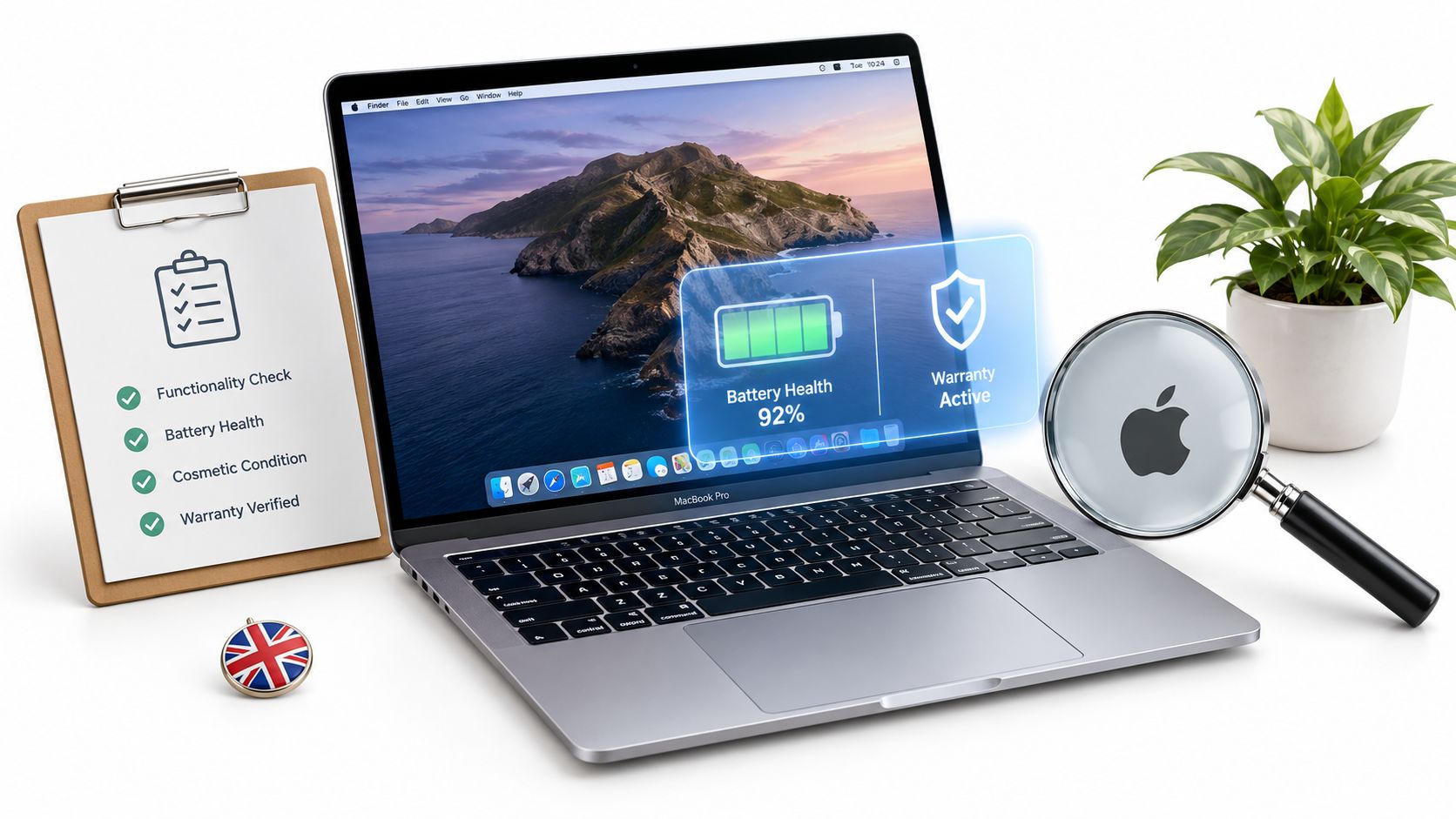
You're looking at a refurbished MacBook Pro in the UK because a new one feels hard to justify, but the cheapest listing can hide expensive problems. My advice is simple: buy Apple silicon, insist on battery evidence and a written warranty, and treat the seller's testing process as seriously as the specification.
Is a Refurbished MacBook Pro Worth Buying in the UK
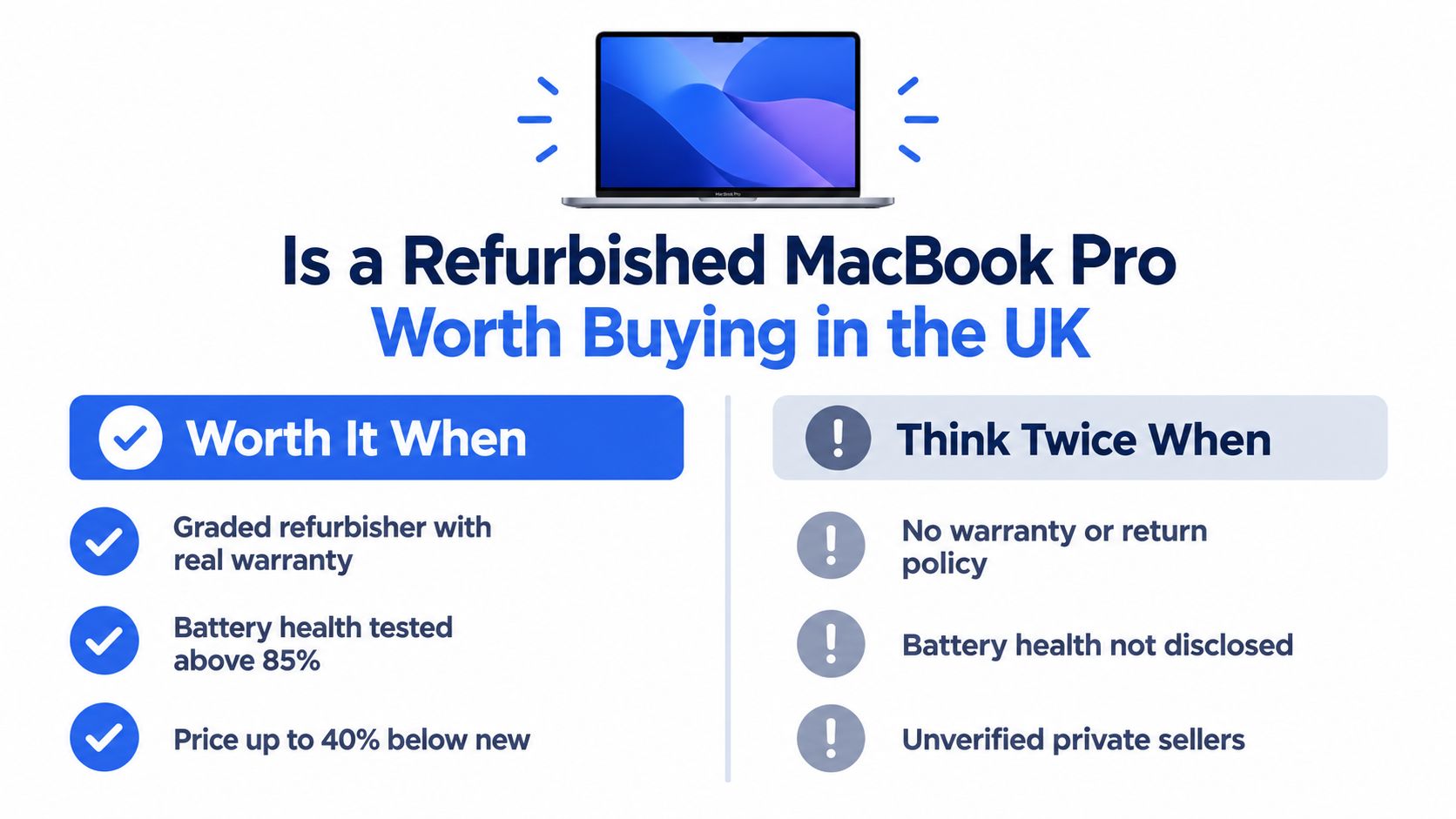
Yes, a refurbished MacBook Pro is worth buying if the machine has been properly graded, the battery has been tested, and the seller gives you a real returns policy. The right model can deliver professional performance without the cost of buying new, but an old Intel machine with an undisclosed battery and no accountable seller is a false economy.
The value is strongest in Apple silicon generations, particularly M1 Pro and M2 Pro models. They offer the performance many buyers need for office work, coding, photo editing, video production and music projects, while avoiding much of the uncertainty attached to ageing Intel machines. I'd be cautious with Intel MacBook Pros unless the price is very low and your workload is basic.
The questions you should answer before paying are practical:
- Grade: Are the marks clearly described, or is “refurbished” being used to disguise heavy wear?
- Battery: Has the seller supplied battery health and cycle information?
- Warranty: Who handles a fault, and what does the written warranty actually cover?
- Generation: Are you buying useful remaining software life, or an older Mac nearing the end of its support period?
- Legal protection: Do you understand your rights if the laptop arrives faulty or isn’t as described?
A sensible target is a tested battery above 85% health, although Apple's own battery service guidance uses less than 80% original capacity as an important threshold for covered battery replacement with AppleCare+ Apple's Mac repair guidance. I'd rather buy a good-grade machine with clear evidence at a sensible price than a supposedly pristine laptop where the battery report is missing.
The central trade-off is straightforward. You save substantially compared with new, but storage and memory are generally tied to the machine's logic-board design, so a major board fault can turn a bargain into an uneconomic repair. Our broader advice on choosing a used computer is covered in this guide to the best refurbished laptops.
Why the UK Refurbished Laptop Market Has Changed
Refurbished laptops have moved beyond the bargain corner of the market. UK buyers now include students, home workers, freelancers, small businesses and people who want premium hardware without paying the full new-device price.
The shift is visible across the wider market. Context distribution data reported that refurbished PC sales volumes in Britain effectively doubled between the final quarter of 2024 and the final quarter of 2025. Britain also overtook Germany to become Europe's largest refurbished-PC market during the second half of 2025, while unit sales across the five biggest European markets rose 7% year on year in the final quarter of 2025 Context market reporting via The Register.
That matters for MacBook Pro buyers because Apple sits at the premium end of the refurbished laptop category. Higher new-device prices make the used market more attractive, but buyers still expect reassurance. Clear grading, battery standards, warranty cover and UK delivery are no longer optional extras for a serious seller.
Why demand is becoming more deliberate
The potential audience is larger than the number of people who have already bought refurbished technology. UK consumer research involving more than 1,000 consumers found that 72% would consider buying a refurbished device in at least one category, while 34% would consider refurbished laptops, monitors or tablets UK refurbished technology research.
The same research found that only 40% of consumers aware of refurbished devices had purchased one. That gap tells me the main barrier isn't awareness. It's confidence. Buyers want to know what condition means, whether the battery will last, and what happens if the laptop fails soon after delivery.
Price expectations also shape the conversation. Half of the surveyed consumers expected refurbished technology to be available at a 50% discount against a new equivalent, and 70% said a warranty would increase their confidence. Those expectations can be unrealistic for high-spec MacBook Pros, especially when storage and memory configurations remain expensive, but they explain why vague listings perform poorly with careful buyers.
The environmental argument is useful, too, but it shouldn't replace technical checks. Reusing a laptop makes sense only when the machine is reliable enough to remain in service. Our view on extending device life is set out in the Used Mobiles 4U sustainability guide.
What to Check Before You Buy a Refurbished MacBook Pro
Start with the listing, not the logo. A MacBook Pro can look excellent in a photograph while carrying a tired battery, a history of heavy professional use or a specification that won't suit you in practice.
Grade should describe condition, not performance
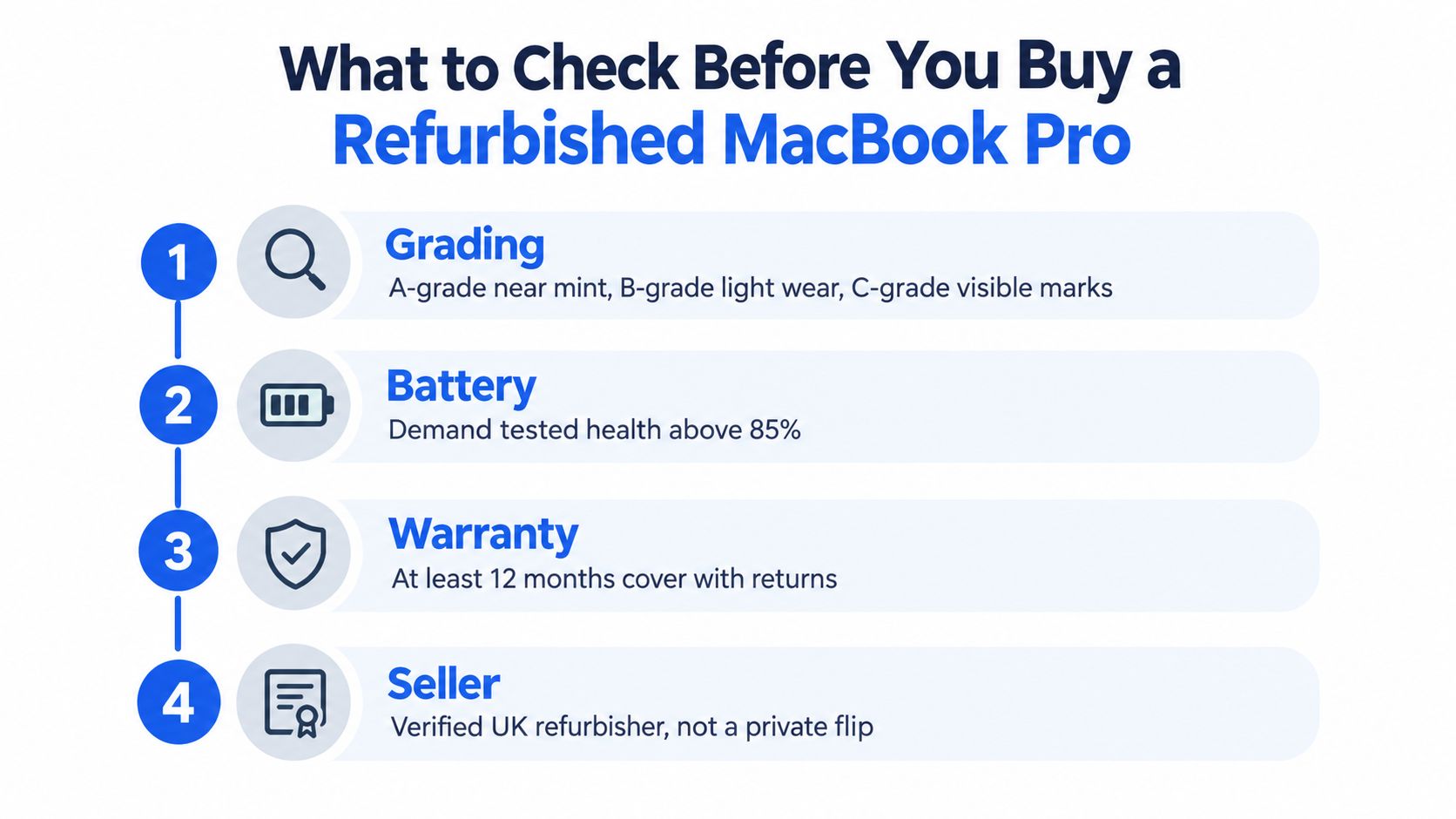
A-grade normally means the cleanest cosmetic condition, with only minor signs of previous use. B-grade can show light marks or small dents, while C-grade usually means visible wear that's obvious when you handle the machine. These labels aren't universal, so read the seller's own grading explanation and look for photographs of the actual laptop.
For most working buyers, A-grade or a carefully described B-grade is the sensible sweet spot. A mark on the lid doesn't affect editing or email. A damaged screen coating, loose hinge or dent near a port can affect daily use and future resale.
Battery evidence matters more than a vague promise
Ask for maximum capacity, cycle count and any service warning. UK refurbishing guidance commonly treats 80% full-charge capacity as the point where a battery should be considered for replacement, with design capacity and cycle count assessed together MacFinder's refurbished MacBook Pro guidance.
I'd personally want a MacBook Pro listed above 85% battery health unless the price clearly reflects a weaker battery. A cycle count above 500 can materially reduce value, while 1,000 or more cycles should make you ask whether replacement cost has already been allowed for. Those thresholds come from UK consumer-facing refurbishment guidance, not from a universal legal definition of “refurbished”.
Check the warranty before you check out
A seller should explain the warranty term, return method, exclusions and who pays for shipping. Don't rely on a badge saying “warranty included”. You need the actual terms, particularly for battery wear, accidental damage, liquid damage and faults that appear after initial testing.
Apple's own UK Certified Refurbished products come with a one-year limited warranty, and Apple says refurbished iOS products receive a new battery and outer shell. That policy applies to Apple's own refurbished stock, not automatically to every used MacBook Pro sold elsewhere Apple Certified Refurbished information.
Activation Lock is a deal-breaker
The Mac must be signed out of the previous owner's Apple Account and ready for a fresh setup. If Activation Lock remains enabled, the machine may be unusable to you even if every physical component works.
Before buying, ask for:
- An invoice: It should identify the seller and the machine you purchased.
- Written warranty terms: Keep the terms with your order confirmation.
- Battery evidence: Request a screenshot or report showing capacity and cycle count.
- Condition notes: The grade should match the actual cosmetic marks.
- Return instructions: You should know where the laptop goes if it develops a fault.
Our Experience Refurbishing This Model at Used Mobiles 4U
A used MacBook Pro arrives at the bench with a history, even when the seller doesn't know all of it. We begin by checking the exterior against the stated grade, then test the machine as a working computer rather than only confirming that it powers on.
One thing we regularly notice is that heavy use leaves clues. Polished keycaps, shiny palm rests, pressure marks on the display, a loose hinge and dents around the corners tell us more than a quick visual glance. We also check for dead pixels, uneven backlighting, speaker distortion, trackpad response, keyboard behaviour, camera operation, Wi-Fi stability, Bluetooth connection and charging.
What technicians look for first
Battery condition gets separate attention. We record health information and cycle count, look for service warnings and inspect the casing for signs of swelling. A battery that has physically expanded isn't a cosmetic issue. It can affect the trackpad, lower case and internal clearances, so the machine shouldn't be listed until the battery has been dealt with safely.
The repair decision depends on the part and the model. Cleaning, replacing a worn keycap or dealing with a straightforward charger issue can make sense. A damaged logic board, display assembly or other integrated fault can be very different, particularly on Apple silicon machines where the storage and memory configuration is tied closely to the board.
Older Intel models bring their own bench history. Sticky butterfly-era keys, display cable problems and worn charging connections deserve close inspection. On later machines, we still check port wear, cable fit and charging stability because a port that works only when the plug is held at an angle isn't acceptable for resale.
Why the original specification is permanent
Since 2016, MacBook Pro buyers have needed to treat memory and storage as purchase-time decisions. You generally can't buy a lower-memory machine and upgrade it later in the way you might upgrade an older desktop or some earlier laptops.
That's why we ask what the customer does. A student writing assignments needs a different balance from a video editor working with large project files. Buying more storage can be sensible, but it's also important to avoid paying for a high specification that won't improve your work.
The macOS installation is cleaned before listing, Activation Lock is checked, and the machine is tested through repeated use rather than handed over immediately after a reset. Buyers should ask to see the cycle-count screenshot, grader notes and the refurbisher's return process. Our refurbishment process explains the checks customers should expect from a professional seller.
Which MacBook Pro Generation Offers the Best Value
For most UK buyers, the generation matters more than the cosmetic grade. A clean older Intel Mac can still be the wrong purchase if the battery, heat output and remaining software support don't suit your workload.
Choose an Apple silicon MacBook Pro if
- You need sustained performance: M1 Pro, M2 Pro and later Pro chips are better suited to demanding creative and technical work than older dual-core Intel models.
- You want better everyday battery behaviour: Apple silicon models are generally the safer direction for buyers who work away from a desk.
- You want a longer useful life: A newer generation gives you more room before software compatibility becomes a concern.
Choose an Intel MacBook Pro only if
- Your work is light: Email, documents, browsing and basic administration may not need Pro-level performance.
- The condition is excellent: A tired battery, keyboard fault or display problem can erase the apparent saving.
- You understand the support trade-off: Don’t buy one expecting it to age like an M-series Mac.
The M1 Pro 14-inch is the value benchmark I'd start with for a buyer who needs real performance but doesn't need the newest generation. The M2 Pro is appealing where the price difference is reasonable. M3 Pro and M3 Max machines are newer refurbished stock, but the premium needs to buy you something useful, not just a newer number.
The base M1 and M2 chips are usually associated with MacBook Air models rather than MacBook Pro configurations, so don't compare them as though they occupy the same position in the range. For higher-end buyers, Apple's own UK refurbished store shows that premium configurations can remain expensive, including a refurbished 16-inch MacBook Pro listed at £6,079 Apple UK refurbished store pricing. Refurbished does not always mean cheap, particularly at the top of the range.
Your Legal Rights When Buying Refurbished in the UK
A seller's warranty isn't your only protection. If you buy from a business, the refurbished MacBook Pro still needs to be as described, of satisfactory quality for a used item and fit for purpose under the Consumer Rights Act.
That wording matters because “used” doesn't mean “anything goes”. A small mark may be acceptable if it was disclosed. A battery service warning that wasn't mentioned, a faulty keyboard or a machine that can't perform the advertised task may not be.
If a fault appears within 30 days, you can normally reject the goods for a full refund. After that, the usual remedy is repair or replacement, with a price reduction or refund potentially available when repair or replacement isn't possible or doesn't resolve the problem. The statutory framework is separate from a retailer's additional warranty, as explained in Apple's UK statutory warranty information.
Online buyers also have cancellation rights under the Consumer Contracts Regulations. You normally have 14 days from receipt to cancel an online order, subject to the rules around handling and exceptions. The practical explanation from Which? on returning goods is useful if you're unsure which route applies.
What to do when the parcel arrives
Keep the order confirmation, invoice and warranty terms. Photograph the packaging if it arrives damaged, then inspect the screen, ports, keyboard, speakers, camera, charger and battery without delaying.
Don't wipe or modify the machine before recording the fault. If the laptop isn't as described, contact the seller in writing and explain the problem clearly. Keep photographs, screenshots and delivery details. A long warranty can be helpful, but it doesn't replace your statutory rights.
Apple's warranty position also needs separating from a refurbisher's promise. A used machine may not carry the same manufacturer coverage as a new purchase, so ask exactly who will repair it and under which terms.
A Common Buyer Scenario We See Every Week
A common example is a buyer arriving with an older Intel MacBook Pro that still looks presentable but shows a battery service warning, has a swollen lower case or has keys that no longer register consistently. The customer often expects a small repair because the laptop still starts normally.
We put three choices on the bench. The first is an authorised repair, where the customer gets manufacturer-backed work but may be looking at a cost that feels disproportionate to the machine's age. The second is a third-party repair, which may be cheaper but depends heavily on the technician, parts and warranty. The third is to put the repair money towards a refurbished M-series MacBook Pro.
There isn't one correct answer. A keyboard fault on a machine with a healthy battery and plenty of software life can justify repair. A keyboard fault combined with a worn battery, poor charging connection and limited support makes replacement more sensible.
Who usually benefits from changing machine
Students often want dependable equipment for a fixed course period and can't afford downtime. Freelance creatives may discover that an older Intel model runs hot, spends too much time connected to power or struggles with newer software. Home-office users sometimes find that a base M1 Air remains excellent for ordinary work, but becomes restrictive when they add heavier editing, virtual machines or demanding multitasking.
The decision should include data transfer, accessories and downtime, not just the purchase price. Back up the old Mac before handing it over, make sure important files open on the replacement, and only erase the old machine after the transfer has been checked.
Bench advice: If several age-related faults arrive together, don't keep paying to preserve the purchase price. Compare the repair with the cost of a supported replacement and the disruption of another failure.
Our Verdict on Buying a Refurbished MacBook Pro in the UK
A refurbished MacBook Pro from a UK-based seller with a written warranty, battery evidence and a clear returns policy is a strong buying option. It suits students, home-office users, secondary machines, developers, freelancers and productivity users who need more headroom than a basic laptop but don't need the latest model.
My first choice for value is an M1 Pro when the condition and battery report are good. My practical recommendation for a buyer who wants a newer machine is an M2 Pro or M3 Pro in good or excellent condition, supplied with a written warranty and clear battery-health information. The model should match the workload, and storage should be chosen carefully because you're unlikely to upgrade it later.
Who should avoid a refurbished MacBook Pro
- Deadline-driven creative professionals: If a hardware failure would cost more than the saving, buy newer or arrange dependable backup equipment.
- Buyers who won’t check battery information: An undisclosed battery is a risk, not a minor omission.
- People chasing the cheapest private listing: A low sticker price is no substitute for a known seller, written terms and a practical return route.
- Basic users paying for unnecessary power: If you only browse, write documents and stream media, a MacBook Air may offer better value.
The UK market has reached a point where refurbished premium laptops are a mainstream option, not merely clearance stock. That makes professional testing and honest grading more important, not less. Buy the seller's process as much as the laptop itself.
Written by James Waterston, 24 years in the mobile phone industry from customer service through to Sales Director of a global repair and recycling company. Now running Used Mobiles 4U for over 8 years.
LinkedIn profile for James Waterston
Meta description: Refurbished MacBook Pro UK advice from a refurbishment expert. Compare Apple silicon, battery health, warranties, legal rights and value before buying.
Used Mobiles 4U supplies tested, clearly graded refurbished MacBook Pro laptops with UK support, warranty information and returns for eligible purchases. Visit Used Mobiles 4 U to compare current MacBook stock or sell your existing tech towards a replacement.
Looking for a refurbished phone?
Shop professionally tested refurbished iPhones and Samsung phones with 18 month warranty, 30 day returns and free UK delivery.
Browse Refurbished Phones



