





Refurbished MacBook Air UK Buying Guide

02/10/2026

12 Mins
You're looking at a refurbished MacBook Air in the UK because a new one feels hard to justify, but you don't want a tired battery or hidden damage. It's a sound buy when the generation, cosmetic grade, battery health and warranty are all clearly stated.
Before You Buy a Refurbished MacBook Air
A refurbished MacBook Air is worth buying if you judge the individual machine rather than relying on the word “refurbished”. The three decisions that matter most are which generation you need, what the grade means, and how much battery capacity remains.
- Price: Independent refurbished stock can sit far below new pricing, while Apple’s own refurbished models usually offer a more modest reduction.
- Warranty: Apple provides a one-year limited warranty on certified refurbished hardware. A third-party seller should explain its cover just as plainly.
- Battery: Ask for an exact battery-health figure, not simply “good battery”. Around 80% is an important practical threshold.
- Checks: Confirm the battery information and inspect the condition grade, return terms and warranty before paying.
The cheapest MacBook Air isn't automatically good value. A lower-priced M2 with a heavily worn battery may be less sensible for a student commuting between home and university than a slightly older M1 with stronger battery health. Likewise, a Grade A laptop may look excellent but still need a battery replacement if the seller treats cosmetic condition and battery condition as the same thing.
Apple's UK refurbished store gives buyers a useful official reference point. A refurbished 13-inch MacBook Air with an M4 chip is listed at £849, reduced from £999, while a refurbished 15-inch M4 model is listed at £1,019, reduced from £1,199. Both reductions are about 15%, giving you a realistic benchmark for recent official refurbished stock. Apple's UK refurbished MacBook Air range also includes more than one Apple silicon generation.
Ask these questions before checkout
Find out whether the laptop is fully tested, whether the listed battery figure is measured or estimated, and whether the warranty covers battery faults as well as the main computer. If the answer to any of these is vague, treat the price with caution.
Check the exact memory and storage configuration too. These are not the areas to guess at after delivery, particularly if you keep large photo libraries, work with several browser tabs or need the laptop for coursework. A good refurbisher should show the configuration clearly and use photographs or grading notes that match the unit being sold.
What the UK Refurbished Market Actually Offers
The UK market has two noticeably different ends. Apple's certified refurbished channel focuses on relatively recent machines with a controlled refurbishment process and a smaller discount. Independent refurbishers and marketplaces often offer older Apple silicon models at much lower prices, but the buyer must compare battery health, condition and warranty with more care.
Apple's official examples set the premium end of the refurbished market. The 13-inch M4 at £849 and the 15-inch M4 at £1,019 are not bargain-basement prices, but they show what a recent model costs when it comes through Apple's own programme. Apple says certified refurbished products are fully functional-tested, supplied with a one-year limited warranty and discounted by up to 15% versus new stock. Apple's certified refurbished programme explains that baseline.
At the value end, UK listings can be much more dramatic. Examples include an M2 MacBook Air at £363 compared with £999 new, and an M1 at £524 compared with £1,249 new. The examples come from UK MacBook Air refurbished listings, where the difference illustrates why independent stock attracts students, households and small businesses.
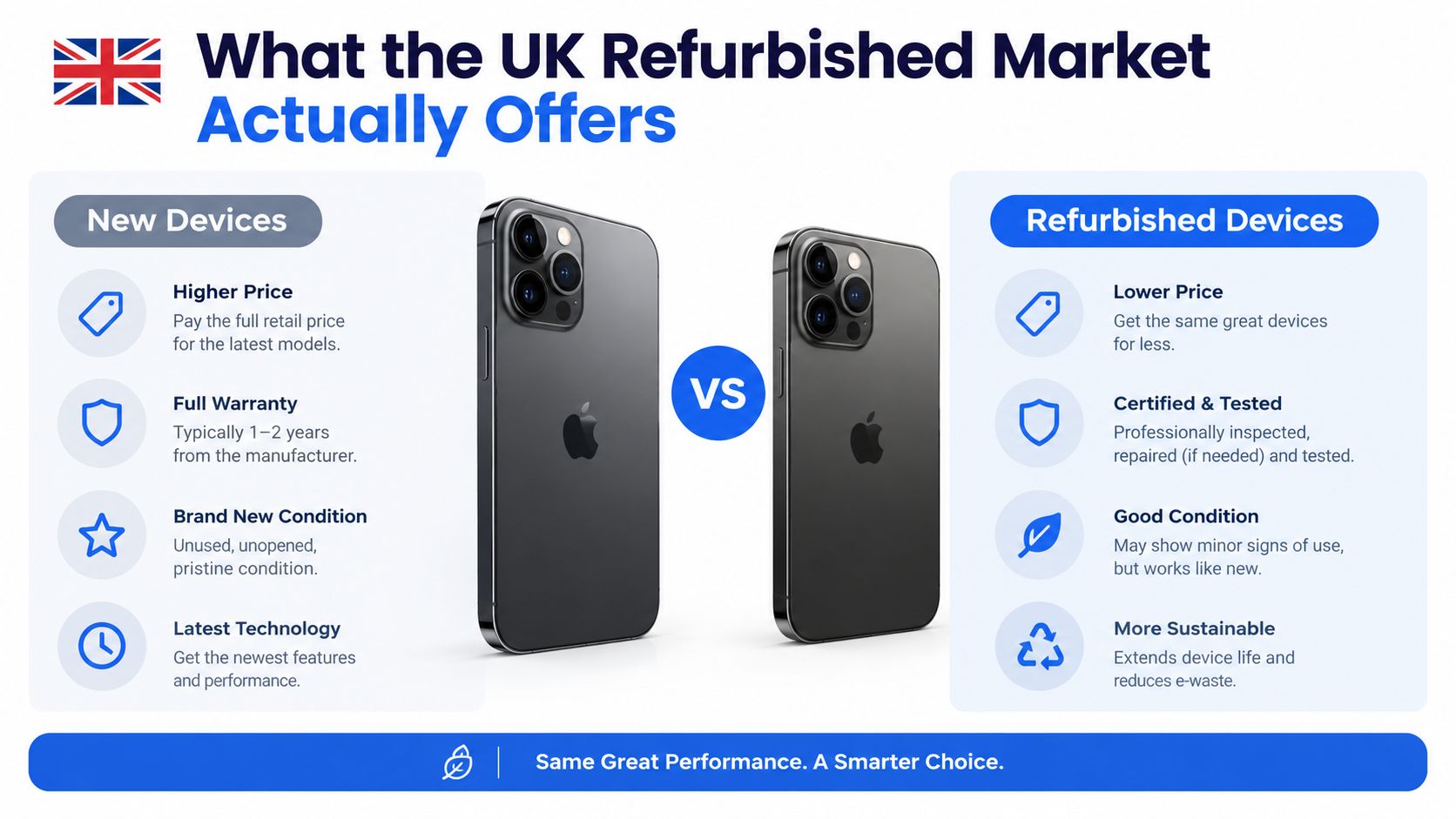
Those figures aren't a promise that every M1 or M2 will be available at the same price. The final price changes with grade, storage, battery health, cosmetic condition, warranty and stock availability. Two laptops with the same chip can therefore sit hundreds of pounds apart for perfectly legitimate reasons.
A low-cost M1 may suit document work and web browsing, while a higher-priced M2 with better battery health and more storage may be the safer long-term purchase. A recent M4 from Apple can make sense when you want newer hardware and a straightforward warranty, but it won't always be the best value for light use.
If you're also considering resale as part of your buying decision, Ruit's guide to quick profit resale starter ideas offers useful background on assessing product condition and demand. That's relevant here because a clean, well-documented MacBook with its charger and warranty evidence is easier to resell than an ungraded laptop with an uncertain history.
Why the same model has different prices
A refurbisher may price one M2 higher because it has a stronger battery, cleaner aluminium, more storage or better warranty coverage. Another unit may have small dents, keyboard shine or a battery closer to the replacement threshold. Neither description should be hidden behind a broad “refurbished” label.
My practical rule is simple. Compare like with like, and never compare a clean, warranty-backed laptop with an untested private sale purely by chip name.
Choosing the Right Generation of MacBook Air
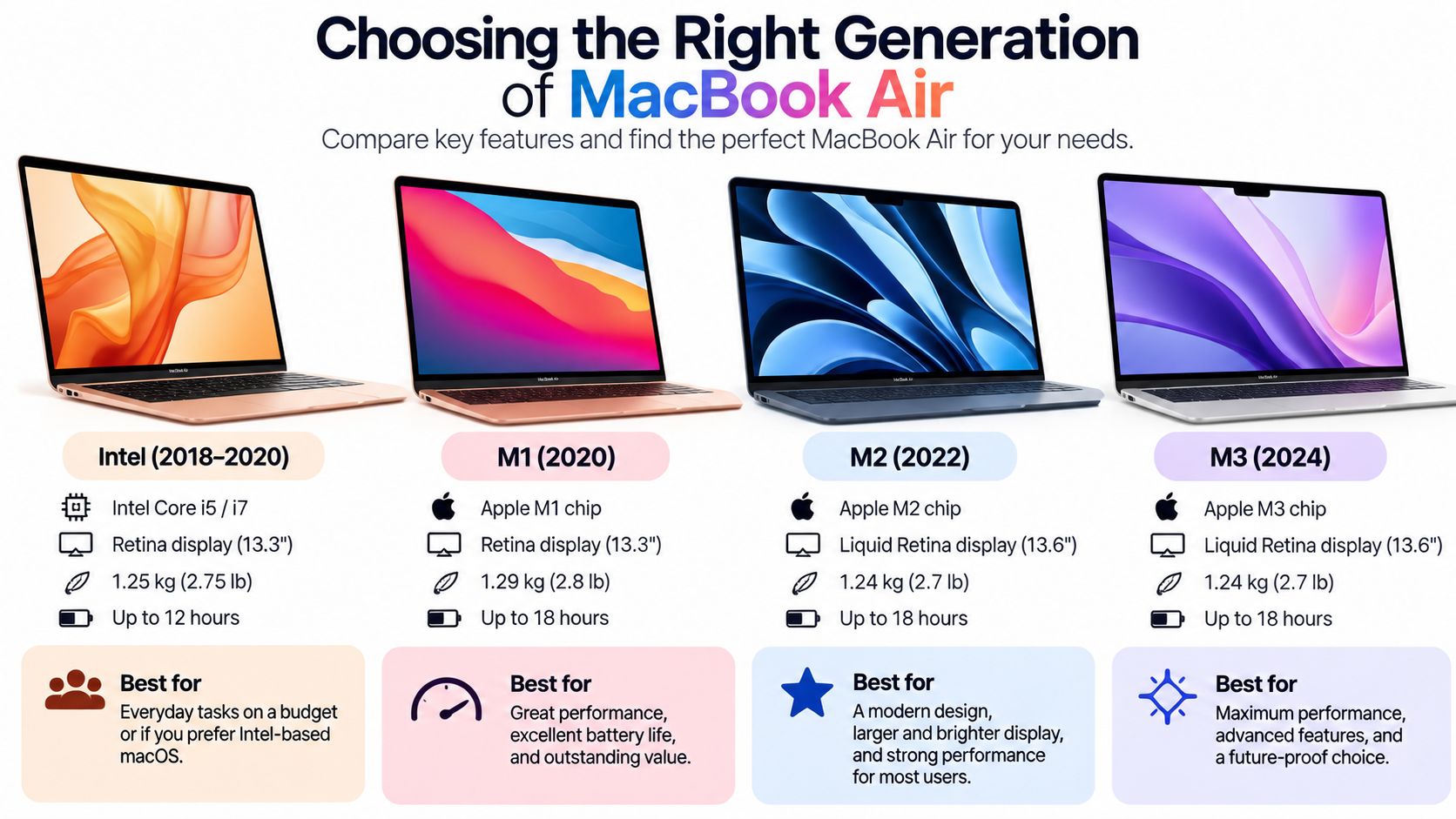
For browsing, email, essays, video calls and streaming, the M1, M2 and M4 MacBook Air are all capable choices. The differences show up in age, design, multitasking headroom, connectivity and how much useful life you want left, rather than in whether basic apps will open.
The M1 remains the entry point for buyers who want Apple silicon at the lowest sensible cost. It's suitable for web research, Office work, online learning and video calls, provided the battery has been checked properly. The main compromise is that you're buying the oldest of these three generations, so condition matters more than the badge.
The M2 is the one I'd usually start with for a student or general household buyer. It gives you a newer design and a better balance between price and remaining service life. It also tends to be the more comfortable choice if the laptop will spend its day moving between a desk, a lecture room and a train table.
The M4 is the sensible choice for buyers who want more headroom for heavier multitasking, photo work or a longer ownership cycle. It costs more in the refurbished market, but the extra spend can be justified when you regularly run demanding applications or want a newer machine rather than just the cheapest usable MacBook.
Choose by the work you actually do
- Choose M1 if: You mainly browse, write, stream and attend video calls, and the battery health is strong enough for your routine.
- Choose M2 if: You want the best middle ground for study, commuting, office work and everyday creative tasks. This is my usual recommendation for most buyers.
- Choose M4 if: You work with larger projects, multitask heavily, want newer hardware or plan to keep the laptop for longer.
Storage and memory deserve attention because buying the wrong configuration can undermine an otherwise good refurb. If your existing laptop is constantly short of space, moving to another base-storage model won't solve the problem. If you routinely keep a browser, video call, documents and creative software open together, more memory gives you more breathing room.
The 13-inch model is easier to carry around. A 15-inch model suits someone who works mainly from a desk or wants a larger screen without stepping up to a Pro. Choose the size based on your commute and workspace, not just the discount.
You can browse the current MacBook Air category at Used Mobiles 4U to compare available generations and configurations. For most UK buyers, I'd favour a well-tested M2 with clear battery information over a cheaper M1 with uncertain history. Move to the M4 when your workload or ownership plans genuinely justify it.
Condition Grades Explained and What to Check First
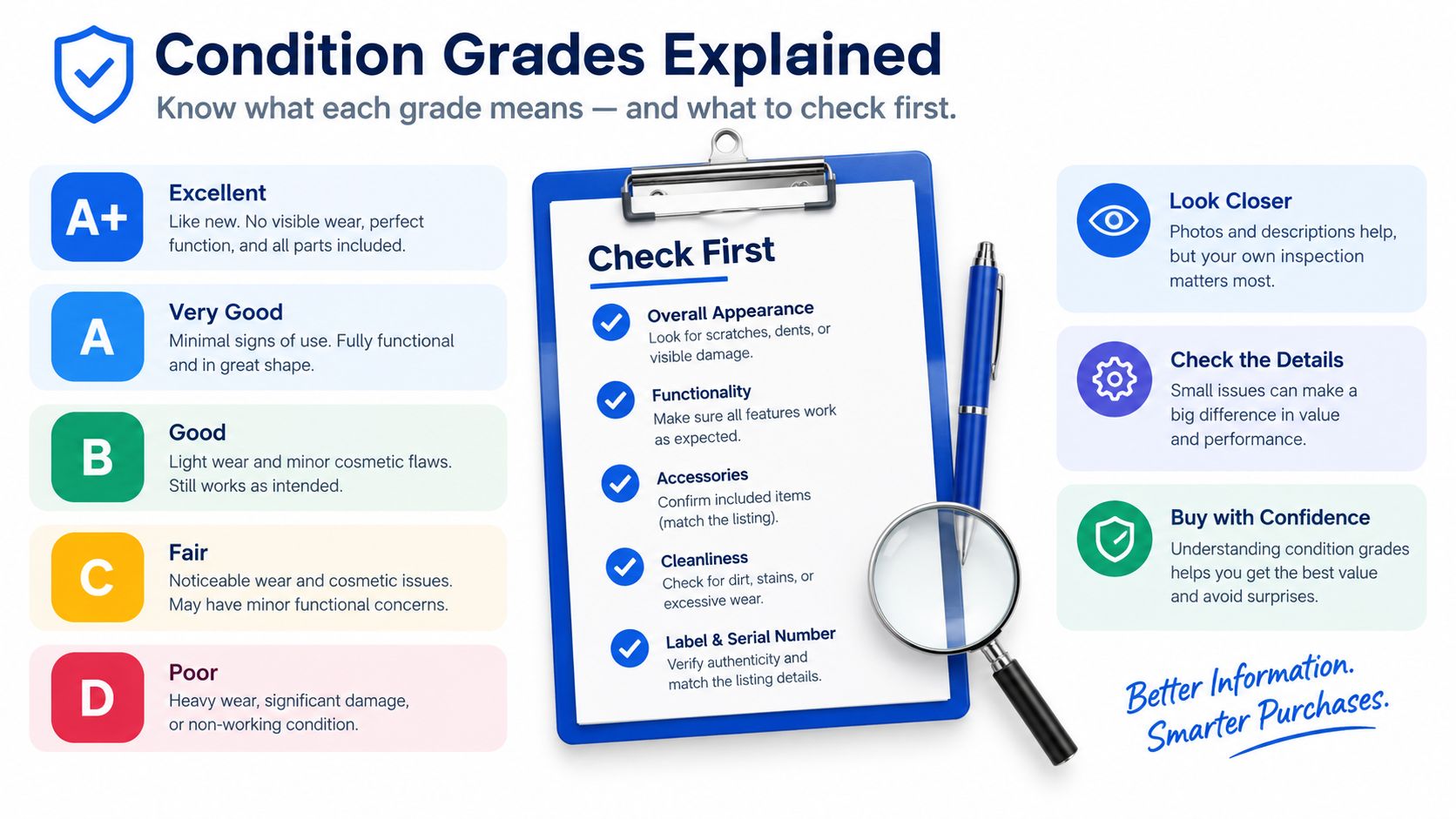
Condition grades describe appearance, not the complete health of the laptop. A Grade A MacBook Air may have very light signs of handling, while Grade B can include visible marks, small dents or keyboard shine. Grade C generally means heavier cosmetic wear, and labels such as “good” or “fair” only help if the seller explains what they mean.
The aluminium shell shows use in predictable places. Corners can pick up dents when a laptop slides around inside a bag. The palm rest may develop marks, the keys can become glossy, and the screen can show pressure marks if the lid has been closed against an object. None of those automatically means the computer is unreliable, but you should know what you're accepting.
A practical arrival check
Use this quick inspection before transferring your files:
- Inspect the display: Open a light background and look for pressure marks, bright spots, lines or areas that change when the lid moves.
- Test the keyboard: Open a text document and press every key, including the function row, space bar and arrow keys.
- Check the trackpad: Test clicking across the surface and try gestures. Uneven clicking can indicate damage or swelling beneath the trackpad.
- Try every port: Test charging, data accessories and headphones where applicable. Look for compacted debris around the charging area.
- Make a video call: Check the camera, microphone and speakers rather than assuming they work because macOS starts normally.
- Test wireless use: Connect to Wi-Fi, browse several pages and pair a Bluetooth accessory if you use one regularly.
- Read the battery information: Go to System Settings > Battery > Battery Health. Check the condition shown by macOS and ask the seller for cycle information if it wasn’t provided.
Cosmetic grade and battery health are separate questions. A laptop can be cosmetically excellent with a tired battery, or visibly marked while still offering useful battery capacity. Don't let a clean shell distract you from the figure that affects commuting, lectures and working away from a charger.
For buyers used to phone grading, the same principle applies. This guide to refurbished device grades is useful for understanding why cosmetic condition should be judged separately from functionality and battery performance.
Our Experience Refurbishing This Model at Used Mobiles 4U
One thing we regularly notice with MacBook Airs is that two machines of a similar age can arrive with noticeably different battery condition. The previous owner's charging habits, workload and storage environment matter. That's why a broad description such as “good battery” doesn't tell a customer enough.
Our technicians check the battery information, charging behaviour and general power performance before a unit is graded. We look at the keyboard and trackpad for heavy use, inspect the screen coating and corners, and check the charging area for debris or signs that a cable has been pulled at an angle. A dented corner may be cosmetic, but it can also indicate a drop that deserves a closer internal inspection.
What reaches the repair bench
Common work includes cleaning ports, replacing damaged chargers or cables where supplied equipment fails testing, and dealing with keyboards, trackpads or screens that don't meet the required standard. We don't treat every mark as a repair, because polishing a small cosmetic scuff can create a worse finish than leaving it accurately graded.
The repair-versus-replace decision depends on the fault, the parts available and the likely reliability after repair. If a machine fails charging, display, input or wireless checks, it isn't ready for sale just because it still boots. Devices are repaired and retested where that makes sense, or removed from sale when the result would not be dependable.
Bench rule: A MacBook Air should be tested as a working tool, not judged only by whether it powers on.
Our process includes functional testing, secure data wiping, battery verification, cosmetic grading and final quality control. You can see the stages in the Used Mobiles 4U refurbishment process, but the important customer-facing result is straightforward: the laptop should arrive without the previous owner's data and with its condition accurately described.
Compared with a refurbished MacBook Pro, the Air is usually the calmer value choice for everyday work because it is lighter and less machine than many buyers need. The Pro becomes more appropriate for sustained heavy workloads, but paying for that capability doesn't help if your day consists of documents, browsing and video calls. A Windows refurb laptop can offer more ports or a lower entry price, although the decision then depends on your preferred software, operating system and compatibility needs.
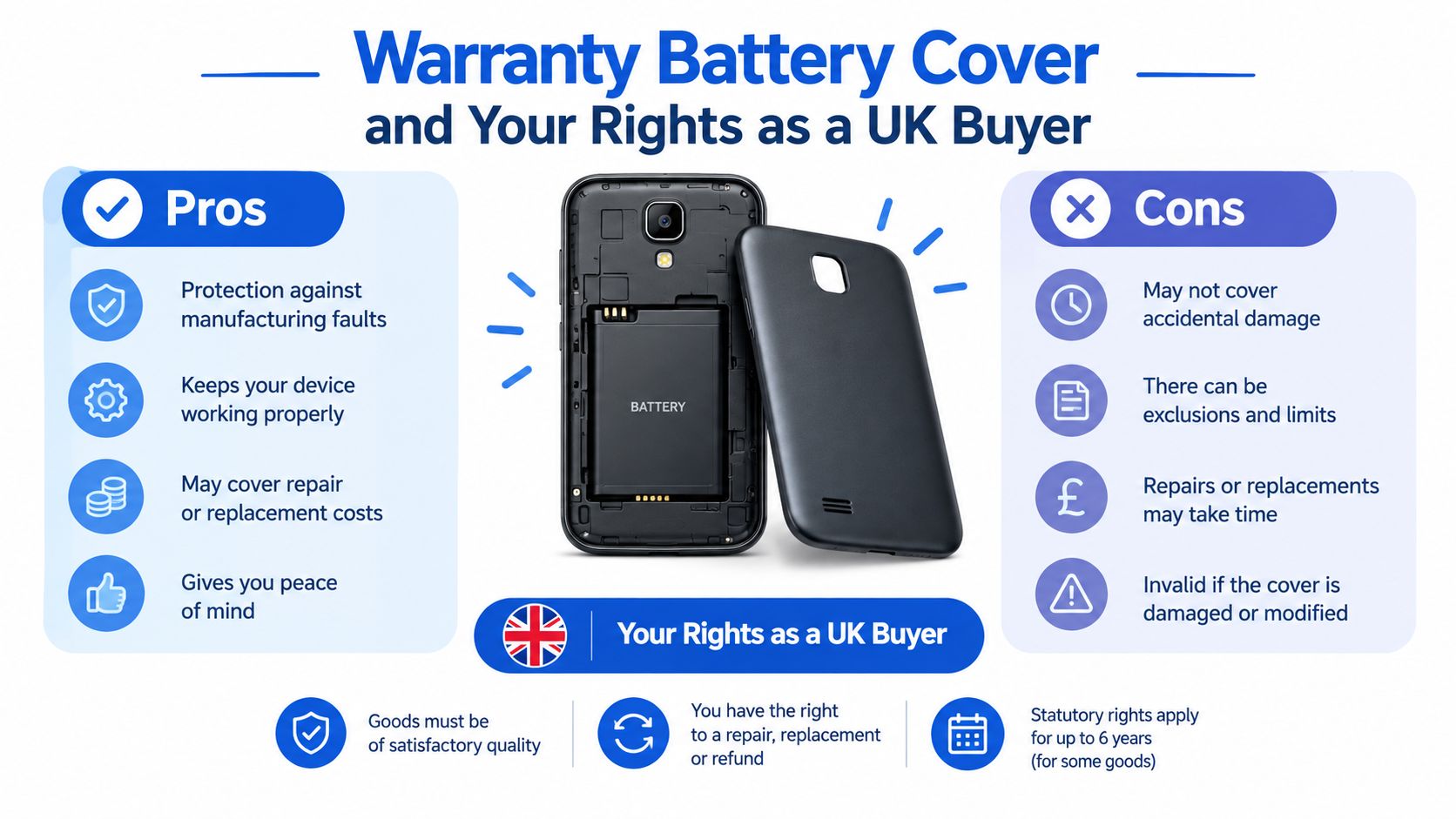
Warranty Battery Cover and Your Rights as a UK Buyer
Warranty wording deserves the same attention as the laptop itself. Apple's UK refurbished terms provide a one-year guarantee against defects in materials and workmanship, which is a useful baseline when comparing independent offers. Apple's refurbished hardware terms set out that cover for its programme.
An independent seller doesn't need to copy Apple's wording, but it should explain what happens if the laptop develops a fault and whether battery problems are treated separately. Battery wear is one of the most common complaints after buying used electronics, so a seller that publishes a measured battery figure and explains its battery cover gives you more useful information than one that uses a generic condition label.
Apple says MacBook batteries are designed to retain up to 80% of their original capacity after 1,000 charge cycles. Apple's battery service guidance provides that benchmark. It isn't a promise that every refurbished laptop at 80% will feel identical, but it helps put a quoted figure into context.
A battery at 80% has less runtime headroom than a new battery. For someone working on a train, attending classes or travelling between client sites, that difference is more important than a small scratch on the lid. A buyer should ask whether the quoted figure is the current maximum capacity, how cycle count was checked and what happens if the battery falls below the seller's stated standard during cover.
UK cancellation and fault rights
Online buyers generally have a 14-day cancellation window under the Consumer Contracts Regulations. The Which? guidance on second-hand and refurbished laptops also explains that the Consumer Rights Act gives a 30-day right to reject goods that are faulty, not as described or unfit for purpose.
Those rights sit alongside the seller's own warranty. A warranty can provide a route for repair or replacement, but it doesn't remove statutory consumer protection. Keep the listing, grading description, battery information, order confirmation and delivery records until you're satisfied with the laptop.
UK consumer guidance on second-hand purchases explains that retailer-sold refurbished or second-hand laptops are covered by the Consumer Rights Act, including an easier presumption of fault in the first six months after delivery. If a problem appears, report it promptly and describe the fault accurately.
Our Verdict and Who Should Buy What
A refurbished MacBook Air is a strong option for a student, commuter, household or small business that wants a dependable everyday laptop without paying new-stock pricing. The best purchase isn't necessarily the newest generation. It's the machine with the right workload fit, a battery you can verify and a grade that matches your expectations.
- Students and commuters: Choose a well-tested M1 or M2 with clearly stated battery health. A clean charging history and sensible warranty matter more than a tiny cosmetic mark.
- Households needing a spare machine: An M1 can be enough for browsing, documents, streaming and video calls, provided you accept its age and inspect it properly.
- Small businesses: Standardising on a recent generation such as the M2 or M4 can simplify replacement decisions and give staff a consistent experience.
- Heavy creative users: Consider newer stock or a MacBook Pro if your workload involves sustained demanding applications. The Air isn’t the right answer for every professional task.
A common example we see is a student comparing an M1 with high battery health against an M2 that has noticeably lower capacity. The M2 is the newer machine, but the M1 may be the better buy if the student spends long days away from a socket and only needs documents, browsing and video calls. I'd choose the M2 when its battery condition and warranty are still convincing, not just because the model number is newer.
Before ordering a refurbished MacBook Air UK buyers should confirm three things: the exact cosmetic grade, the quoted battery health and the warranty terms. Check the machine on arrival, test the ports and keyboard, and use the cancellation or returns process promptly if it isn't as described.
Written by James Waterston, 24 years in the mobile phone industry from customer service through to Sales Director of a global repair and recycling company. Now running Used Mobiles 4U for over 8 years. Connect with James Waterston on LinkedIn
Used Mobiles 4U lists tested, graded refurbished MacBook Air laptops with battery information, secure data wiping, warranty and UK support. Visit Used Mobiles 4 U to compare current stock and choose a MacBook Air that matches your budget and daily use.
Looking for a refurbished phone?
Shop professionally tested refurbished iPhones and Samsung phones with 18 month warranty, 30 day returns and free UK delivery.
Browse Refurbished Phones



