





MacBook Pro Sale UK 2026: How to Time and Verify Deals

07/10/2026

10 Mins

A MacBook Pro sale can be worthwhile when a refurbished model is 15% cheaper and the specification matches your work. A £450 saving is only meaningful if the battery, warranty and likely repair exposure don't consume it.
The popular advice is to chase the largest discount. That's the wrong starting point. A cautious UK buyer should compare the complete configuration, inspect battery condition, understand the seller's cover and calculate likely ownership costs over two or three years.
MacBook Pro Sale UK 2026 – What to Check Before You Buy
A MacBook Pro sale is a genuine opportunity when the machine is cheaper for the same practical specification, not merely cheaper than a different model. Match the chip tier, unified memory, SSD capacity and screen size before looking at the discount percentage. A lower-priced Max model with limited memory may be a worse fit than a better-balanced Pro configuration.
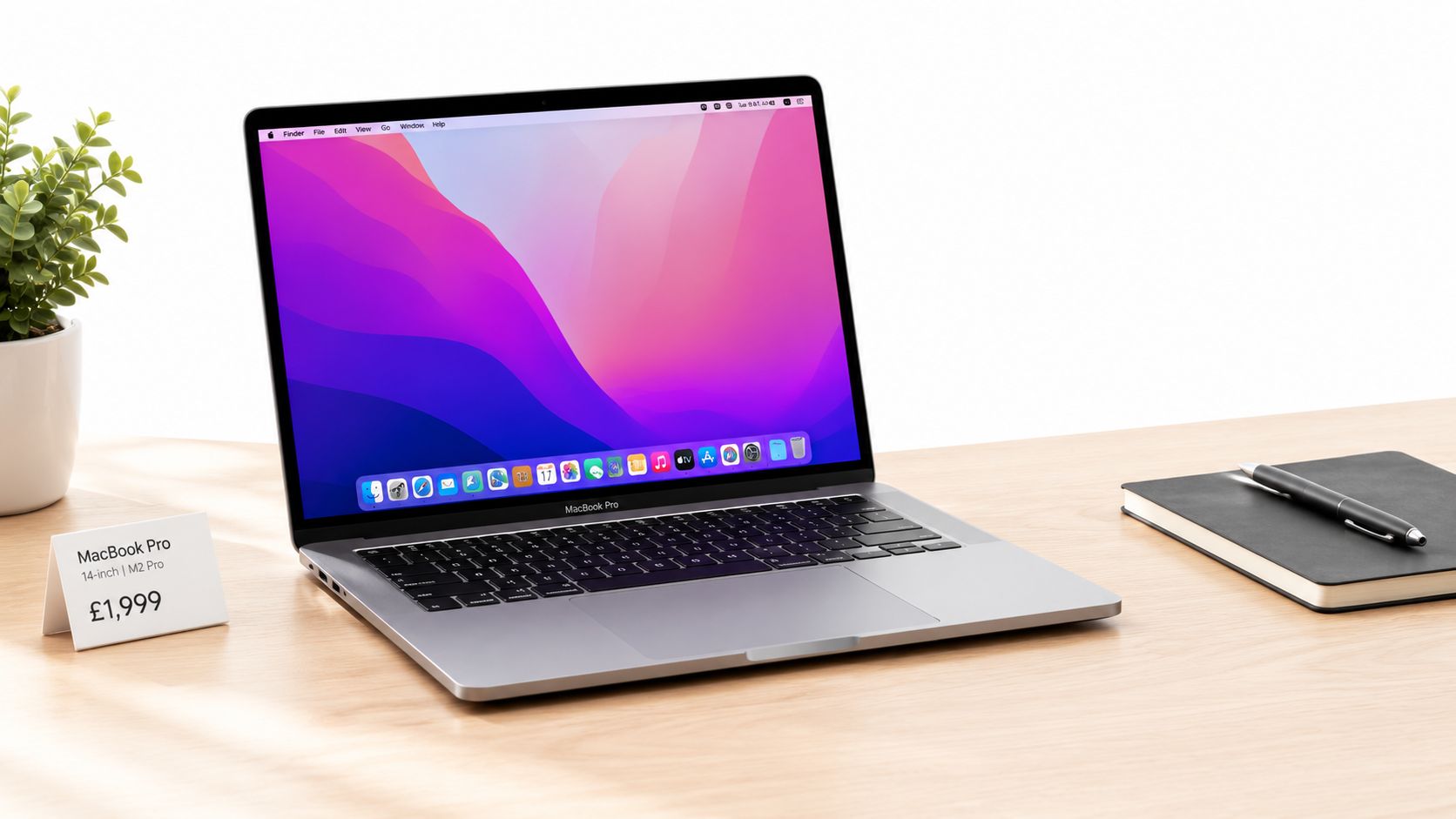
Apple's UK refurbished store lists a 16-inch M5 Pro model at £2,549, reduced from £2,999, which is a £450 or 15.0% discount. It also lists higher-performance M5 Max configurations at £3,739 and £4,249, showing why the processor and GPU configuration can change the value far more than cosmetic condition. Apple's UK refurbished MacBook Pro listings make the point clearly, a MacBook Pro sale needs a like-for-like comparison.
Start with this order:
- Match the specification: Confirm the exact chip, CPU and GPU core count, memory, SSD, screen size and display finish.
- Check the battery: Ask for battery health, cycle information and any service warning.
- Read the cover: Find out who handles faults, how long the warranty lasts and whether battery problems are treated separately.
- Price the risk: Compare the saving with a realistic repair exposure and the inconvenience of downtime.
Use the market as context, not proof
Apple has a sizeable UK customer base. Approximately 25% of UK internet users owned a MacBook, and the country has 39 Apple stores, according to Statista's UK Apple market overview. That makes a refurbished MacBook Pro a mainstream used-electronics purchase, not a niche product with no replacement demand.
Apple's Mac category generated US$33.708 billion in worldwide net sales in fiscal 2025, compared with US$29.984 billion in fiscal 2024 and US$29.357 billion in fiscal 2023. Apple's fiscal 2025 reporting groups all Mac products together, so those figures don't tell us how many MacBook Pro units sold in the UK. They do show why headline discounts need careful interpretation rather than guesswork.
For broader laptop buying decisions, compare the sale with the advice in our refurbished laptop guide. The right question isn't “How much is off?” It's “What will this exact machine cost me to own and rely on?”
How to Read a MacBook Pro Sale Listing Without Getting Misled
A vague listing is a warning sign. “MacBook Pro M5, excellent condition” doesn't tell you enough to compare it with another M5 model. You need the complete specification, because two machines carrying the same generation name can have very different working capabilities and prices.
Apple's own refurbished stock shows the spread. The listed 16-inch M5 Pro has an 18-core CPU and 20-core GPU, while the M5 Max examples have an 18-core CPU with either 32-core or 40-core GPU configurations. The prices rise from £2,549 to £3,739 and £4,249, so chip branding alone is a poor guide to value. Use the Apple UK refurbished configuration details to check what you're comparing.

Read beyond the grade
Cosmetic grading matters, but it shouldn't dominate the decision. A lightly marked lid is usually less important than a worn battery, unreliable charging port or display fault. Ask for photographs of the corners, screen, keyboard and underside, then check whether the written grade explains what those marks mean.
Request these details before paying:
- Chip and cores: Confirm whether it’s a base, Pro or Max chip, and ask for the CPU and GPU core counts.
- Memory: Unified memory can’t be treated as an afterthought. Buyers running demanding creative software should pay close attention to capacity.
- Storage: A 1TB SSD isn’t equivalent to a 512GB model simply because both are described as the same MacBook Pro generation.
- Screen and finish: Confirm whether the listing is for the 14-inch or 16-inch model and check the display condition.
- Accessories: Establish whether the charger and cable are included, and whether they are suitable for the machine.
The 2026 14-inch MacBook Pro launched in the UK from £2,199 for an M5 Pro with 24GB unified memory and a 1TB SSD. The M5 Max started at £3,599, while the 16-inch range started at £2,699 for M5 Pro and reached £4,399 for the top M5 Max configuration. Idealo's UK pricing comparison demonstrates why memory and storage must be matched before comparing prices.
Don't use a discount percentage to excuse missing information. The same discipline applies to any refurbished electronics purchase, including the checks in our guide to spotting fake refurbished phones.
Apple UK Refurbished Stock Compared with Third Party MacBook Pro Sales
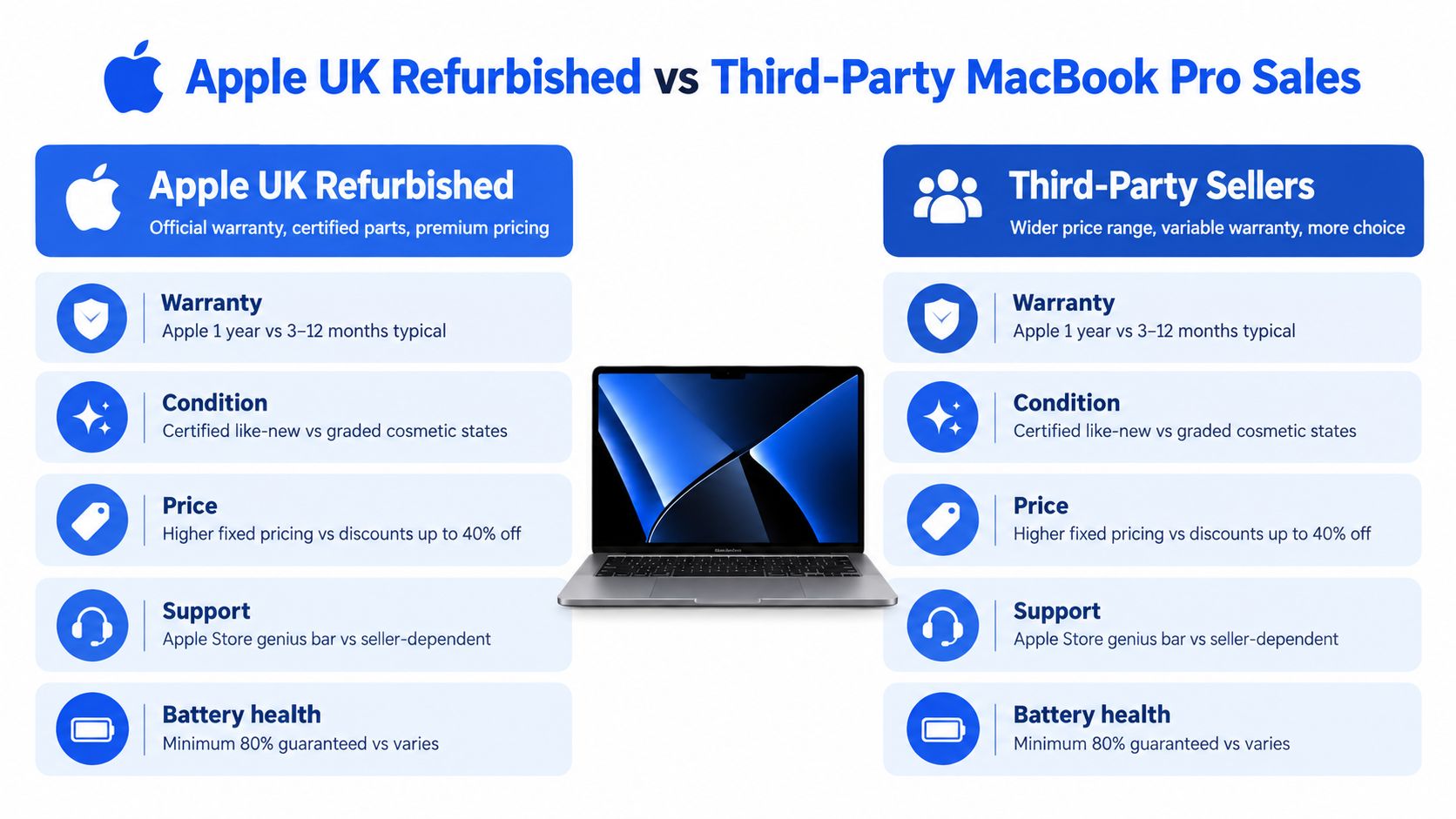
Apple UK refurbished stock and independent refurbished stock serve different buyers. Apple gives you a familiar route with a premium benchmark, while third-party sellers may offer more varied grades, older configurations and different levels of support. Neither route removes the need to check the individual device.
Apple's current UK store lists a refurbished 16-inch M5 Pro with a 15.0% reduction from its listed original price, while the M5 Max listings show the same observed discount level. That doesn't mean every third-party MacBook Pro sale offers better value. A lower price may reflect older hardware, a weaker battery, less cover or a cosmetic grade that doesn't suit you.
Choose the route that matches your tolerance for risk
Choose Apple UK refurbished if:
- Consistency matters: You prefer a brand-backed buying route and don’t want to interpret a seller’s grading system.
- Your workload is expensive to interrupt: A clear support path may be worth paying more for.
- You want a current configuration: Apple’s listings make it easier to compare the exact chip, memory and storage combination.
Choose a reputable third-party seller if:
- Absolute price matters: Older Apple silicon configurations may offer enough performance without the newest-generation premium.
- You want more choice: Independent stock can include configurations Apple no longer lists.
- You can check the details: The seller clearly explains grading, testing, battery condition, returns and warranty cover.
The important distinction is not “official versus unofficial”. It's clear protection versus unclear protection. Read our comparison of Apple refurbished and used iPhones for the same principle applied to another Apple product category. The product changes, but the buying discipline doesn't.
The Hidden Costs That Turn a MacBook Pro Sale Into a False Bargain
A discounted laptop can become expensive after delivery. The most common mistake is treating the checkout price as the total cost, then discovering that a battery or major component needs attention when the seller's cover is unclear.
Independent UK repair pricing places laptop battery replacement at £30 to £180, keyboard repairs at £60 to £150, screen replacement at £100 to £300, and motherboard work at £200 to £400. These are broad repair ranges from UK laptop repair cost information, not a quote for every MacBook Pro. They still show why an older, high-spec model can be a false bargain if one serious fault consumes most of the saving.

Battery condition changes the calculation
Apple says a built-in MacBook lithium-ion battery is designed to retain up to 80% of its original capacity after 1,000 complete charge cycles. It also states that its one-year warranty covers a defective battery and that battery replacement is available for MacBook, MacBook Air and MacBook Pro models with built-in batteries. Check Apple's UK battery service information before assuming that the seller's battery cover works in the same way.
Age alone isn't a reliable battery test. A lightly used older machine may have more useful capacity than a newer laptop that has been heavily cycled. Ask whether the seller checked battery health, whether macOS reports a service warning and whether the battery is covered separately from the main device.
Know your UK rights
The Consumer Rights Act 2015 gives you a short-term right to reject faulty goods within 30 days when buying from a UK retailer. The period starts the day after delivery. If you request a repair or replacement during that time, the clock pauses while the remedy is provided, and you retain the remaining period or seven days, whichever is longer, after the laptop returns. The UK legislation notes explain the relevant remedies.
Test the MacBook promptly. Check the display, keyboard, trackpad, speakers, ports, webcam, charging and battery reporting. A retailer warranty is additional protection, not a substitute for your statutory rights.
Practical rule: If the likely repair bill approaches the gap between the sale model and a newer, better-covered laptop, the newer machine is usually the more sensible purchase.
Our Experience Refurbishing This Model at Used Mobiles 4U
Refurbishing a MacBook Pro involves more than wiping the drive and polishing the lid. Our technicians inspect the battery report, charging behaviour, keyboard, trackpad, display, speakers, webcam, wireless connections and every port before a machine is considered ready for resale.
One thing we regularly notice is that heavy professional use doesn't always leave obvious marks. A laptop can have a clean lid but show wear around the most-used keys, a slightly tired trackpad surface or a charging port that has seen frequent cable movement. Those details don't automatically make a MacBook Pro a poor buy, but they should match the grade and price.
What technicians look for first
- Battery behaviour: We check reported health and charging performance rather than judging the battery by the machine’s age.
- Keyboard and trackpad: Every key should respond consistently, and the trackpad should click and track without hesitation.
- Display: We look for uneven brightness, visible damage, stuck pixels and marks that become distracting during normal work.
- Ports and charging: A USB-C port that only charges at a particular angle is a repair concern, not a cosmetic quibble.
- Security and data: The previous owner’s account must be removed and the device securely wiped before resale.
A common example we see is a buyer choosing a cheaper high-spec MacBook Pro because the casing looks excellent, then overlooking a poor battery report. We would rather see that buyer choose a lower chip tier with a sound battery and dependable cover, provided it handles the actual workload.
Grade differences should describe real use, not just appearance. A fair-grade machine may be perfectly functional with visible marks, while an excellent-grade machine should present more cleanly. Compare the grade with the testing standard, warranty and price. A repair can make sense when the fault is isolated and the rest of the machine is strong. Replacement is usually wiser when several components show wear or the repair approaches the cost of a sound alternative.
When a MacBook Pro Sale Is Actually Worth Your Money
The best sale isn't necessarily the cheapest listing. It's the one that gives you enough performance, usable battery life and protection without paying for hardware your work won't use.
Apple's UK store lists a new 14-inch MacBook Pro with an M5 chip from £2,999, providing a clear reference point for shoppers comparing new and refurbished stock. Apple's current UK 14-inch MacBook Pro pricing is useful as a benchmark, but it doesn't prove that every older model is good value. Match the memory, SSD, screen size, chip and cover before deciding whether the difference is real.
Buy the sale model when
- Your workload fits the configuration: Office work, study, browsing, software development and photo editing don’t all need the highest GPU tier.
- The battery report is convincing: You know the condition before paying, not after the return period has become inconvenient.
- The warranty is usable: The seller explains the claim process and covers the faults you’re most likely to encounter.
- The repair exposure is controlled: The price saving remains meaningful after considering battery and component risk.
Buy newer instead when you need dependable performance for demanding video production, 3D rendering or local AI workloads and can't absorb downtime. A previous-generation Pro can still be economical, but only when the exact configuration and condition make sense for your work.
A cheaper laptop is not a cheaper tool if an avoidable fault interrupts paid work.
Practical Pre Purchase Checklist for Buying a Discounted MacBook Pro
Use this checklist before you commit to a MacBook Pro sale:
- Save the listing: Keep a copy of the advertised specification, grade, accessories and warranty wording.
- Match the configuration: Confirm chip tier, CPU and GPU cores, memory, SSD, screen size and finish.
- Ask for battery information: Request health, cycle details and confirmation of any service message.
- Inspect the photos: Look closely at the display, corners, keyboard, underside and charging ports.
- Clarify the warranty: Ask who pays for return postage, what faults are covered and whether the battery has separate terms.
- Check the seller: Prefer clear UK support, defined returns and evidence of structured testing.
- Test immediately: On arrival, check charging, display, keyboard, trackpad, speakers, camera, ports and account status.
The exact routine in our 10-step refurb check is useful when you're comparing refurbished electronics. Back up your data before transferring anything, and don't send money to a seller that won't answer basic configuration and warranty questions.
For most buyers, a MacBook Pro sale is worth buying when the specification is matched, battery condition is verified and the warranty makes the repair risk manageable. Avoid listings that hide the configuration, minimise battery concerns or price an older machine close to a newer model. If you'd like a tested, clearly graded refurbished MacBook Pro or want to trade in an existing laptop, visit Used Mobiles 4 U to compare current stock and support options.
Written by James Waterston, 24 years in the mobile phone industry from customer service through to Sales Director of a global repair and recycling company. Now running Used Mobiles 4U for over 8 years. LinkedIn
Meta description: MacBook Pro sale UK buyers guide to genuine savings, battery health, repair risk, configuration matching, warranty cover and smarter refurbished purchases.
Looking for a refurbished phone?
Shop professionally tested refurbished iPhones and Samsung phones with 18 month warranty, 30 day returns and free UK delivery.
Browse Refurbished Phones



