





How to Transfer Data to New Phone

10/10/2026

8 Mins

You’ve bought a replacement phone, moved your SIM across and opened WhatsApp, only to find that recent chats, banking access or photographs are missing. To transfer data to a new phone safely, copy the phone’s contents first, keep the old handset untouched, then deal separately with your mobile number and account security.
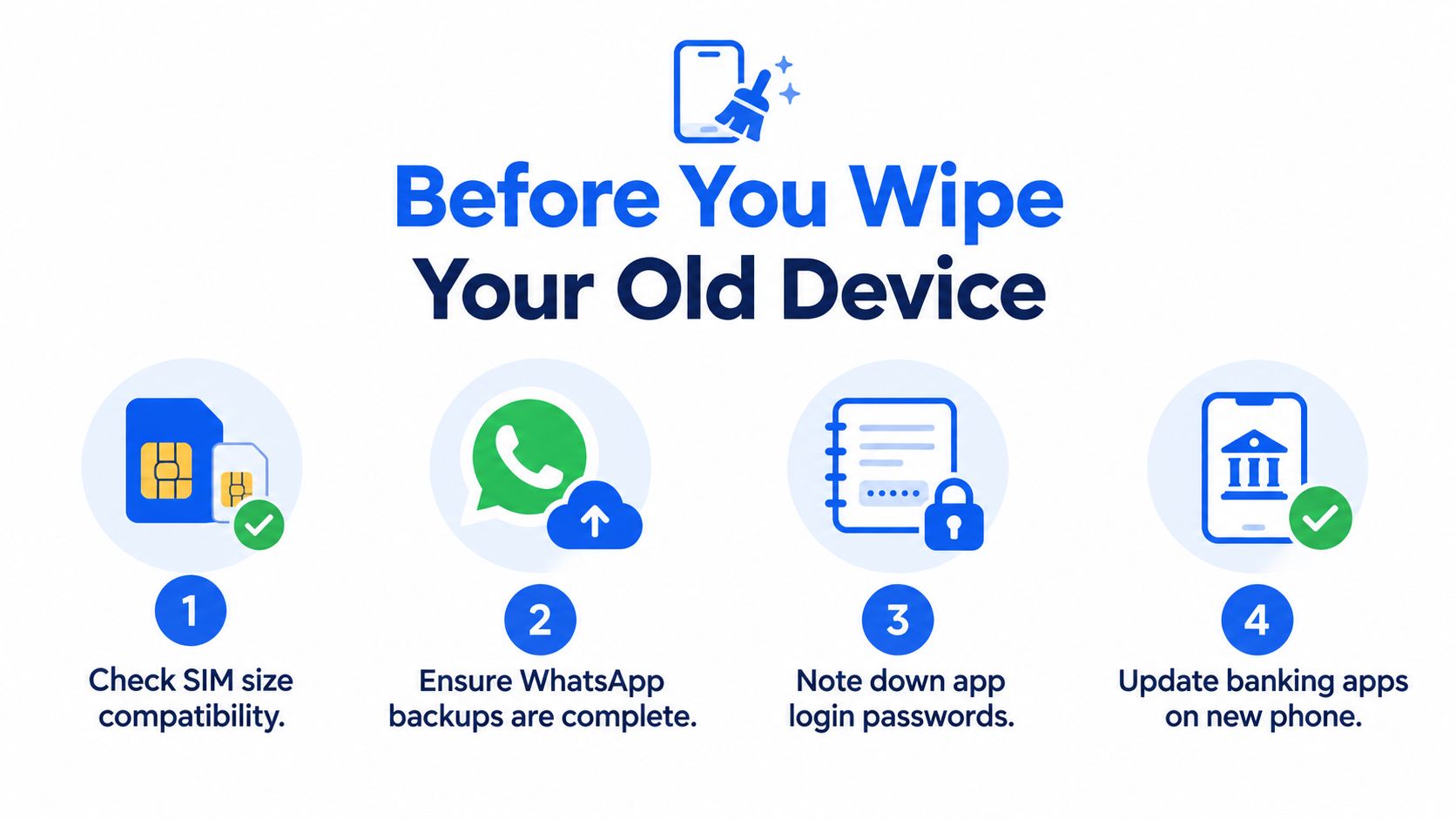
Before You Wipe Your Old Device
A common shop-floor mistake is handing over the old phone before checking the replacement properly. Keep the old handset charged, unlocked and available until contacts, photos, messages, WhatsApp, authentication tools and banking access have all been tested on the new device.
- Charge both phones: A transfer can stop if either device runs out of power.
- Use trusted Wi-Fi: Cloud restoration and large media libraries need a stable connection.
- Update both devices: Install pending system and app updates before migration.
- Check storage: The new phone must have enough room for the data you actually use.
- Back up separately: Create a current cloud backup, then an external or computer copy for important files.
Modern phones carry far more than a contact list. Ofcom recorded average monthly mobile-data use rising from 9.9GB in 2023 to 10.6GB in the following reporting period, a 7% increase, although those figures measure network use rather than transfer-package size in Ofcom’s Communications Market Report. A large photo or video library may take time to restore, particularly if the destination phone has the same storage capacity as the old, cluttered device.
Before starting, check the SIM size, finish any WhatsApp backup, note down app recovery details and update banking apps on the new phone. If you’re selling the old handset, keep it as the authoritative copy until the verification is complete. Our guide to wiping data before trading in your old phone is useful once that point has been reached.
Moving Android and Samsung Data
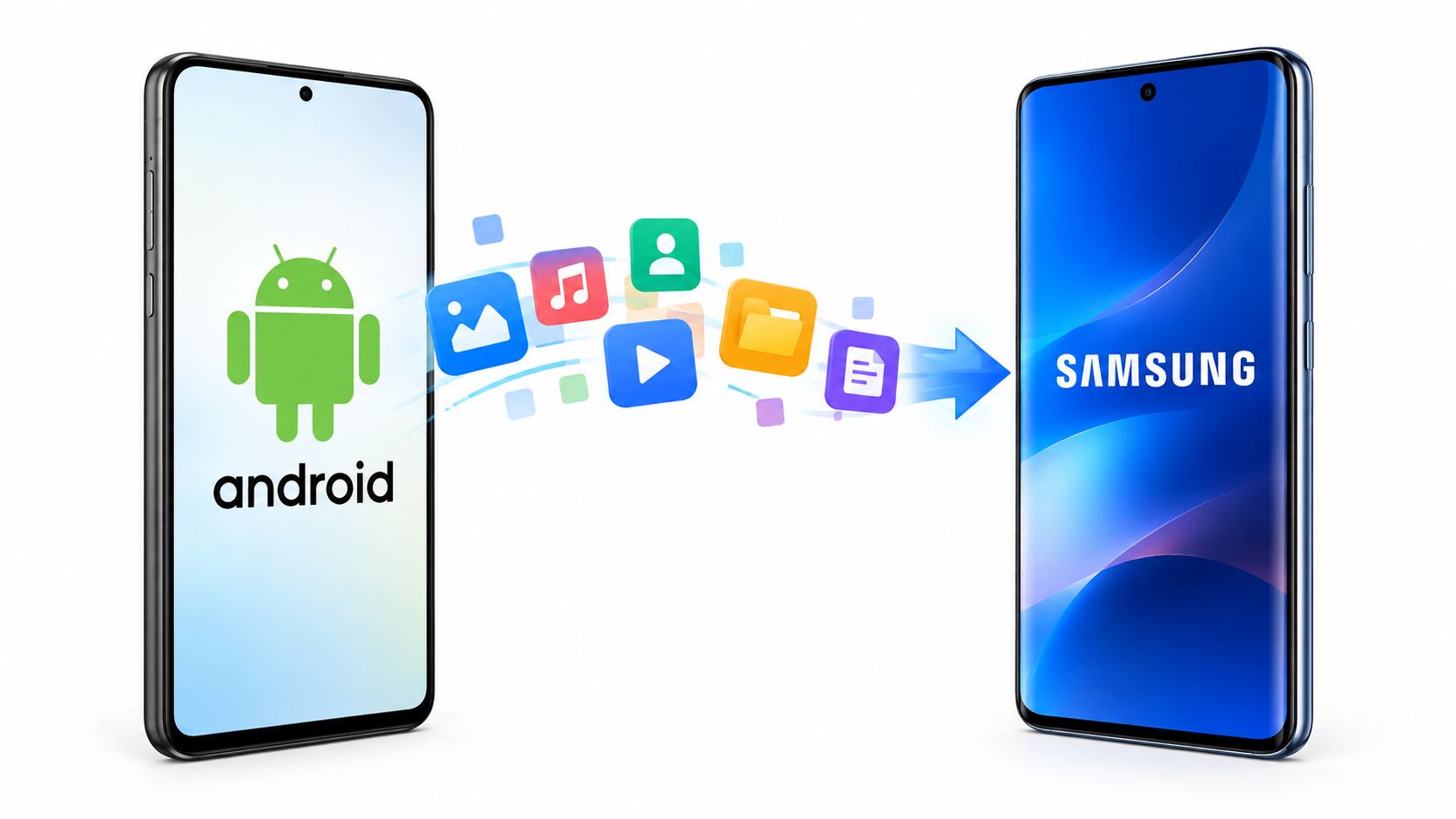
Android-to-Android transfers work best through the built-in setup wizard, not by dragging folders between phones. On the new handset, choose Set up using another device, sign in to the same Google Account and select the categories you want restored. Android supports contacts, messages, photos, apps, device settings and WhatsApp chats, but WhatsApp needs its own backup on the old phone before you open it on the new one using Android’s UK transfer guidance.
How to transfer Android data quickly
- Prepare both phones: Charge them, update them and connect them to trusted Wi-Fi.
- Start setup: Turn on the new phone and choose the option to use another device or restore from Google One.
- Match accounts: Use the same Google Account. A different account can make contacts, backups or app history appear to be missing.
- Select content: Choose contacts, messages, photographs, applications and settings, then leave both phones undisturbed.
- Restore WhatsApp: Back it up on the old phone first, then verify recent chats and media on the new handset.
For Samsung Galaxy phones, Smart Switch offers wireless, direct USB cable and computer-backup routes. I favour a USB-C cable for a large photo library because it avoids depending on the quality of the Wi-Fi connection. Samsung says both phones need at least 500MB of free internal storage for Smart Switch, and wired or wireless Android transfers require Android 6.0 or later on both devices in its UK Smart Switch guidance.
Smart Switch can move contacts, photos, messages, files, settings, call history, calendars, notes, home-screen layouts, saved Wi-Fi networks and other supported content. Secure or encrypted app data may not move automatically, and WhatsApp requires a separate backup. Banking applications, authenticator tools and account-bound services commonly need a fresh sign-in or re-registration.
If you’re changing platforms rather than staying with Android, an Android to iOS content guide can help with files and account preparation. It’s still better to use the receiving phone’s official setup process wherever possible.
Once the transfer is finished, remove your Samsung account only when the replacement has passed your checks. Our Samsung account removal guide is designed for that handover stage.
Switching to a Refurbished iPhone
Moving from one iPhone to another is usually straightforward with Quick Start. Place the phones close together, switch on Bluetooth and Wi-Fi, and keep both connected to power. The old iPhone uses its Apple Account to authorise the new one, after which you can choose a direct transfer or restore from iCloud.
How to transfer iPhone data safely
- Keep your Apple Account ready: You may need the password during setup and when restoring protected services.
- Start Quick Start: Turn on the refurbished iPhone and place it beside the old iPhone.
- Confirm the identity prompt: Use the old phone to scan the animation shown on the new one.
- Choose the transfer method: A direct phone-to-phone transfer is useful when both devices are available. iCloud restoration is practical when the old phone is not beside you.
- Leave both powered: Don’t move, erase or sell the old iPhone until the restore has finished.
- Test protected apps: Open banking apps, password managers, authenticator tools, encrypted chats, Messages and representative photographs.
Moving from Android to iPhone needs more preparation. Install Apple’s Move to iOS app on the Android handset and follow the iPhone setup prompts. Back up WhatsApp to Google Drive before starting, and don’t assume that a successful transfer means every app’s data or login state has followed you.
A common example is a customer who sees photographs on the new iPhone, then discovers that an authenticator app still needs registration. Keep the Android phone switched on and retain access to the relevant email, Google Account and banking recovery methods until those checks are complete.
Practical rule: A refurbished iPhone can be physically perfect and still unusable for its next owner if the previous Apple Account or Activation Lock remains attached.
When preparing a used iPhone, technicians check that the previous account has been removed, Find My has been disabled and the handset reaches the normal setup screen. You can follow our second-hand iPhone setup advice before moving your own content.
Keeping Your UK Mobile Number
Copying files and moving your mobile service are separate jobs. Your photos may be safely on the replacement phone while calls, SMS, voicemail, mobile data and authentication texts still depend on the old SIM or network.
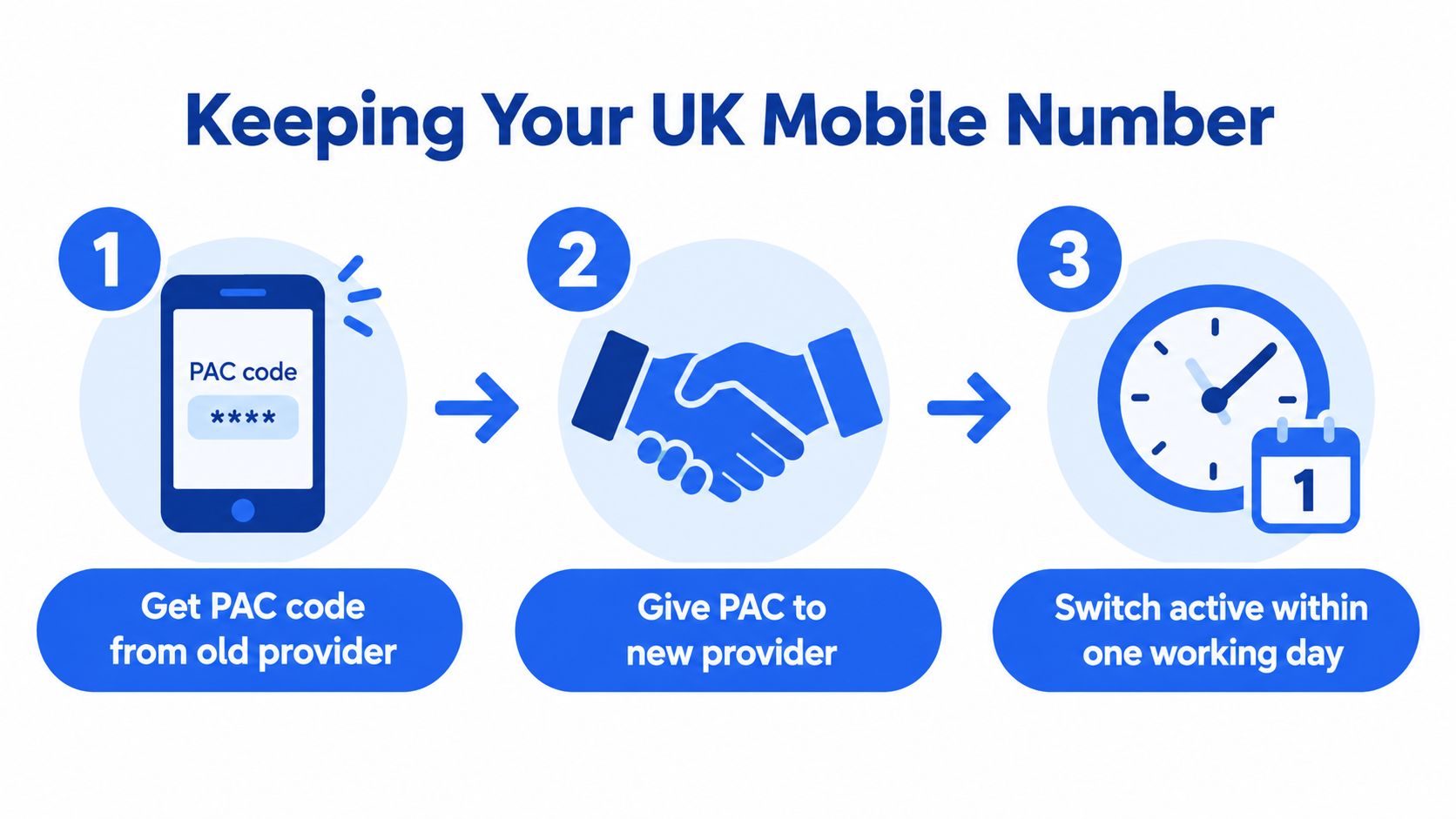
If you want to keep your UK number, request a Porting Authorisation Code by texting PAC to 65075. Give the PAC to the new provider. Ofcom says the number should normally transfer within one working day after the new provider receives it in its mobile switching guidance.
Time the two processes carefully. Copy your device data over Wi-Fi or cable first, verify the replacement, then arrange the SIM or eSIM activation and number port. If the old SIM loses service before the new one works, you may temporarily lose access to two-factor-authentication texts for banking, email or other important accounts.
The PAC process applies when you’re porting your existing number. An N-PAC switches provider without porting it. If you’re buying a SIM-free refurbished phone, remember that the device can be ready for use while your number remains active on the previous network.
Our Experience Refurbishing This Model at Used Mobiles 4U
There isn’t one single “this model” fault pattern across used phones. Battery age, charging habits, previous repairs, storage pressure and cosmetic wear tell us more than the model name alone. One thing we regularly notice is that a phone can look like new while still carrying an account, an incomplete backup or a charging fault that only appears after sustained testing.
Our technicians run a structured 50-step device check. That includes secure data wiping, account and lock checks, battery verification, charging, cameras, microphones, speakers, buttons, biometric security, connectivity and cosmetic grading. Eligible refurbished phones are supplied with at least 85% battery health, and devices that don’t meet the required standard are repaired and retested or removed from sale.
What we check before resale
- Battery and charging: We check battery health, charging stability and the port for signs of heavy use or debris.
- Display and frame: We look for impact damage, uneven brightness, deep scratches and signs that a screen has been poorly replaced.
- Cameras and audio: Front and rear cameras, microphones, speakers and video recording must work properly.
- Security: Apple Accounts, Google Accounts, Samsung accounts, Find My features and activation locks must be cleared.
- Everyday functions: We test Wi-Fi, Bluetooth, mobile connectivity, biometrics and the handset’s ability to reach the setup screen.
Grade differences usually reflect cosmetic condition rather than a promise that one grade is faster. A phone with light marks can be sensible value if the battery and functions pass inspection, while a heavily worn device may need a screen, housing, charging-port or battery decision before it is suitable for resale.
That repair-versus-replace decision depends on parts availability, damage severity, security status and the phone’s remaining usefulness. Used Mobiles 4U lists tested, SIM-free devices with clear grading, and its refurbishment process explains the checks completed before sale.
Safely Resetting and Recycling the Old Phone
Don’t press factory reset until the new phone has passed its verification. Check contact counts, open recent photos and videos, read recent messages, play WhatsApp media, test authenticator apps and sign into banking and government services where required.
- Back up and verify: Keep the old handset available as the authoritative copy.
- Sign out: Remove the Apple Account, Google Account or Samsung account from the old device.
- Disable finding features: Turn off Find My, Find My Device or equivalent activation protection.
- Remove connectivity: Take out the physical SIM and remove the eSIM where appropriate.
- Erase the phone: Use the platform’s own erase and factory-reset process.
- Check the setup screen: Restart the phone and confirm it no longer asks for your account.
- Choose a safe route: Use an established resale, donation, repair or recycling service.
UK Parliament highlights the Recycle Your Electricals campaign, which provides advice on personal-data removal and a postcode locator for safe recycling, donation or repair. The government has also described a proposed code of practice under which mobile-phone recycling companies would check devices against a national database of blocked, stolen or voluntarily registered phones in its written response.
A damaged lithium battery needs extra care. Don’t post or place a swollen, hot or badly damaged phone into an ordinary recycling stream without checking the recycler’s instructions. For broader advice on secure mobile device disposal, use a specialist recycling resource before handing over the handset.
Used Mobiles 4 U supplies tested, SIM-free refurbished phones with secure data wiping, clear grading and battery checks, so you can move your information onto a prepared replacement with less guesswork. Visit Used Mobiles 4 U to compare available phones, or contact the UK support team before buying if you need help choosing a suitable replacement.
Written by James Waterston, 24 years in the mobile phone industry from customer service through to Sales Director of a global repair and recycling company. Now running Used Mobiles 4U for over 8 years.
LinkedIn
Meta description: Learn how to transfer data to new phone safely, verify apps, keep your UK number and reset your old handset before resale or recycling.
Looking for a refurbished phone?
Shop professionally tested refurbished iPhones and Samsung phones with 18 month warranty, 30 day returns and free UK delivery.
Browse Refurbished Phones



