





What Is Data Destruction? a UK Buyer’s Guide

20/10/2026

10 Mins

You're ready to sell your old phone, but it still holds your photos, messages and accounts. Data destruction means making that information permanently unrecoverable before the phone changes hands, not necessarily destroying the handset itself. Deleting a few files isn't the same thing, as the ICO's advice on deleting device data explains.
What Data Destruction Actually Means on a Phone
A buyer should receive your phone, not your digital life. That's the practical answer to what is data destruction: making the information on its storage inaccessible, including to someone using professional recovery methods.
For a working handset, the aim is usually to remove the data while preserving the hardware. Smashing an otherwise usable Samsung Galaxy or iPhone isn't a sensible starting point.
In Plain English
- Deletion removes visible information but isn't, by itself, proof of secure destruction.
- Sanitisation treats the storage so information cannot reasonably be retrieved and reconstructed.
- Physical destruction sacrifices the storage when secure reuse cannot be assured.
The information at stake goes beyond your camera roll. Contacts, messages, saved credentials, authentication tokens and business files all need consideration before ownership changes.
Keep access protection separate from disposal. A screen lock protects access during use; encryption protects stored information; an appropriate erasure process deals with the handover. Don't accept a PIN-protected phone as a safely prepared phone.
What Should the Outcome Look Like?
For the seller, it should mean confidence that personal information is no longer accessible on the handset. For the buyer, it should mean a clean device without the previous owner's content or account restrictions.
Practical rule: Judge the result and the evidence behind it, not how reassuring the phrase “data wiped” sounds.
A setup screen is useful, but it isn't a complete technical report. When buying refurbished, ask what process produced that clean start and what happens if the device cannot be securely cleared.
The Main Methods Used in the UK
There isn't one destruction method that suits every storage device. The right choice depends on the storage technology, its condition, the sensitivity of the information and whether the hardware will be reused.
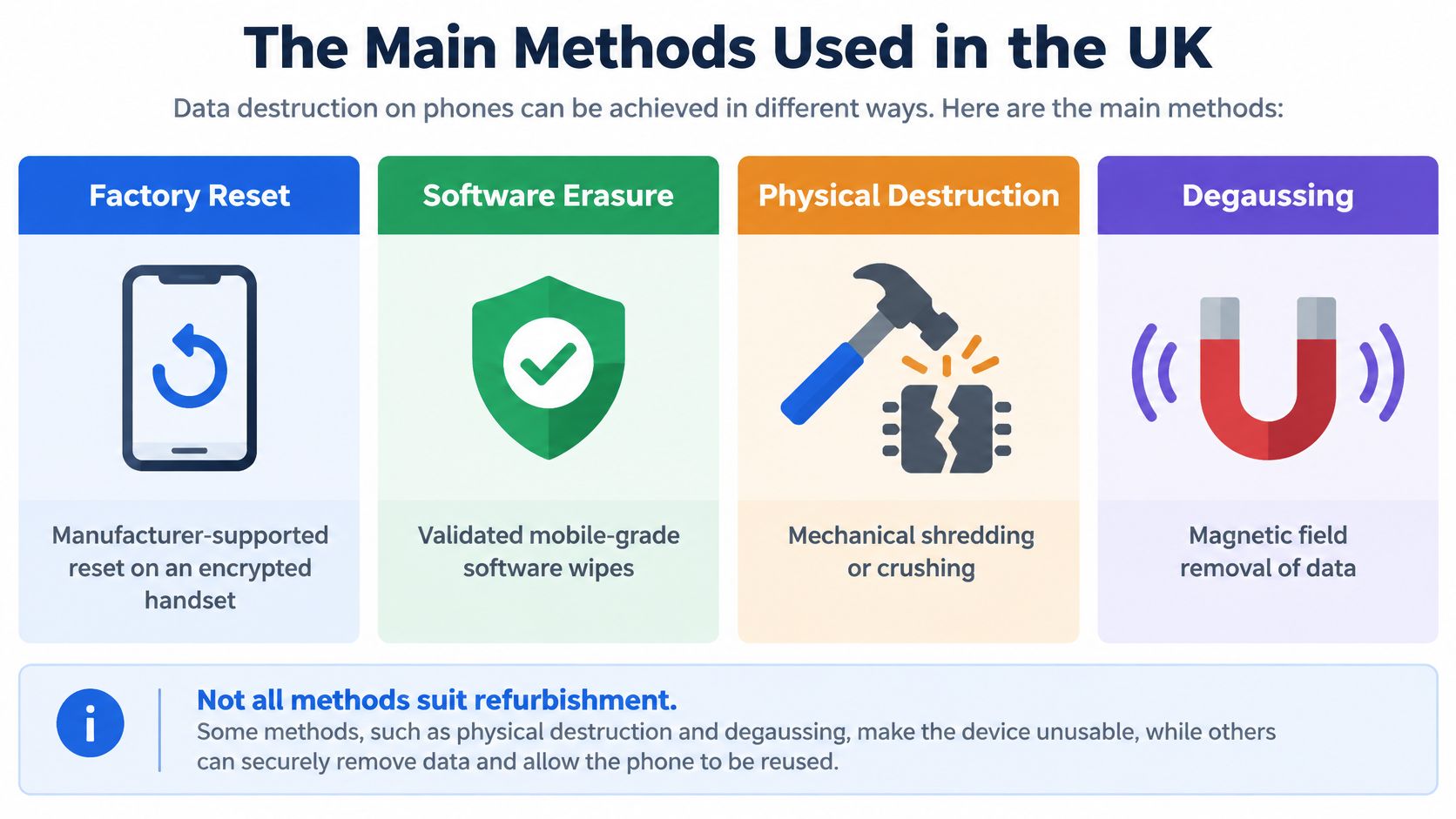
Factory Reset and Software Erasure
A manufacturer-supported reset on an encrypted handset can remove encryption keys, leaving residual information unreadable. That's why a properly completed reset can be appropriate for a modern phone, rather than merely a cosmetic clean-up.
Professional software erasure adds a controlled workflow around the operation: identify the device, select a supported method, check completion and record the result. Don't assume that installing something labelled “eraser” makes the process suitable.
The NCSC's storage sanitisation guidance explains the importance of matching the method to the media. It also recommends reading storage back after an overwrite to verify the expected result.
Physical Destruction and Degaussing
- Physical destruction is appropriate when the storage cannot be reliably sanitised. Damaged or inaccessible media needs specialist handling, not an optimistic reset attempt.
- Degaussing belongs to magnetic-media disposal, rather than the normal smartphone refurbishment route. Don't accept it as a catch-all description of how a phone was cleared.
The important distinction is between an operation and a verified outcome. A software tool reporting an error hasn't completed the job, regardless of how long it ran.
For a healthy phone intended for resale, my recommendation is straightforward: use a supported, verified erasure process and preserve the handset. If verification fails, isolate it and investigate. Don't put it into saleable stock while someone decides what the error probably meant.
Why a Factory Reset and a SIM Eject Are Not Enough
The heading needs one qualification: a suitable factory reset can be enough technically. What isn't enough is assuming every reset, on every device, under every condition provides the same assurance.
Removing the SIM is another matter. It's sensible handover preparation, but it doesn't establish that the phone's internal storage has been cleared.
The misunderstanding is well documented. In YouGov's research into mobile-phone recycling, 26% believed manually deleting information completely wiped a smartphone, while 23% thought removing its SIM made personal data irretrievable.
The Weak Spots People Miss
- Account restrictions: A reset and removal of the previous owner's account association are separate checks.
- Removable storage: A memory card needs its own decision. Keep it, securely erase it or arrange appropriate destruction.
- Cloud copies: Treat online backups as a separate location to review, not something a handset wipe proves has disappeared.
- Incomplete operations: A damaged or interrupted device needs checking, not a presumption of success.
Don't read this as a claim that a properly reset modern phone necessarily retains readable photographs. The problem is uncertainty about the device, the operation and everything surrounding it.
Why Clear Instructions Matter
The ICO's December findings on old-device wiping found that 29% of UK adults didn't know how to erase personal information from an old device, and 24% considered it too difficult.
A phone can look ready to sell while still being unready for its next owner.
For customers, the answer isn't more jargon. It's a sensible sequence, followed by a check that the sequence worked.
Our 50-Step Check and the Data Wipe Stage
At Used Mobiles 4U, secure wiping sits within a structured refurbishment check covering device status, functionality, battery verification, cosmetic grading and final quality control. It isn't a substitute for those checks, and those checks aren't a substitute for wiping.
An illustrative handover problem is a phone that looks immaculate but remains connected to its previous owner's account. The finish tells us nothing about whether it's ready for resale.
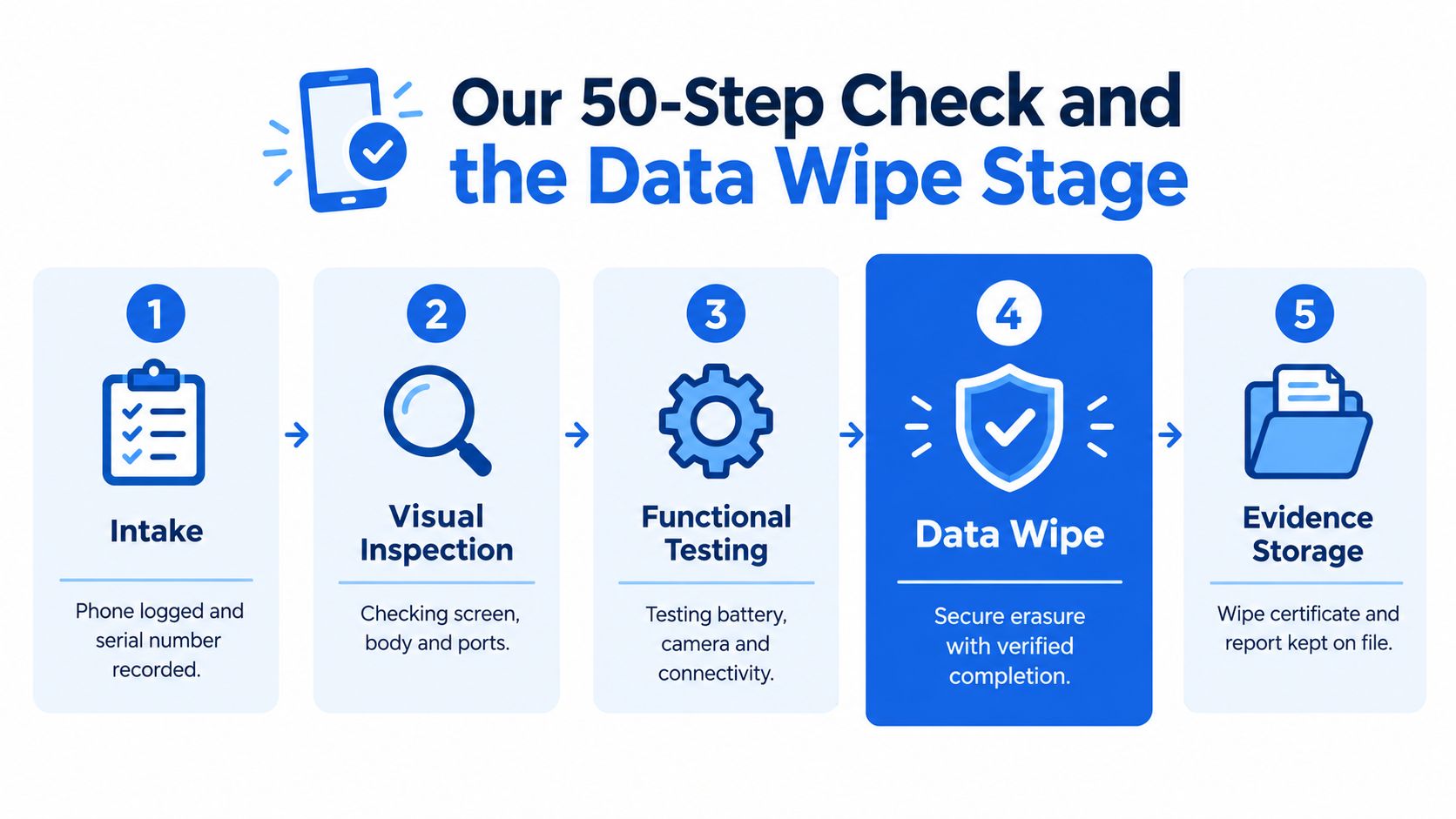
What We Check Before Resale
- Status and access: Account restrictions need resolving before a handset can be treated as ready for its next owner.
- Functionality: Charging, cameras, connectivity and the other relevant functions need assessment independently of cosmetic appearance.
- Battery condition: Battery verification helps distinguish an attractive handset from one suitable for dependable daily use.
- Wipe outcome: The erasure stage needs a confirmed result rather than an assumption based on appearance.
- Final condition: Grading and quality control determine how the finished device is described.
What Good Evidence Should Contain
For an auditable process, the useful record identifies the handset, the method used, whether it completed successfully and who handled the outcome. Failed operations should remain visible in the process rather than being overwritten by a vague “done”.
That's the standard customers should ask about. It's more informative than asking whether somebody pressed reset.
Our Experience Refurbishing This Model at Used Mobiles 4U
There isn't a single model under discussion here. The same separation between data security, functional condition and cosmetic grade applies across the iPhones, Samsung Galaxy phones and other Android handsets we sell.
Our refurbishment approach is to repair and retest where required, or remove a device from sale when it doesn't meet the required standard. A clean wipe cannot compensate for an unresolved hardware fault.
Repair Bench Priorities
- Battery health: Assess this separately from scratches and casing wear. A tidy exterior isn't a battery test.
- Common fault checks: Charging, camera operation and Face ID where fitted deserve attention before resale.
- Replacement parts: If a battery, screen or another component needs replacement, the repair must be followed by retesting.
- Heavy-use signs: Worn ports and casing damage warrant closer inspection, not conclusions about the owner's data.
- Nearby alternatives: Compare condition, battery, support and warranty before paying more for a newer model name.
Repair or Replace?
My recommendation is to repair a serviceable phone when the fault can be resolved sensibly and secure handover remains possible. Consider replacement when unresolved faults make ownership a poor proposition.
Don't confuse a higher cosmetic grade with a higher standard of data protection. A visibly worn handset still needs proper sanitisation; an immaculate one doesn't get a shortcut.
How to Prepare Your Own Phone Before You Sell or Trade It
Back up before you erase anything. Check that the information you want to keep is accessible elsewhere before signing out or starting a reset.
The exact menus vary between iPhones, Samsung Galaxy models and other Android phones. Use the manufacturer-supported procedure for your handset rather than copying a reset sequence for a different model.
How to Prepare Your Phone for Sale, Quick Steps
- Back up and check it. Confirm your photographs, contacts and important files are available away from the old phone.
- Deal with essential apps. Make sure you can access messaging, authentication and other important services from your replacement device.
- Remove your account association. Sign out of the relevant Apple or Google account using the handset's supported process.
- Disable ownership protection appropriately. Resolve Find My or Android account protection before handover. Don't share your account password with the buyer.
- Remove physical cards. Take out your SIM and any removable memory card. Decide separately what to do with the card's contents.
- Run the manufacturer-supported reset. Keep the device powered and allow the operation to finish.
- Check the handover state. Confirm your content is no longer visible and the phone isn't asking the next owner for your account credentials.
If Something Goes Wrong
Don't sell a locked or damaged handset as fully cleared. Tell the receiving retailer what happened and agree how it will be handled.
Our guide to wiping your phone before trading it in provides a practical handover reference. Keep confirmation of the reset and any trade-in receipt with your records.
The UK Rules That Actually Apply to a Refurbished Phone
For a business, personal information on a returned phone isn't the previous owner's problem. Disposal and resale need controls that protect against disclosure.
The relevant UK GDPR duties include integrity and confidentiality under Article 5(1)(f) and appropriate security under Article 32. The ICO's disposal and deletion expectations translate that into practical measures: documented methods, restricted storage and an inventory of devices awaiting destruction.
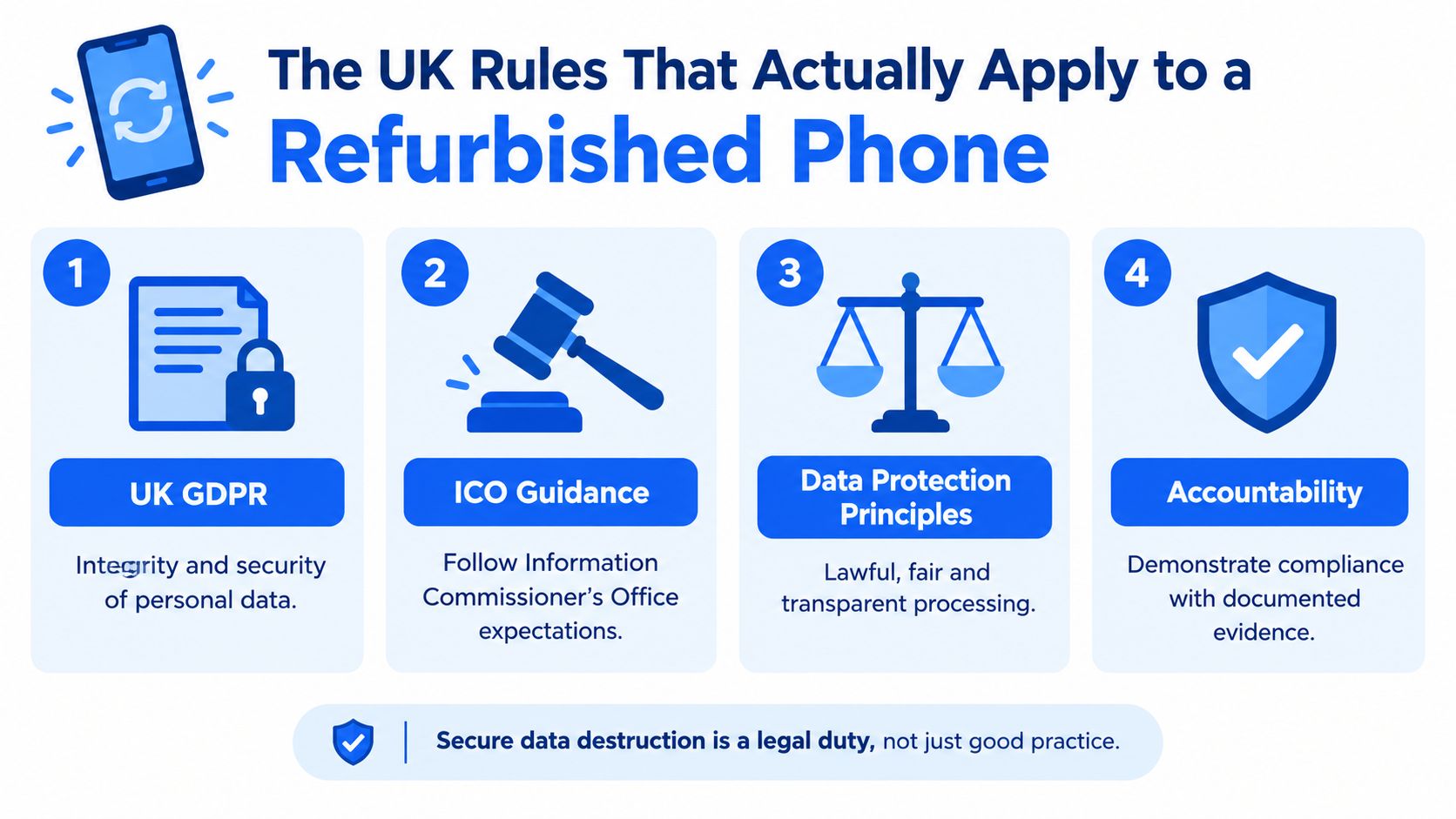
Guidance Is Not a Badge
NCSC sanitisation guidance helps organisations decide how to treat storage, verify processes and manage exceptions. It shouldn't be presented as a blanket certification of every handset a retailer sells.
Similarly, BS EN 15713:2023 concerns secure destruction. Mentioning it doesn't explain how a reusable phone was sanitised.
Where Shredding Rules Fit
The government's RPS 309 position statement allows qualifying businesses to store and shred no more than 5 tonnes at one site in any 12-month period, subject to its conditions. Whole appliances are covered only where embedded storage cannot easily be removed, and batteries and screens must be manually removed before shredding.
That's not a general instruction to shred every used phone. It's a conditional regulatory position for a particular waste activity.
Ask a retailer:
- Method: How was the storage cleared?
- Exceptions: What happens when wiping fails?
- Accountability: What record connects the result to the handset?
A refurbished-phone warranty addresses a different part of ownership. It matters, but it doesn't replace proper handling of the previous owner's information.
When Erasure Beats Destruction, and Why That Matters for Reuse
Destroy the information when you can, not a working phone unnecessarily. Secure erasure preserves the option of another useful life; physical destruction ends that option for the affected hardware.
Privacy concerns can stop that handover happening. In WWF's UK research on unwanted phones, 35% of respondents said reassurance about data security would encourage them to donate an old phone.

Preserve What Can Be Safely Reused
For buyers, reuse means being able to consider an existing handset rather than automatically replacing it with a new one. Our approach to sustainability connects that choice with keeping usable electronics in circulation.
A concrete example is the Refurbished iPhone 15 128GB Black – Excellent. It's a black handset with that storage capacity and condition grade, supplied fully tested and ready to use with the device warranty described on its listing.
Know When to Stop
Reuse isn't an excuse to accept uncertain data security. The NCSC's secure sanitisation guidance addresses the risk from remapped blocks and bad sectors that may prevent reliable sanitisation.
- Successful verified erasure: Continue assessing the device for reuse.
- Failed verification or inaccessible storage: Quarantine it and escalate the decision.
- Unresolved security risk: Use appropriate specialist destruction rather than resale.
Keeping a handset out of waste is worthwhile only when its previous owner's information is protected.
That's the balance I recommend. Don't destroy healthy hardware out of habit, and don't preserve questionable storage merely because the phone still has resale value.
What to Check Before You Hand Over or Accept a Used Phone
Make the final check before money or ownership changes hands. Fixing an account problem is easier while the previous owner is still available.
For anyone managing work devices, apply the process to each handset. A batch description saying “all reset” isn't a substitute for knowing which devices passed and which need attention.
Before You Hand One Over
- Preserve what matters: Confirm your backup and access to essential services.
- Finish preparation: Complete account removal, card handling and the supported reset.
- Keep evidence: Retain the receipt and any confirmation of processing.
- Declare problems: Tell the recipient about failed resets, damage or unresolved locks.
Before You Accept One
- Ask about wiping: Expect a clear explanation, not just reassurance.
- Check ownership readiness: Don't accept another person's account or personal content.
- Separate lock types: SIM-free status and freedom from activation restrictions are different questions.
- Read the protection: Check warranty, battery cover, returns and access to UK support.
- Inspect the listing: Match the grade and condition description to what you're buying.
Use our second-hand iPhone buying checklist alongside those checks.
The verdict: a properly prepared refurbished phone is worth considering for customers who want usable hardware without buying new. Repair a suitable handset rather than replacing it automatically, but avoid any sale where previous-owner access or wiping remains unresolved. That's what data destruction should deliver: a safe handover, not a reassuring label.
Meta description: What is data destruction? Learn how UK refurbished phones are securely wiped, when a reset is enough, and what to check before selling or buying a used phone.
Written by James Waterston, 24 years in the mobile phone industry, from customer service through to Sales Director of a global repair and recycling company. Now running Used Mobiles 4U for over 8 years. Connect with James on LinkedIn.
Used Mobiles 4 U offers professionally tested, data-wiped, clearly graded refurbished phones, with warranty and battery cover on eligible devices. Visit Used Mobiles 4 U to compare handsets, or ask our UK team about secure wiping and the checks behind your next phone.
Looking for a refurbished phone?
Shop professionally tested refurbished iPhones and Samsung phones with 18 month warranty, 30 day returns and free UK delivery.
Browse Refurbished Phones



