


How Do You Find Your IMEI Number on Any Phone

30/10/2026

8 Mins

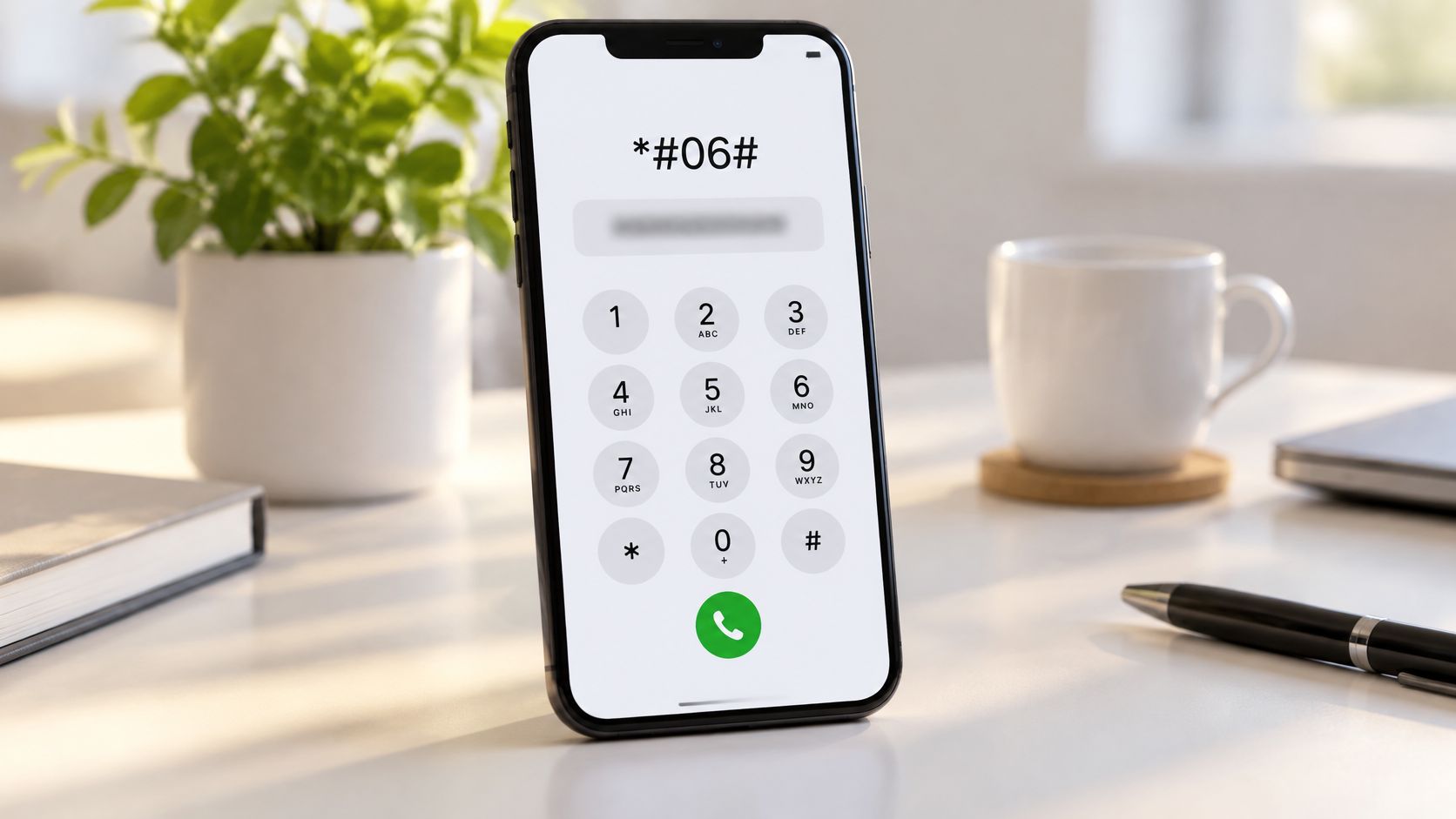
Dial *#06# on the keypad and your 15-digit IMEI number appears on screen straight away. If the dialler doesn’t work, check Settings, the original box or your receipt. Most phones give you at least one of these options.
Quick Answer
- Fastest: type *#06# on the keypad.
- On a phone you can use: Settings > About phone (Android) or Settings > General > About (iPhone).
- If the screen is broken: check the box label, your receipt or the SIM tray.
How Do You Find Your IMEI Number Quickly
Your IMEI identifies the handset itself, not the SIM or your phone number. That means it stays the same when you swap SIM cards. Writing it down somewhere safe is a sensible habit, and GOV.UK guidance explains why it matters if your phone is lost or stolen.
The Dial Code Is Usually the Fastest Route
Most of the time, this is all you need. Type *#06# on the keypad and the number appears. There’s no menu to search, which is why most people try it first.
If nothing appears, check the digits. One wrong character is the usual cause, so retype it slowly.
Checking Settings and Physical Labels
Menu names shift between manufacturers and software versions, so your route may look slightly different. Some models also print the IMEI on the SIM tray or inside the slot. The original box usually carries it on a label as well.
- Dual-SIM phones: you may see two IMEI numbers. Record both.
- Receipts and order confirmations: some list the IMEI, which helps when you make a warranty claim.
- Locked screens: the box, receipt and SIM tray work even when the phone won’t switch on.
How to Find Your IMEI Number — Quick Steps
- Open the Phone app on an iPhone, or the Phone or dialler app on Android.
- Tap the keypad and type *#06#.
- Read the 15-digit number on screen. If two appear, note both.
- Close the pop-up. On an iPhone, go to Settings > General > About and scroll down to the IMEI line.
- On a Samsung, go to Settings > About phone > Status information.
- On other Android phones, go to Settings > About phone. If you can’t see it, try Device information or Status.
- Save the number as text in a password manager or notes app, and photograph the box label.
Back up first. Reading the IMEI is harmless, but resets and repairs can wipe photos and messages in minutes. Make a backup to iCloud or a computer before you hand the phone over or start a reset.
Back Up Before Any Reset or Repair
Checking your IMEI doesn’t change anything on the phone. A reset or repair is different, and it can remove data that you won’t get back.
Before you start, back up your photos, messages and contacts. Then check that the backup has finished before you power the phone down.
Check the Box and the SIM Tray
The IMEI is printed on the original box, and sometimes on the SIM tray. Those numbers should match the handset, so compare them before you pay for any used phone.
A habit we’d recommend is photographing the About screen on the day you buy a phone. It takes seconds, and it saves a lot of bother if the box goes missing.
Our Experience Refurbishing This Model at Used Mobiles 4U
One thing we regularly notice is that people often assume the IMEI is hard to find when it’s actually in the same place on most phones. Our technicians cross-check the number on the handset, the box label and the paperwork before a phone leaves the workshop. It’s a simple check, and it gives you a clear reference when you compare the phone with its packaging.
On the bench, we see the number most easily on newer iPhones and Samsungs. Older Android phones with removable batteries take longer, because the sticker sits under the battery and the phone has to be switched off first. When a screen is cracked or a button has stopped working, the dial code still usually works. If it doesn’t, the box label is the next place we look.
If a phone’s IMEI doesn’t match its paperwork, we don’t assume the worst. We look into it first, because a replacement part or a re-entered number can sometimes explain the difference. Ask the seller to explain any mismatch before you buy.
What We Commonly See
- Dual-SIM numbers: buyers often see two IMEI lines and think one is wrong. Both are normal, so note both down.
- Lost boxes: packaging tends to disappear during house moves, which is why a photo of the label helps.
- Mistyped dial codes: one wrong character in *#06# means nothing appears. Retype it slowly.
- Hidden menu entries: Samsung and some Motorola models bury the entry one level deeper, so step back a level if the first menu looks unfamiliar.
Samsung and Other Android Phones
Android works on the same principle as iPhone, but the menus change from brand to brand. Dialling *#06# works on most models, so start there. If you’d rather check the handset itself, open Settings and look under About phone.
Plenty of Android phones with two SIM slots show IMEI 1 and IMEI 2. Write both down. A network provider or insurer may ask for either one, and you won’t always know which they need.
Older handsets often print the IMEI on a sticker under a removable battery. Switch the phone off, lift the battery out and check the slot. Take a photo while you’re there.
A Common Example We See
A common example we see is a customer with a cracked screen who has no idea where the number was written down. By the time they reach the counter, they’re stressed and searching the wrong menus. Writing it down once, then keeping it somewhere the phone can’t lock you out of, avoids that completely.
Not sure which Samsung you own? Our guide on what Samsung phone do I have walks through how to check your model quickly.
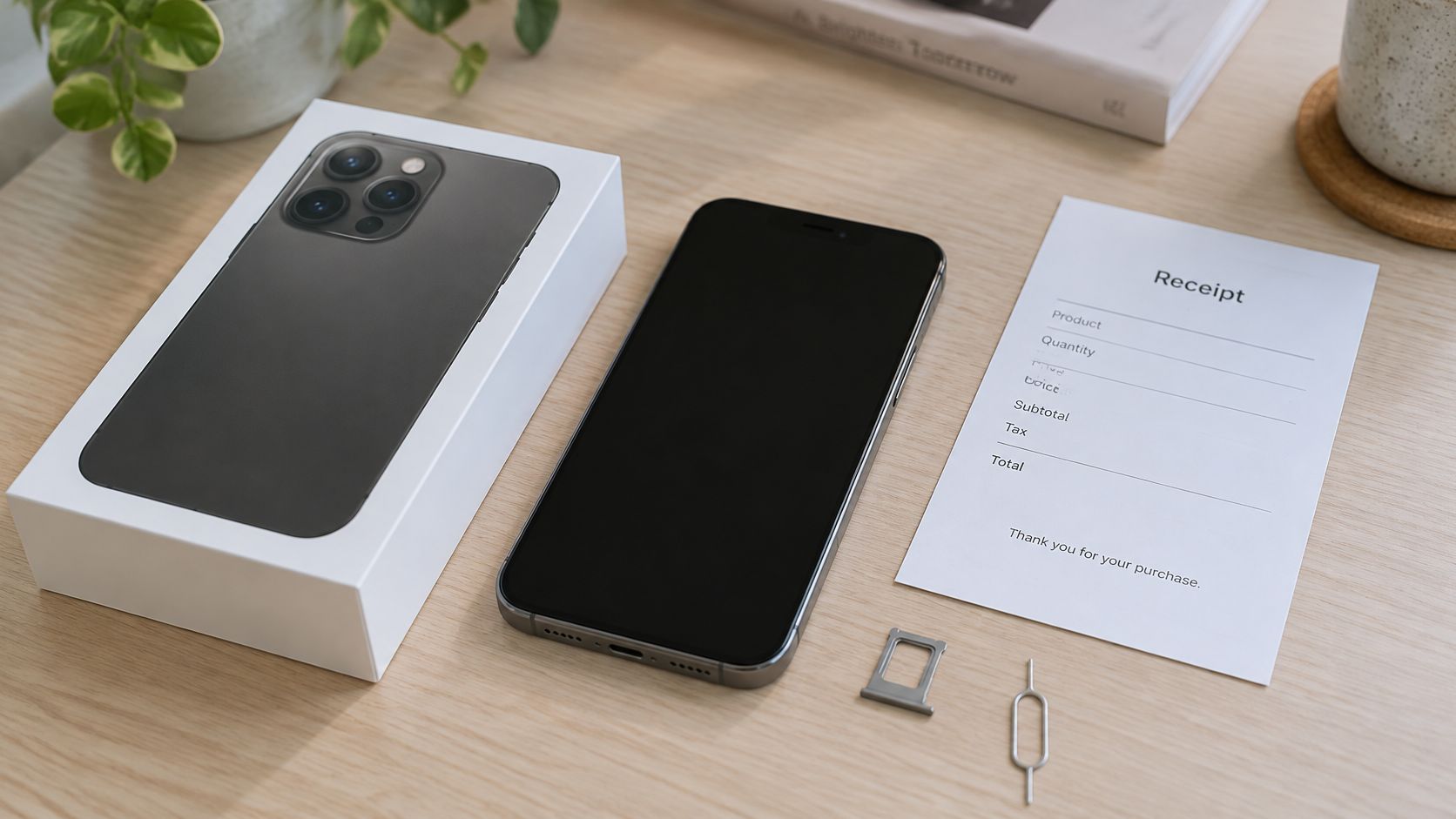
Sometimes the screen route isn’t an option. A cracked display or a forgotten passcode can leave you locked out, and that’s when the paperwork and the SIM tray matter most.
The Original Box and Receipt
Start with the box. The IMEI is usually printed on the label, often close to the barcode. Our guide on what’s in a refurbished phone box explains the labels you’re likely to see.
Keep your receipt or order confirmation too. It shows when and where you bought the phone, which helps if you need to report a loss or make a warranty claim.
Looking Inside the SIM Tray
Some models print the IMEI on the tray or inside the slot. Use a SIM ejector to pop the tray out, then look closely without bending it. Photograph it while it’s out.
If nothing shows, don’t panic. Some handsets only reveal the number once the SIM is removed, so a blank tray doesn’t always mean the number is missing.
Using Your Apple ID or Google Account
If the phone is linked to an Apple ID or Google account, device details can sometimes show in the account settings. What you see depends on the device and how the account was set up. It’s worth signing in and checking, especially if the phone is locked.
Treat this as a backup rather than a guarantee, because some phones won’t show it at all.
What to Do If Your Phone Is Lost or Stolen
Contact your network provider first, then report the theft to the police. Keep the crime reference number somewhere safe, because your provider or insurer may ask for it later.
Having the IMEI ready lets you quote it straight away. That helps your provider block the handset sooner.
Protecting Your Number and Your Data
Never hand your IMEI to unknown callers or sellers. A genuine buyer or support team won’t ask for it out of the blue, so only share it with organisations you trust.
Store the details separately from the handset. A password manager or private notes app works well, and it’s more reliable than trusting a single phone. Keep these together:
- IMEI: the 15-digit number, saved as text rather than only as a photo
- Purchase receipt: the order confirmation or invoice showing the date and seller
- Warranty details: the terms and reference number, so claims are easier to make
- Model and storage size: the exact name and capacity printed on the box
Altering or cloning an IMEI is illegal in the UK, which is why the number is taken so seriously.
Our guide on how refurbished iPhones are data wiped explains what happens to your information before a handset leaves us. It’s worth a read if you’re buying a refurbished phone.
Frequently Asked Questions
Can I find my IMEI if my phone is broken?
Yes, and you don’t need a working screen. Check the box label, your purchase paperwork or the SIM tray if your model prints the number there. Plenty of people find the original box in a cupboard months later.
Your Apple or Google account may also show device details, so log in before you spend money on a repair. Check these options before paying for anything just to read an IMEI.
Is the IMEI the same as the serial number?
Not quite. The IMEI identifies the phone on mobile networks, while the serial number sits within the manufacturer’s own records. If a repairer or support team asks for one, don’t assume the other will do the job.
Does a refurbished phone keep its original IMEI?
Usually, yes. Swapping a battery or screen doesn’t normally change the IMEI. A replacement mainboard is the exception, so the number on screen may differ from the one on the packaging. Ask the seller to explain any mismatch before you buy.
Practical Verdict
For most people, the IMEI is worth finding now, not later. Dial *#06# or check Settings on your phone, then save the number and photograph the box label. It takes a few minutes and can save a lot of stress.
This is especially useful if you own a Samsung or another Android phone with two SIM slots, or if you bought a refurbished handset and want a clear record for warranty and support. If your phone is already lost, locked or badly damaged, the box, receipt and provider are your best routes.
If you’re looking for a tested refurbished phone with clear grading and a straightforward IMEI check, Used Mobiles 4U is happy to help. Ask us about any identifier question before you order.
Written by James Waterston, who spent 24 years in the mobile phone trade, starting in customer service and rising to Sales Director of a global repair and recycling company. He has been running Used Mobiles 4U for over 8 years. James’s LinkedIn profile
Meta description: Find your IMEI number in seconds: dial *#06#, check Settings on iPhone or Samsung, or use your box and receipt. Practical UK advice from Used Mobiles 4U.
Looking for a refurbished phone?
Shop professionally tested refurbished iPhones and Samsung phones with 18 month warranty, 30 day returns and free UK delivery.
Browse Refurbished Phones