





How to Clean an iPhone Charging Port Without Damage

07/09/2026

5 Mins
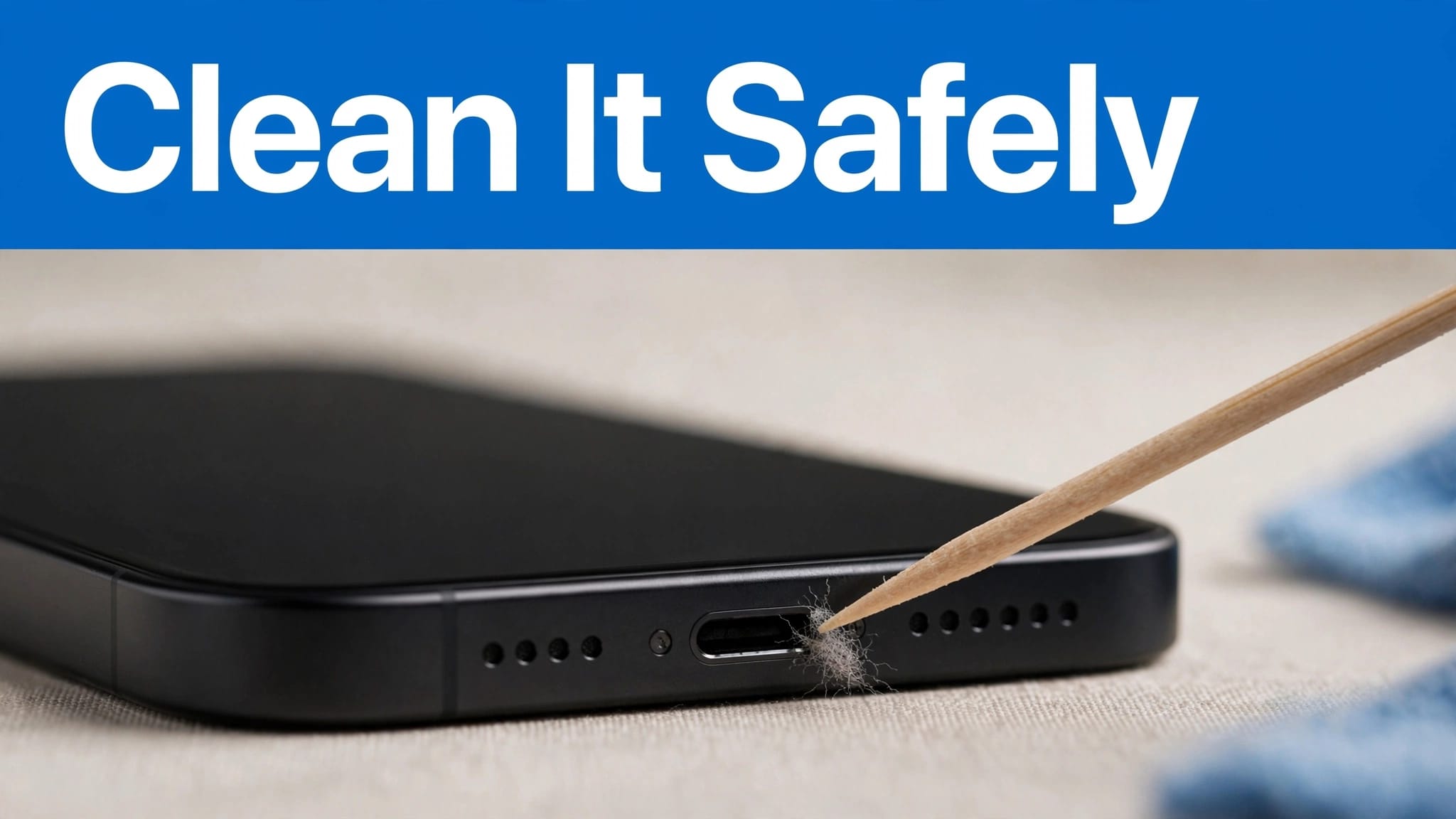
A cable that no longer clicks fully into place is often fighting compacted pocket lint, not a failed iPhone. We regularly see dust and lint pushed deeper into the socket each time the cable is inserted.
To clean iPhone charging port safely, work slowly and avoid pressure. Start with a gentle check, because forcing debris out can damage a connector that only needed a better cable.
The Short Version
- Switch the iPhone off and inspect the charging port with a torch.
- Remove only visible, dry debris and lint with a clean wooden or plastic pick.
- Keep metal tools, paper clips and liquid cleaners away from the connector.
- Test with a known-good cable, adapter and wall socket afterwards.
- Stop if the iPhone has been wet, shows a liquid alert, or the cable still works only at an angle.
Apple advises against compressed air, which can force debris further inside the connector. See Apple’s iPhone handling guidance for its care advice.
How to clean iPhone charging port safely: step-by-step guide
- Power off your iPhone and disconnect the cable. This prevents an accidental short while you inspect the port.
- Use a flashlight or torch to inspect the opening. A compact layer of dust and lint can make it look shallower than it should.
- Hold the handset with the port facing down. Give it a few gentle taps against your open palm to loosen dry debris.
- Use a clean, dry, blunt-ended wooden toothpick or plastic pick. Work slowly around the edge and lift lint out in small pieces.
- Keep the tool away from the charging pins and internal contacts. On a lightning port, don’t scrape the contact surfaces. On a USB-C port, avoid pressing the central tongue or pushing deeply, which can damage internal components.
- Use a dry cleaning brush, such as a soft-bristled toothbrush, only across the opening to clear loose dust. Don’t put a wet cotton bud, alcohol or liquid cleaners into the socket.
- Reconnect a known-good cable to the charging port without force. The plug should seat firmly and sit straight.
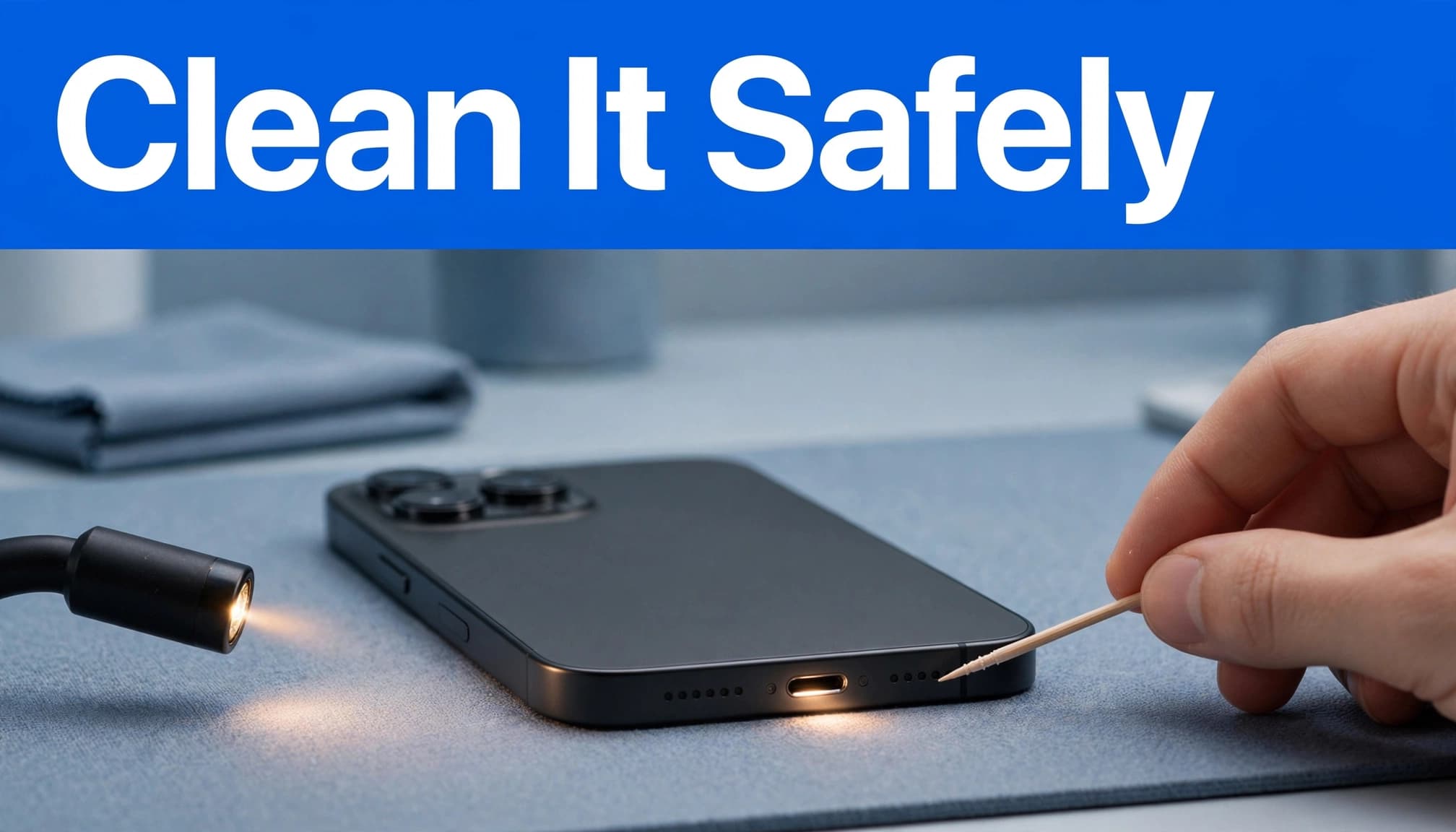
Apple’s charging fault steps also advise checking the lead and adapter, restarting the iPhone, removing port debris and allowing 30 minutes of charging time. Follow the full Apple charging troubleshooting process before booking a repair.
Work out whether the port is the real fault
Test the cable and power source first
A worn iPhone charging cable can look fine but have damaged wires near the plug. Try another cable, adapter and wall socket before blaming the port.
USB-C brings another complication. Some leads provide power but have limited data capability. If your iPhone charges but won’t connect to a Mac for a backup or photo transfer, test with a data-capable cable.
Wireless charging can help isolate a wired charging fault. However, wireless charging alone doesn’t confirm a reliable wired connection through the charging port for accessories, computer backups and fast top-ups.
Treat moisture as a separate problem
Sticky residue, rain or a spilled drink call for drying, not cleaning tools. Disconnect the cable, wipe the exterior with a soft cloth, then hold the port down and gently tap the iPhone against your hand. Don’t push the cloth into the port, and leave the phone in a dry area with airflow.
Do not use rice, heat, compressed air or insert tissue into the port. Apple’s liquid-detection advice says to wait at least 30 minutes before trying again. Full drying can take up to 24 hours.
What We See on the Bench at Used Mobiles 4U
One thing we regularly notice is that a cable which will not seat fully often has packed lint at the base of the charging port. Careful cleaning can restore a solid connection when debris is the problem, without disturbing internal components.
A cable that charges only at one angle is different. It may indicate worn internal contacts, other damage or a loose connector. Cleaning will not repair those faults.
A professional technician tests wired charging and data transfer, rather than judging the port by wireless charging alone. We also check battery behaviour, because a clean socket will not cure a battery that drains unusually quickly, even when charging performance is otherwise normal. If you are comparing replacements, learn how to check battery health on a refurbished iPhone before focusing on cosmetic grade alone.
Prevent debris and decide when repair makes sense
Avoid storing your iPhone loose in a dusty pocket or bag. As part of regular maintenance, inspect the connector every few months, or sooner if the cable no longer fits properly; use a soft-bristled toothbrush only for a dry, light surface clean, then wipe the outside with a soft cloth. Regular maintenance with gentle checks is safer than repeated deep cleaning.
When buying second-hand, plug in an iPhone charging cable and confirm that it charges and transfers data through the charging port. A Grade A description normally refers to appearance, not hidden connector wear. Check that the phone is unlocked, ask what the warranty covers, and consider a reputable repair service or Apple Store inspection if anything seems uncertain. Also inspect the frame for bends or uneven screen gaps.
If you need to repair or replace an old iPhone, back up first. Transfer your data to the new iPhone before wiping the old handset for sale. Where several faults have stacked up, such as a weak battery, damaged screen and failing connector, replacement often offers better value. Once your data is safely removed, you can Sell Your Old Phone.
Frequently Asked Questions
Can I use a paper clip to clean my iPhone charging port?
No. Metal tools can damage the charging contacts or cause an electrical short, so use a clean, dry wooden or plastic pick instead.
Can I use compressed air or liquid cleaner in the port?
Avoid both. Compressed air can push debris further inside, while liquid, alcohol and wet cotton buds can damage the connector or worsen a moisture problem.
Why does my iPhone still charge only at an angle after cleaning?
This may indicate worn internal contacts, a loose connector or cable damage rather than trapped lint. Test another known-good cable and power source, then arrange an inspection if the problem continues.
How long should I wait if my iPhone shows a liquid alert?
Disconnect the cable, keep the port facing down and leave the iPhone in a dry area with airflow. Wait at least 30 minutes before trying again, but allow up to 24 hours for the port to dry fully.
A clean port should feel secure again
A safe clean is slow and dry. It may remove obvious lint, but never force a plug or continue if moisture is involved.
If a good cable still disconnects at certain angles, charges intermittently or cannot transfer data, the charging port needs inspection rather than more probing. Cleaning removes debris, but it can’t repair internal contacts or other damage.
Written by James Waterston, 24 years in the mobile phone industry from customer service through to Sales Director of a global repair and recycling company. Now running Used Mobiles 4U for over 8 years.
LinkedIn: https://uk.linkedin.com/in/james-waterston-9039a21a
Meta description: Learn how to clean iPhone charging port safely, test cables and moisture warnings, and know when a repair or refurbished replacement makes better sense.
Looking for a refurbished phone?
Shop professionally tested refurbished iPhones and Samsung phones with 18 month warranty, 30 day returns and free UK delivery.
Browse Refurbished Phones



