





Used Monitor for Sale in the UK: A Practical Buying Guide

17/10/2026

9 Mins

A used monitor for sale should never be bought on hope alone. If the seller can't show you a clean power-on test, the right cable and power supply, and a screen that matches the listing, skip it.
What to Check First When You See a Used Monitor for Sale
Most buyers spot a monitor on a marketplace, in a local ad, or in an office clear-out and assume it'll be fine if the photo looks clean. That's how people end up with a wasted journey, a missing power brick, or a screen that only works at the wrong resolution.
Start with the basics before you even talk about price. Ask for a power-on photo or video, confirm the panel size and resolution, and check exactly what's included, especially the power supply, mains lead, and video cable.
The first three questions to ask
- Does it power on and show an image? A seller who can't answer that properly probably hasn't tested it.
- Is the listing accurate on size and resolution? A 24-inch 1080p office panel and a 27-inch 1440p gaming screen are not the same thing in use.
- What cables come with it? A missing PSU or wrong lead turns a bargain into a repair hunt.
The reason to be strict is simple. A monitor can look fine in a few photos and still hide a bad port, a faulty adapter, or panel issues that only show when it's lit up. If you're buying it to use at a desk, at home, or beside a console, the seller needs to prove it works under load, not just that it switches on.
Practical rule: if the seller won't confirm the test in writing, assume the screen is untested and price it that way, or walk away.
If you're building a mixed setup and want to compare used display buying with other second-hand tech, BlissVector Gaming's sleeper PC guide is a useful reminder that a neat case doesn't guarantee a healthy machine inside.
Testing the Panel So You Spot the Real Faults
A proper screen test is dead simple, and it tells you far more than a glossy listing photo ever will. Run the panel full-screen on white, black, grey, red, green and blue images, then look closely at the corners, the centre, and around the edges.
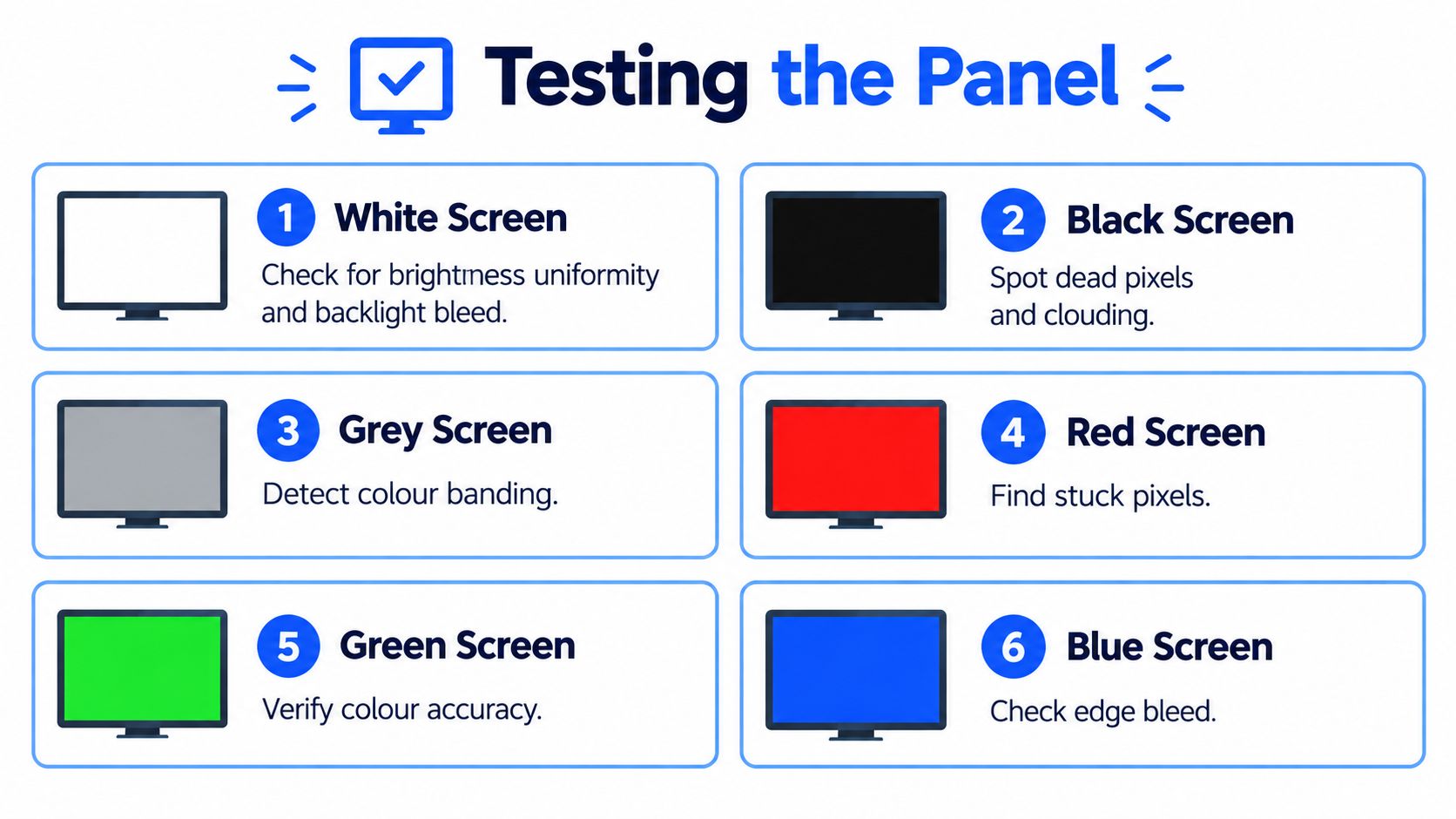
What each colour shows you
- White screen: checks brightness uniformity and makes backlight bleed easier to see.
- Black screen: helps spot dead pixels, clouding, and uneven edge glow.
- Grey screen: is good for colour banding, image retention, and faint panel marks.
- Red, green and blue screens: expose stuck pixels that can disappear on mixed content.
Don't stop at the panel itself. Use the on-screen menu, the brightness and contrast controls, sleep mode, built-in speakers if fitted, and any USB hub or input switching. A monitor can display an image and still have an intermittent HDMI socket, a laggy menu button, or a brightness control that jumps around.
If the screen is sold as working, ask the seller to show the test images in writing. A decent seller won't mind. A vague reply like “it works fine” is not enough, because “fine” is exactly how hidden faults get missed.
A monitor that passes a white-screen photo but fails on black, grey, or at higher refresh settings is not a safe buy. It's a near-miss with a flattering listing.
Reading the Specs Without Getting Lost in Numbers
A used monitor listing can drown buyers in jargon, but only a few specs really matter in daily use. For office work and study, you want a screen that's comfortable to read, connects easily, and doesn't give you a headache after a long session. For gaming or creative work, the balance shifts towards refresh rate, panel type, and colour handling.
The main thing is to read the spec sheet for what it means in real life. Resolution affects how much you can fit on screen. Refresh rate affects motion smoothness. Panel type affects viewing angles and colour consistency. Ports decide whether you can plug it into your laptop, desktop, console, or dock without fuss.
For most buyers, resolution plus panel type matters more than any single brand badge. A plain-looking screen with the right panel can be far better to live with than a flashy model that doesn't suit your desk.
What the common terms mean
- Resolution: higher is better for sharp text and more workspace, but only if your computer can drive it properly.
- Refresh rate: useful for gaming and fast motion, less important for basic office use.
- Panel type: IPS is usually a safer pick for mixed use because viewing angles tend to be better, while some cheaper panels can look harsh off-centre.
- Response time: matters more to gamers than to spreadsheet users.
- Ports: make sure the monitor has the connection you need, not just the one the seller bothered to photograph.
A common example we see is a buyer chasing a “27-inch monitor” and then finding out too late that one listing is a basic office panel and the other is a better all-round screen with a stronger panel and more useful inputs. Size alone doesn't tell you what it will feel like on the desk.
If you're buying for a laptop setup, check the port story first. If you're buying for a gaming rig, check the refresh rate and inputs before you get distracted by the stand or the seller's description.
Condition Grades and What They Actually Mean
Cosmetic grades should help you compare screens, not hide what's wrong with them. A good used monitor can have light marks on the casing and still be a solid buy, but a scratched panel, a damaged stand, or worn ports should lower the price.
Here's the simple way I'd grade them.
What the grades should cover
- Excellent: very light signs of use, clean panel, tidy stand, no obvious cosmetic damage, and all functions working properly.
- Very Good: minor marks on the body or stand, maybe some wear on cables, but no meaningful display faults.
- Good: visible cosmetic wear, possibly a less tidy stand or packaging, but still usable and tested.
Deal-breakers are different. Scratched glass or a faulty input is a problem. Missing accessories, scuffed feet, or old packaging are not ideal, but they're acceptable if the price reflects it. If the screen has dead pixels, heavy backlight bleed, or an unreliable port, that's not “Good”, that's a screen with faults.
Typical UK used-monitor pricing by grade and size
Those bands are a practical guide, not a promise. A better panel, a stronger stand, or a more desirable connection set can push a screen towards the top of its bracket, while a weak spec, missing accessories, or cosmetic wear should push it down. If the asking price sits above those levels without a clear reason, treat it as a premium listing and make the seller justify it.
A monitor doesn't need to be pristine to be worth buying. It does need to be honest, tested, and priced in line with its actual condition.
Safety, Warranty and Your Consumer Rights
The power side matters more than most buyers think. A monitor can look fine on the outside and still have trouble in the mains cable, plug, external adapter, or internal supply, so don't ignore the electrical bits just because the panel looks clean.
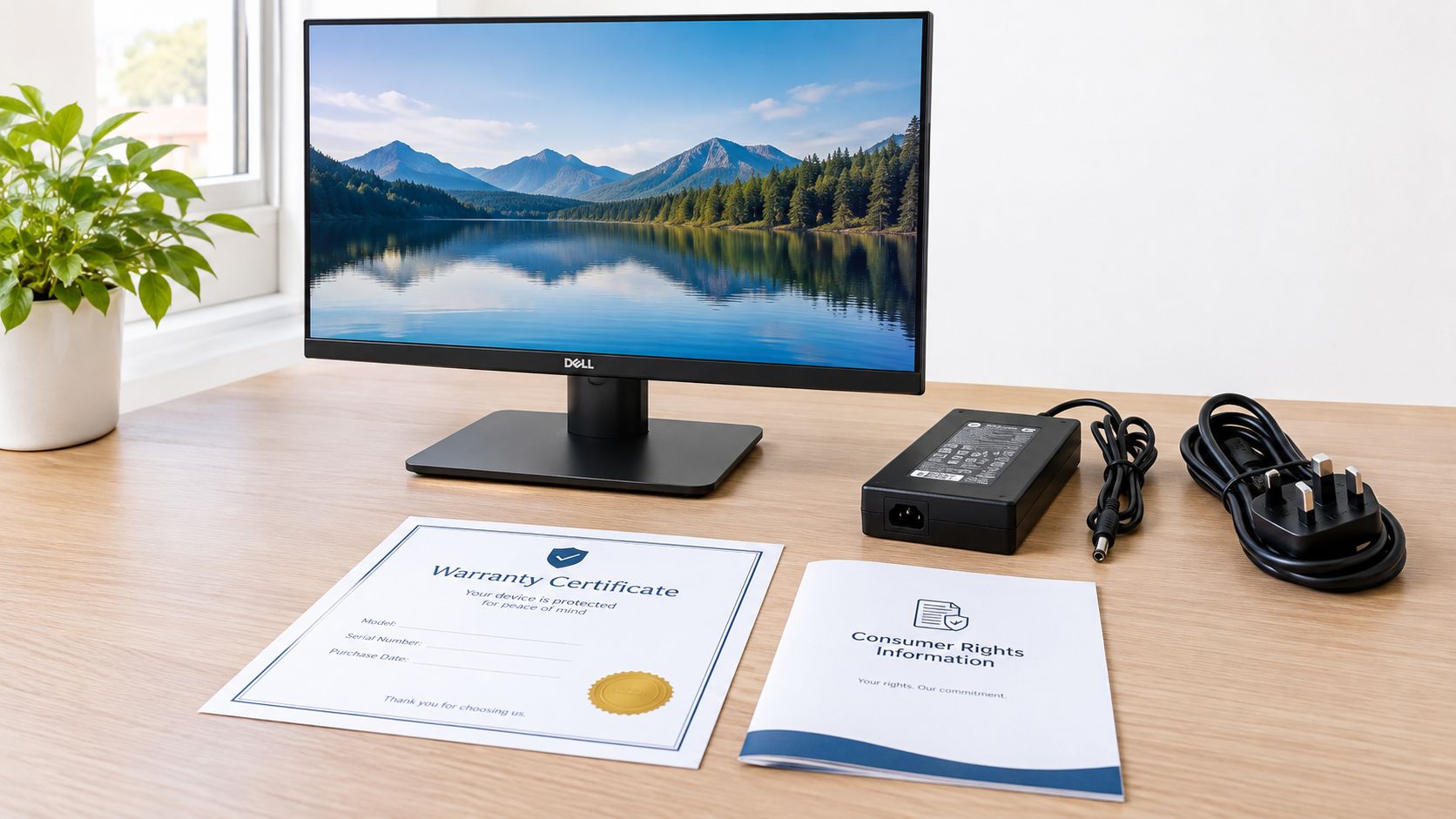
A sensible listing should confirm the PSU is included, the cable is not frayed, and the unit has been tested under load. If the seller won't say whether the screen was tested through every input, I'd treat that as a warning sign. No returns policy and no written confirmation of testing is a poor combination.
What UK buyers should keep in mind
The UK Consumer Contracts Regulations generally give online buyers a 14-day cancellation window from receiving the item, and the seller must refund within 14 days of getting the returned product back, as set out in the government's returns guidance on accepting returns and giving refunds. The Consumer Rights Act also protects you if goods are not as described, not fit for purpose, or of unsatisfactory quality, and within the first six months the seller normally has to repair or replace unless they can show the fault wasn't there when sold.
That legal safety net helps, but it doesn't replace a good listing. A warranty, clear grading, and proper pre-sale testing matter because they reduce the chance of needing to rely on a dispute later. If you're buying refurbished tech more broadly, the same mindset applies, including on this MacBook Pro guide, where testing and clear aftercare are just as important.
Watch for these warning signs
- Missing power supply: usually avoid unless you already own a compatible replacement.
- Frayed cable or damaged plug: not worth the risk.
- No testing in writing: a weak sign on any marketplace.
- No returns policy: fine for a private cash deal only if the price is low and the screen is properly inspected in person.
A monitor is not worth much if you don't trust the plug, the lead, or the seller.
Where to Buy a Used Monitor Safely in the UK
There's no single right place to buy. The best route depends on how much risk you can tolerate and whether you care more about price, convenience, or a clean warranty trail.
Which buying route fits which buyer
- Approved refurbishers: best for first-time buyers, parents setting up a study, and anyone who wants testing plus warranty.
- Mainstream marketplaces: decent if buyer protection matters and you're willing to do your own checking.
- Auction sites: only for buyers who understand the risks and can absorb a dud.
- Local classifieds: useful for cash deals and in-person inspection.
- Office clear-outs: strong value if you can test on collection and want multiples for a small business.
A common example we see is someone saving a bit on a marketplace listing, only to back out when the seller won't confirm the panel test or the power supply. They usually end up paying the time cost anyway. By contrast, a buyer who spends a little more through a refurbisher often gets a working screen, a proper test, and a warranty that makes the purchase feel much calmer.
For bulk or mixed-tech buying, this refurbished laptop guide is a good companion read because the same rule applies, tested stock beats vague bargains.
My straight recommendation
- Choose approved refurbishers if: you want the safest route and don't want to gamble on hidden faults.
- Choose marketplaces if: you can inspect properly and you're protected by returns.
- Choose classifieds or clear-outs if: you're confident testing in person and want the lowest possible entry price.
- Skip auction listings if: you can't afford a miss or don't want repair headaches.
The cheapest route is not always the best route. The best route is the one that gives you enough proof before you hand over money.
The Repair-or-Replace Question and the Environmental Case
A used monitor makes sense when the screen is reusable, the power draw is sensible, and the panel still has enough life left to justify the purchase. The UK's waste figures show why that matters. If working electronics are reused rather than discarded, fewer units need to become waste in the first place, and that's the point of buying second-hand in the first place.
UK evidence also shows there's a lot of electronic waste already in the system. The government's display and WEEE figures show why reuse matters before recycling, and the low reuse share in national waste estimates tells you how much good kit still gets lost too early. If you want a broader consumer angle on that same issue, the 2026 action plan for less plastic is a useful reminder that buying less new stuff only helps when the item you buy is going to be used properly.
My rule of thumb
- Buy used if the monitor is tested, the panel is clean, the PSU is included, and the price reflects condition.
- Repair if the fault is obviously minor and the screen itself is otherwise in good shape.
- Replace if the panel has serious bleed, dead pixels, repeated shutdowns, or poor power behaviour that makes it a false economy.
For buyers who care about wider impact, our own sustainability page goes into the reuse side of the argument in more detail, but the short version is this. A working, well-tested used monitor is a sensible buy. A tired screen with power issues or obvious panel faults is not.
Used Mobiles 4 U can help you choose a tested, graded screen if you want a safer buy without paying new-stock money. If you'd rather avoid guesswork, take a look at Used Mobiles 4 U for a straightforward, tested option that fits the way you work, study, or game.
Written by James Waterston, 24 years in the mobile phone industry from customer service through to Sales Director of a global repair and recycling company. Now running Used Mobiles 4 U for over 8 years.
LinkedIn: James Waterston on LinkedIn
Looking for a refurbished phone?
Shop professionally tested refurbished iPhones and Samsung phones with 18 month warranty, 30 day returns and free UK delivery.
Browse Refurbished Phones



