

Phone Mobile Data Not Working? a UK Fix

21/11/2026

11 Mins

Don't start by changing the APN or wiping the phone. If you're searching for “phone mobile data not working”, check the data toggle, SIM, allowance and location before blaming the handset. Signal bars don't prove internet access, and working Wi-Fi tells you nothing about the mobile connection.
The Short Version
The handset is usually the last thing at fault. Start with the SIM, the place and the allowance before touching any settings.
What the Screen Is Telling You
A greyed-out toggle can also come from a device restriction, so confirm the SIM before reading too much into the screen. The question that matters is whether the failure follows the SIM, the phone or the place.
Take a refurbished Samsung that browses normally over home Wi-Fi. Outside, it displays 4G but won't load a webpage because the account has run out of data. No repair fixes that result.
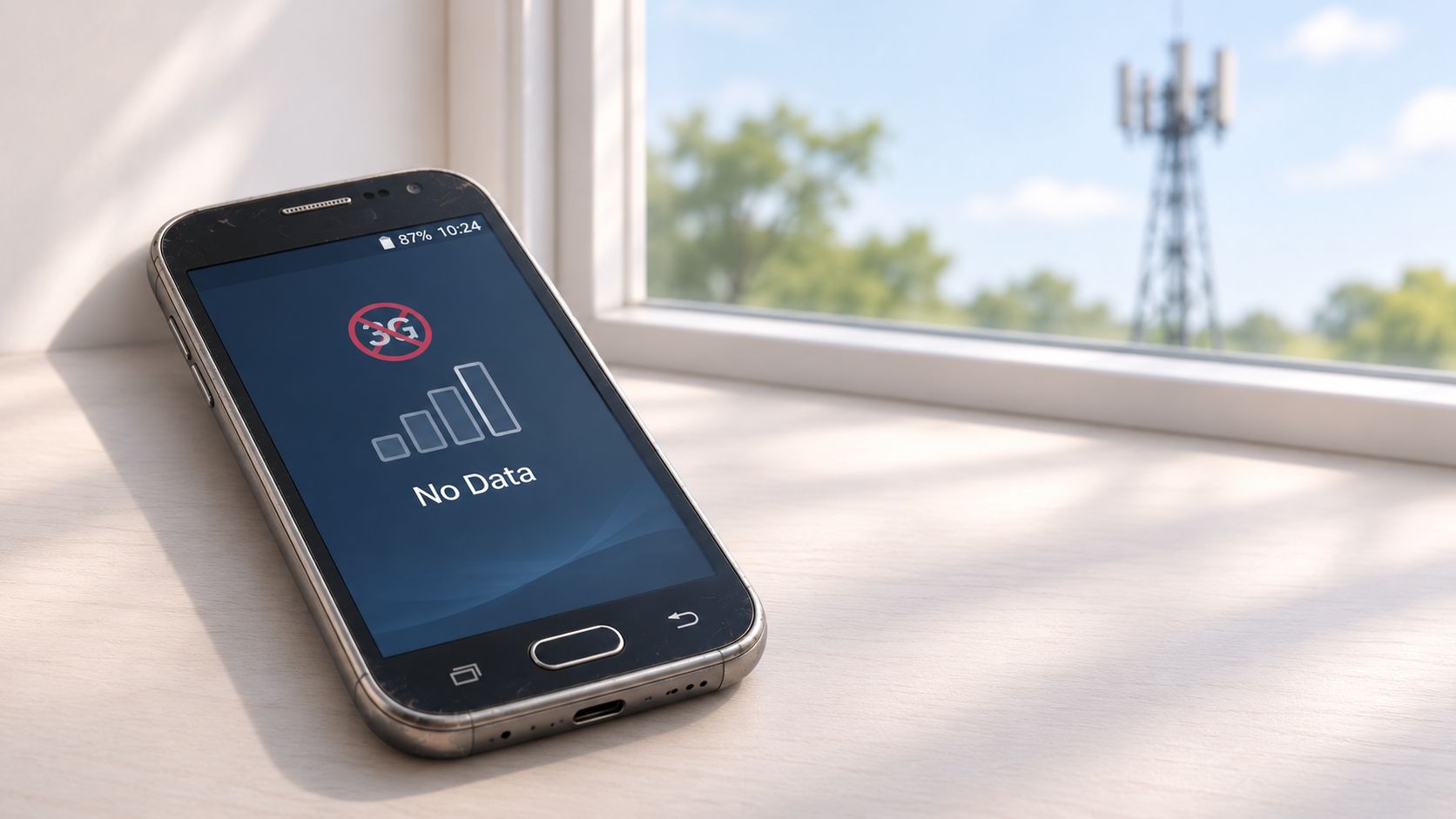
On an older handset the pattern can be permanent. UK networks are switching 3G off, so a phone that only ever supported 3G loses mobile internet while calls and texts carry on working.
I would start with the cheapest checks and change one thing at a time, noting what happens after each. Leave the factory reset until the SIM, the plan and the location have all been ruled out.
How to Fix Mobile Data Not Working, Quick Steps
Have two things ready before you start: a second compatible phone that isn't carrier-locked, and a SIM you know works. You can run most of these checks without them, but the swap test in step 7 is what separates a handset fault from an account fault, and no menu setting answers that question faster.
Work Through These Checks in Order
Enable mobile data. On Android, try Settings > Network and internet > Mobile network. On Samsung, the toggle is commonly under Settings > Connections > Data usage > Mobile data, with network options under Connections > Mobile networks. On iPhone, open Settings > Mobile Data, sometimes labelled Mobile Service.
Turn Wi-Fi off. Open a browser using mobile data alone. Otherwise, a saved wireless connection can hide the fault you're trying to test.
Read the status bar and select the right SIM. Note whether you see 4G, 5G, 3G, No Service or Emergency calls only. On a dual-SIM phone, confirm mobile data is assigned to the SIM you expect: on Samsung, Settings > Connections > SIM manager > Mobile data. Menu names vary across Android versions.
Refresh registration. Switch Aeroplane mode on for approximately 30 seconds, then off. Restart the phone afterwards.
Reseat the physical SIM. Power off first. Remove the tray, gently wipe the SIM's contacts with a clean, dry cloth and replace it. Don't scrape contacts or force a bent tray. Skip this step for an eSIM.
Change location. Test outdoors or on another street and load a simple webpage. Ofcom's mobile faults guide recommends checking expected coverage at the problem location and checking the SIM rather than treating signal bars as proof of access.
Swap the test components. Put your SIM in the second phone, then try the known-working SIM in yours. A SIM that fails in both phones points to the account or network, so contact the operator before blaming the handset. A working SIM that also fails in your phone points to settings, tray contacts or the radio, which is when the next step earns its place.
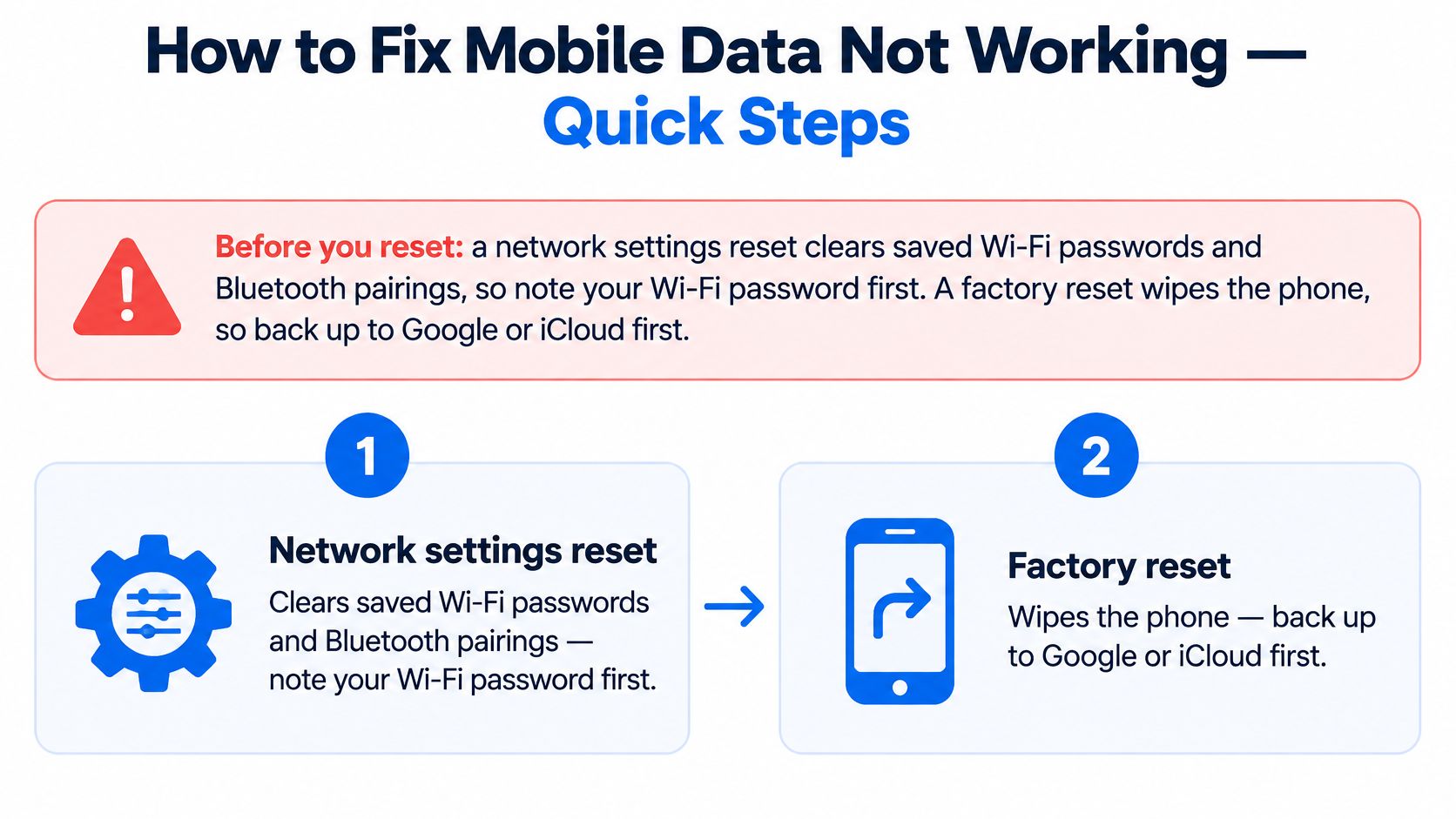
Reset network settings only after isolation points towards the handset. On Samsung, try Settings > General management > Reset > Reset network settings; newer versions may separate mobile network and Wi-Fi/Bluetooth resets. On iPhone, use Settings > General > Transfer or Reset iPhone > Reset > Reset Network Settings. Note your Wi-Fi password first, as this can clear saved networks and Bluetooth pairings. It doesn't erase photos. A factory reset does wipe the phone, so back up to Google or iCloud before treating that as a last resort. Afterwards, compare the APN with the operator's official profile.
If mobile browsing works but sharing that connection doesn't, that's a different fault. Our iPhone hotspot troubleshooting guide covers it.
When an Older Phone Has Lost 4G Data
Another APN won't give a 3G-only handset a 4G radio. MoneySavingExpert's UK switch-off guide reports that Virgin Media O2 began switching off 3G in April 2025, with completion due by spring 2026. That date has now passed, so a handset that recently lost mobile data may have lost the network it depended on rather than developed a fault.
A phone or SIM limited to 2G can still call and text, but 2G isn't a practical replacement for modern maps, mail and messaging. Cosmetic condition is irrelevant here. The radio inside the handset decides which networks it can reach.
Check Compatibility, Not Just Age
Find the exact model number under Settings > About phone, then check its regional variant against your operator's UK network requirements. A familiar model name alone isn't enough, particularly with imported Android handsets.
Set the network mode to automatic with 4G or 5G included, usually via Settings > Mobile network > Network mode. Enable VoLTE or 4G calling where the option appears and place a test call. VoLTE handles voice on modern networks; it has no effect on data capability.
- Keep testing it: the status bar shows 4G or 5G with a working SIM, and browsing returns after the configuration checks above.
- Move on: the handset is 3G-only. A 3G-only radio caps the handset permanently, whatever its cosmetic condition or battery health.
An older Android can accept a modern SIM and still make calls while never loading a page. Check the status bar. If it sits on 3G or E, open Settings > Mobile network > Network mode, confirm an automatic 4G or 5G mode is selected, then verify coverage and the exact model variant before treating it as a hardware fault.
A SIM-free replacement helps only if the replacement supports the current UK network technologies you need. Functional compatibility matters more than cosmetic grade.
Plan Allowance and APN Settings
A plan can look active because calls still work while mobile data is exhausted, barred or paused after an account issue. Open your network's app or account page over Wi-Fi and check the remaining allowance, activation status, payment status and any data or spending restrictions.
Check Android's own data-limit setting too. A handset-level limit can stop data independently of the allowance shown by the network.
Use the Operator's APN Profile
The Access Point Name, or APN, tells the handset how to access the operator's data service. An incorrect profile can leave calls working while internet access fails.
Use these paths where available:
- Android: Settings > Network and internet > Mobile network > Access point names.
- Samsung: Settings > Connections > Mobile networks > Access Point Names.
- iPhone: Settings > Mobile Data > Mobile Data Network. Some operators manage this automatically and don't expose an editable menu.
Choose Reset to default or enter the exact profile supplied by your operator. Don't combine values from different providers or copy guessed server details from a forum.
A technician checks the profile name, APN and any required authentication fields. MMSC may also appear, but that relates to picture messaging and shouldn't be guessed as a general browsing fix.
For a company-managed handset, the administrator may control provisioning or restrictions. Blowfish Technology managed mobile services is a relevant resource for businesses managing several connections, rather than treating each employee's phone as an isolated fault.
Avoid Creating Another Problem
Don't delete an eSIM as a troubleshooting shortcut. Ask the network to confirm the plan and provisioning first, because reinstalling it may require operator assistance.
Temporarily disconnect a VPN to test ordinary browsing. Data Saver or Low Data Mode can restrict background activity, so distinguish an app failing to refresh from every webpage failing to load.
On dual-SIM phones, use the data-line check in step 3 rather than editing both profiles.
Correct APN settings can restore a misconfigured connection. They can't refill an empty bundle or repair a failed mast.
Being SIM-free and having an active data subscription are separate things. Our explanation of what SIM-free means helps separate network-lock questions from account problems. If correct provisioning and a working alternative SIM still fail, stop treating the fault as merely an account setting.
Signal Dead Zones and Network Outages
A coverage prediction tells you where a mast's signal should reach. What loads inside your flat still depends on buildings, trees, interference, congestion and the handset's own aerial.
UK Coverage and What It Means for a Failed Connection
The UK coverage picture looks like this.
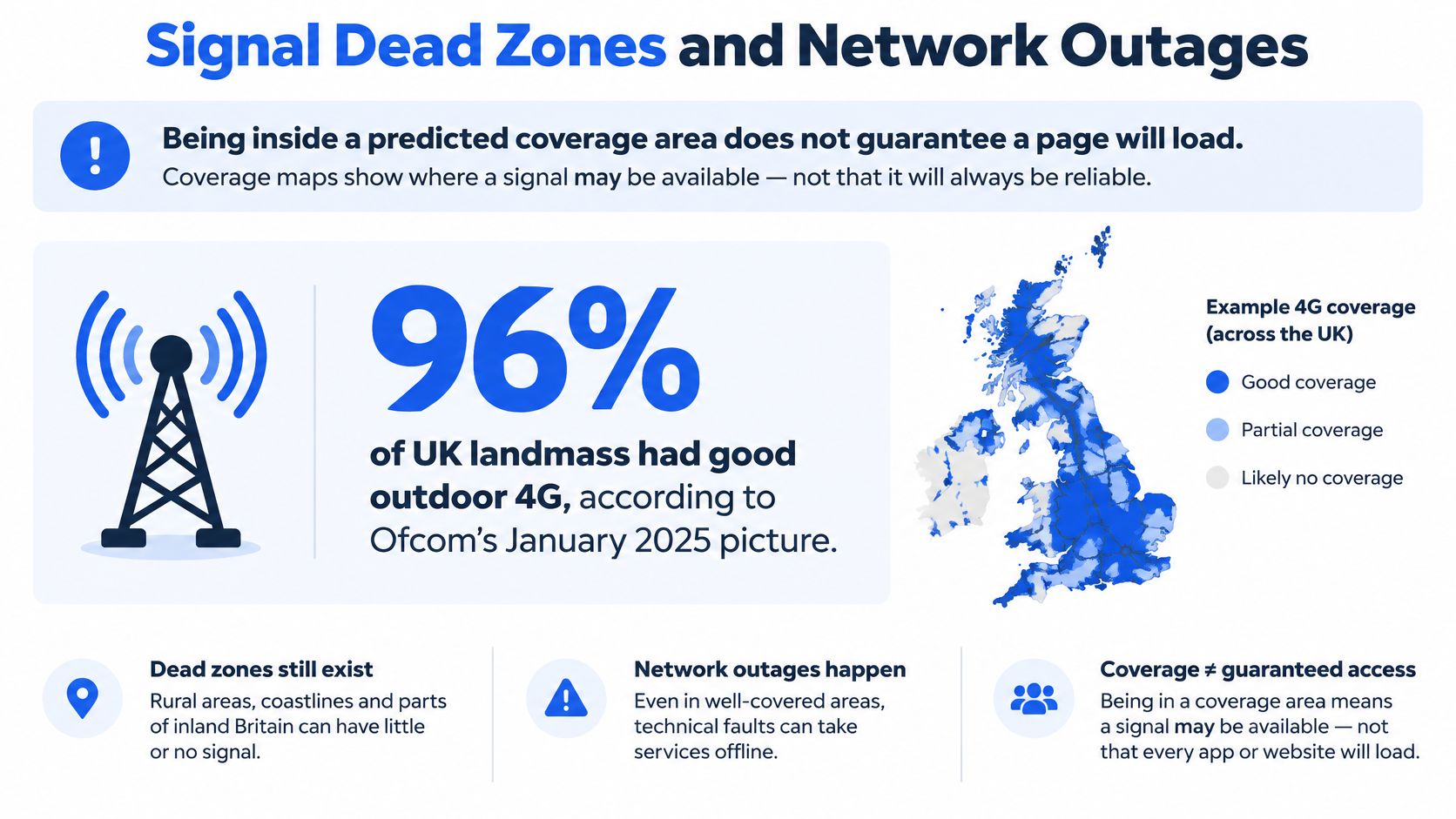
Those four figures come from Ofcom's spring 2025 coverage update, which published January 2025 estimates alongside the longer-term geographic comparison. For your own postcode, use Ofcom's Map Your Mobile checker to compare predicted indoor and outdoor coverage, then repeat the practical test at another time, especially if the connection fails during busy periods.
Separate a Dead Zone From an Outage
Test location before settings. If the phone browses at the end of the street but stalls in the kitchen, the problem is the spot. A SIM on a different network narrows it further: if that one browses in the same place, your operator's local coverage is the culprit. And if other customers on the same network lose service across different locations, check the operator's service-status page. Ofcom investigated BT and Three disruptions in 2025, covering a BT and EE-related calling incident on 24–25 July and a Three incident on 25 June. Both were calling incidents, so they confirm outages happen without proving your data failure is one.
An older handset that has lost its 3G fallback can also show a weak 4G patch as no data at all, which is worth remembering before you blame the postcode.
For background on the location side, 3rd-i's explanation of cell tower and handset GPS limits covers emergency location technology. GPS is a separate radio from mobile data, so a working map pin tells you nothing about the strength of your connection.
A phone can pass a doorway test yet struggle inside a thick-walled home. If the screen shows SOS or No Service rather than a weak signal, run through our iPhone SOS and no-signal checks.
What Our Bench Checks Show About Data Faults
No single model sits behind this fault. On Samsung Galaxy, Motorola and other Android handsets, the distinction that matters is between cosmetic condition and functional performance.
At Used Mobiles 4 U, every phone is professionally checked for performance, battery health and functionality, with testing run through Mobicode and 50+ device checks available across the testing process. A handset can look new and still refuse to register on a network.
Take a typical bench scenario: a handset arrives with a report of no internet. The first move is the same isolation described in the quick steps above, swapping SIM, place and network before anyone opens the APN settings. Only once those three are ruled out does the fault belong to the handset. A worn or bent tray, damaged internal contacts and a restricted network mode need different remedies, so they are logged as separate faults rather than bundled together as a generic signal problem.
The check that catches buyers out is current network access. A handset that can only register on 3G has effectively lost everyday data in the UK, because the 3G networks are being switched off.
What We Check Before Resale
- SIM-free behaviour: registration using an ordinary compatible UK SIM.
- Current network access: supported 4G or 5G registration, with permanent reliance on 3G treated as a fault.
- Tray condition: correct fit without bending or forcing.
- Other connections: Wi-Fi and Bluetooth functionality, checked separately from mobile data.
- Battery condition: assessed independently, because poor endurance and data faults have different remedies.
Functional assessment also includes calling, texting, charging, cameras and Face ID or fingerprint functions where fitted. Phones are securely data-wiped before resale.
Repair Decisions Need a Confirmed Fault
A settings problem may need configuration and retesting, not replacement parts. A damaged tray may justify a targeted repair; suspected internal contact or radio damage needs a technician's assessment before parts are ordered.
Heavy wear around the charging port or tray tells a technician where to look first. The cause still has to be confirmed by testing. A new battery can transform daily use and still leave a network fault untouched.
A cheaper cosmetic grade can make sense when functionality meets the standard. Between two handsets, the better data buy is the one that passed registration testing; the grade only describes the casing. Phones that do not meet the functional, battery or condition standards may be repaired and retested or removed from sale.
Repair the Handset or Change the SIM
Contact the network first when the failure follows your SIM, your allowance is exhausted or other customers are affected. Paying for a handset repair will not resolve any of those results.
Arrange repair or return assessment when known-working, compatible SIMs consistently fail after basic configuration checks. Tell the technician which networks and locations you tested, as it narrows the diagnosis quickly. Our repair versus refurbished replacement guide explains how to approach that spending decision without assuming replacement is always cheaper.
Replace an incompatible handset rather than paying to make obsolete radio technology behave like current hardware. A SIM-free phone accepts any UK SIM, but the exact model must still support the network services you intend to use.
Buy on Function, Then Condition
Our refurbished iPhone and Samsung ranges are professionally tested, SIM-free and clearly graded, with eligible phones supplied at at least 85% battery health. Eligible devices include an 18-month device warranty and 12-month battery cover, and we offer 30-day returns. Those protections carry more weight than a tidy product photo when you are comparing two similar handsets.
A compatible phone with an isolated repairable fault can be worth keeping. A 3G-only device is a different matter with UK 3G being switched off. It does not suit anyone who needs dependable internet away from Wi-Fi, and no repair changes that. Sell Your Tech is an option when it is time to move on.
Prove whether phone mobile data not working is the SIM, the place or the phone before spending money.
Written by James Waterston of Used Mobiles 4 U. Connect with James Waterston on LinkedIn.
Used Mobiles 4 U has operated in the UK since 2017, selling professionally tested, SIM-free refurbished phones backed by UK-based support. If your checks point to an incompatible or faulty handset, visit Used Mobiles 4 U to compare clearly graded replacements or discuss your next step.
Looking for a refurbished phone?
Shop professionally tested refurbished iPhones and Samsung phones with 18 month warranty, 30 day returns and free UK delivery.
Browse Refurbished Phones