

iOS Versus Android: Which Phone Should You Buy in 2026?

29/10/2026

15 Mins

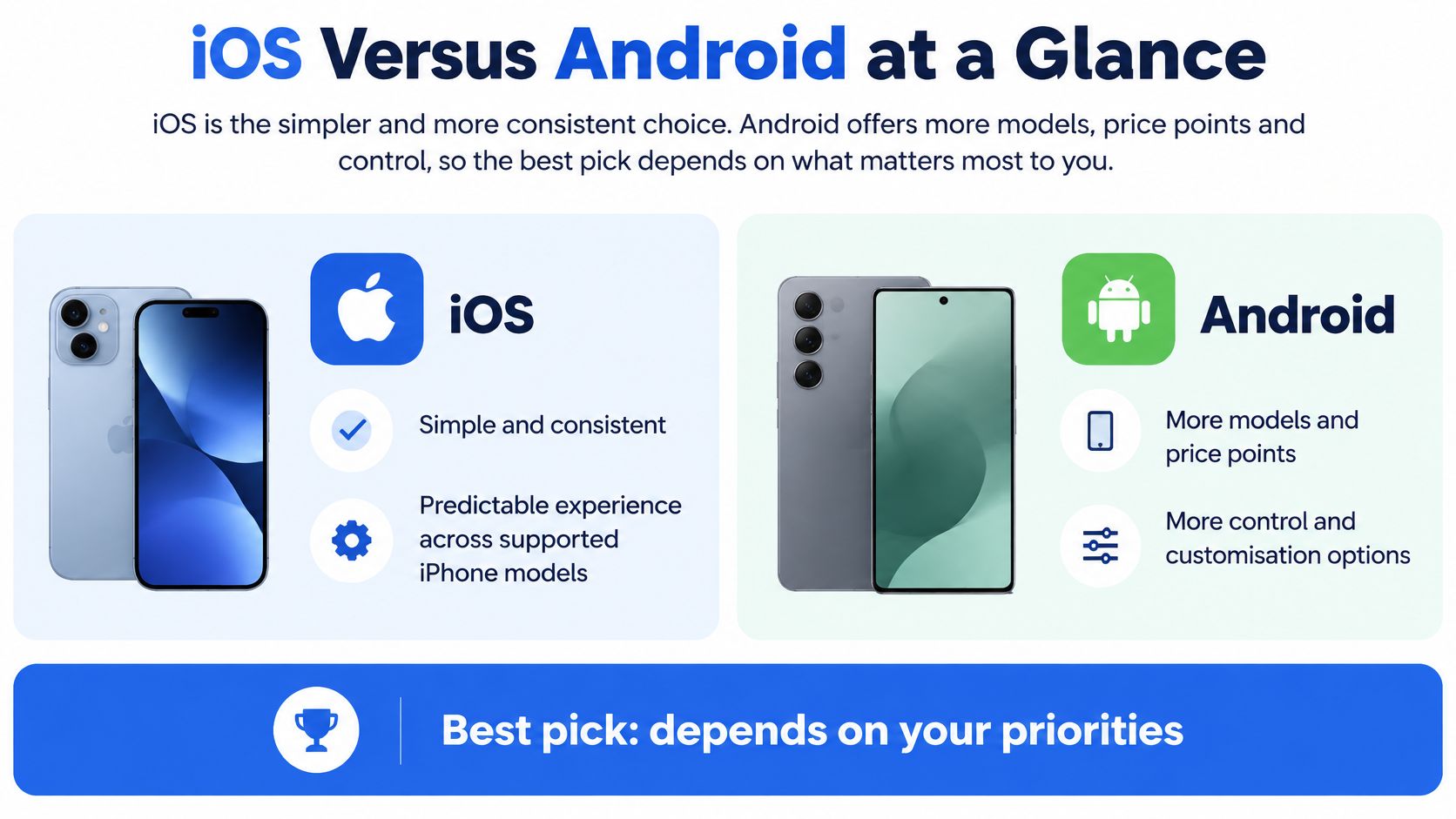
iOS suits buyers who want consistency and predictable support on an iPhone, while Android suits buyers who want more models, wider price ranges and more control. The right choice in iOS versus Android depends less on headline specs than on your budget, your existing apps and devices, and how long you plan to keep the phone.
iOS Versus Android at a Glance
Few buyers need the newest phone on either platform. They need a phone that still gets updates, lasts the day, runs their banking and messaging apps properly, and does not create extra costs six months later. That is where the practical difference sits. iOS narrows your choices and makes them easier to compare. Android widens your choices and makes careful checking more important.
The Practical Verdict
- Pick iOS if you want familiar settings, predictable updates and fewer model decisions.
- Pick Android if price, screen size, battery size or storage matters more than uniformity.
- Check the individual phone before you judge the platform, especially battery health and remaining support.
The UK is not an iPhone-only market, and it is not an Android-only market either. StatCounter's UK mobile operating system figures put Android at 53.11% of mobile operating-system usage and iOS at 46.88% in September 2026. Those figures measure observed usage, not new handset sales. For a refurbished buyer, the point is simple. Both platforms have a large active base, good app support and enough used stock to make a sensible purchase possible.
That near-even split also explains why we keep balanced stock across iPhone, Samsung and Motorola. Android gives you more granular trade-offs on price, screen size, battery capacity and camera. iOS gives you a narrower range, which can simplify testing because Apple controls both the hardware and the operating system.
Accessories can tip a close decision too. If you already own an Apple Watch, staying with iPhone protects that purchase, and replacement Apple Watch bands are easy to find without changing platform. If you do not own platform-specific accessories, you have more freedom to follow value.
Practical rule: Start with the platform you already use, then only switch if the saving or the hardware gain is large enough to justify relearning settings and moving accounts.
The table is a starting point, not a verdict. A well-priced Android with a healthy battery and several years of support left can be a better buy than an older iPhone at the end of its update life. The opposite is also true.
Daily Use, Apps and What Switching Actually Costs
Say you find a refurbished Samsung priced below the iPhone you would normally pick. The daily difference between the two platforms is small: banking, maps, messaging, streaming and workplace tools exist on both, and both handle the basics well. What changes the maths is the cost of crossing over. A partner's subscriptions may run through your Apple account, a child's screen-time rules may sit inside Family Sharing, and your WhatsApp history has to move cleanly or it is gone.
On iPhone, settings sit in familiar places and gestures stay broadly the same from one supported model to the next, so upgrading inside iOS rarely means relearning much. Android feels just as straightforward once you know a brand, but Samsung, Motorola and other makers arrange menus differently. Menu placement is a manufacturer decision, so the learning curve is split between the maker and the operating system.
The app stores rarely settle the choice either. The breakage happens at the edges. Paid apps and in-app purchases stay tied to the store account that bought them, so a switch can mean paying again or finding a replacement. Subscriptions may need cancelling in one store and restarting in another. WhatsApp history only moves if a transfer route exists for your exact pair of phones, and authenticator apps need their codes re-enrolled on the new device.
That friction is measurable. ICLE comments to the UK CMA on competition in mobile ecosystems cite a UK finding that 35% of switchers experienced difficulty with at least one part of the journey, and that 11% of UK iOS users and 10% of Android users considered switching when buying a phone but did not. Figures like these point to friction winning, more than loyalty.
A cheaper phone stops feeling cheap if you lose paid apps, break a watch pairing or spend an evening resetting banking access. Before wiping anything, work through the list below.
Before You Switch
- WhatsApp history: Check the current transfer route for your exact old and new phones before you wipe anything.
- Wearables: Confirm Apple Watch or Wear OS compatibility, because a working watch can become unusable after a platform change.
- Banking and authentication: List banking apps, authenticator apps and two-factor codes you will need to set up again.
- Photos and cloud storage: Decide where your library will live and whether you need to pay for a different storage plan.
- eSIM and number transfer: Ask your network how your eSIM moves, and do not assume it will transfer automatically.
- Family purchases: Check shared subscriptions, parental controls and purchased films, books or apps.
Read our guidance on how to transfer data to a new phone before you start, rather than after the old handset has been reset. Back up first. Keep the old phone switched on and charged until the new one is signed in, tested and receiving verification codes.
Cars get overlooked the same way watches do. If your car setup matters to you, Audio Jam's smartphone integration comparison is a useful way to sense-check CarPlay and Android Auto differences before you commit. It is a small detail until maps and calls stop working the way your commute needs them to.
Do not judge a switch by whether your photos move. Judge it by whether your banking, watch, subscriptions, car and family sharing still work on Monday morning.
Where hidden costs stack up like the scenario above, I would usually keep the buyer on the same platform and find the value through grade, storage or a slightly older model instead. Switch when the hardware gain clearly outweighs an evening of account resets and a few lost purchases.
Updates, Security and How Long Each Phone Stays Supported
A refurbished phone's remaining support life can matter more than its launch specification. If security updates end soon after purchase, the handset can become a poor long-term choice for banking, email and work accounts, even if its condition is excellent. Match the phone's support window to how long you plan to keep it.
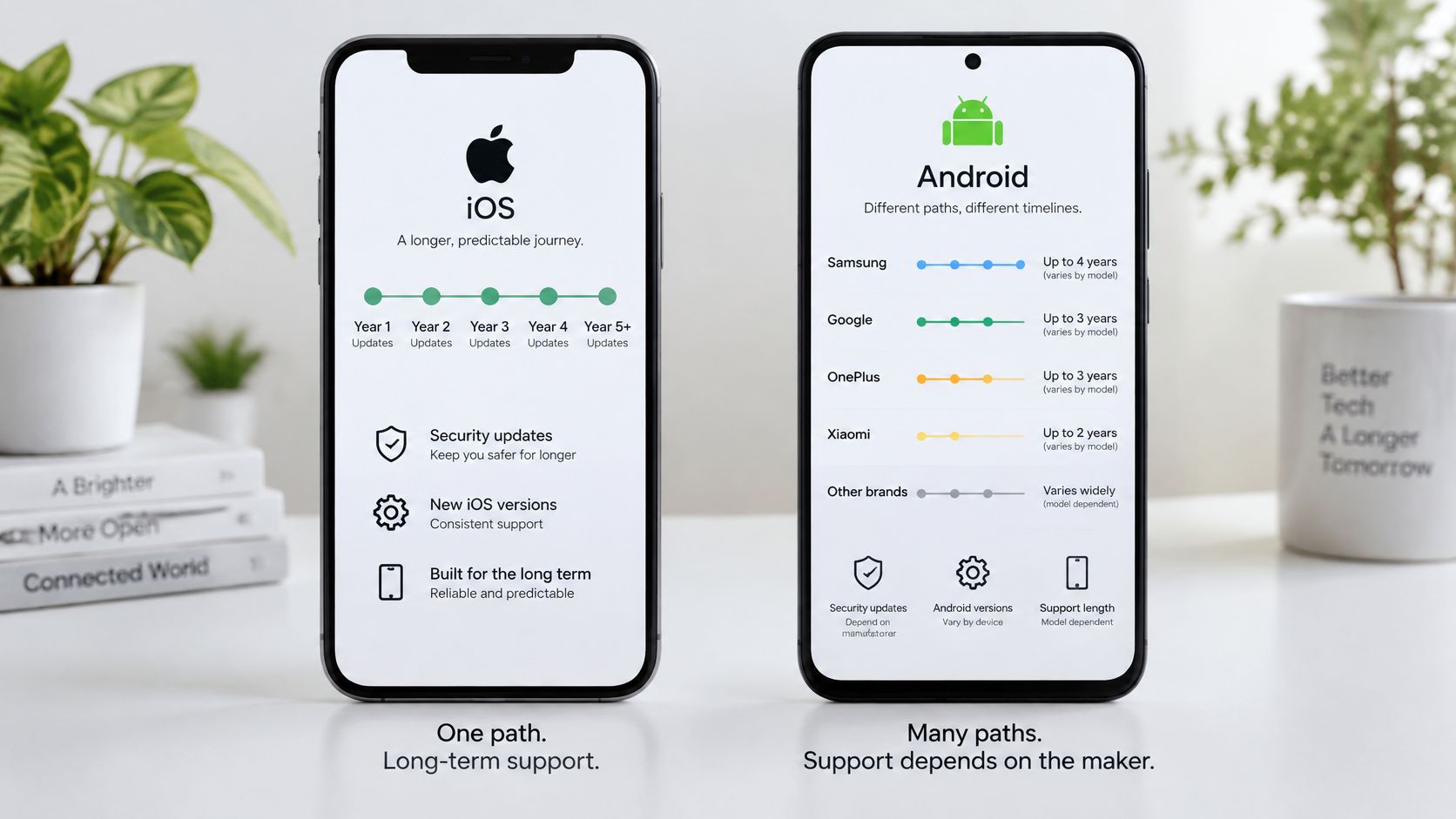
Apple sets support model by model. For example, the iPhone 6s received iOS updates from its launch software through iOS 15, a long run that makes it useful to compare an older iPhone's record with its remaining support prospects. See our guide to refurbished iPhone update support in 2026 when comparing iPhones of different ages.
Android support varies by manufacturer and model. Samsung's Galaxy S24 series has a stated seven-year update commitment, while the Galaxy A15 5G has a shorter four-generation OS update and five-year security update commitment. Check the exact model and its support terms before buying; the Android name alone tells you little about how long updates will continue.
Check the Installed Version and Patch
- On iPhone: Open Settings, then General, then Software Update to see the installed iOS version and any available update.
- On Samsung and many Android phones: Open Settings, then Software update, and check the update and security patch information.
- On other Android models: Look under Settings, Security or About phone. Manufacturers label these pages differently.
- Compare the result: Check the installed version and patch date against the manufacturer's support statement for that model.
App sources affect risk too. iPhones use the App Store under standard settings. Android phones use Google Play, and also allow installation from outside the store if the user enables it. That flexibility is useful for people who need it, but raises the risk of installing an unsafe app if warnings are ignored.
For a child's, older relative's or staff member's phone, choose settings that reduce accidental installs. An iPhone keeps the standard app route simple; on Android, leave installs from unknown sources switched off unless there is a clear reason to allow them. Turn on automatic updates, set a strong screen lock and use two-factor authentication for banking and email accounts where available.
An older phone with little support time left should cost less and suit a shorter ownership period. Decide how long you expect to keep it, then choose a model with support remaining beyond that point. This helps weigh the phone's current condition against the cost and inconvenience of replacing it sooner.
What Specs Mean in Real Life
Two refurbished phones can carry identical spec sheets and still behave very differently in your hand. One arrives with a healthy battery and a tight charging port; the other has spent years on fast chargers, car dashboards and heavy use. The launch specification tells you what the phone could do when new. Its current condition tells you what it will do for you now. Even on the same model, a bigger screen costs battery life in exchange for the extra size, so the larger number is not automatically the better buy.
Battery health is the first figure to ask for. Original capacity describes the phone as it shipped; current health describes it after years of charging cycles, heat and heavy use. On eligible Used Mobiles 4U phones we only list devices at 85% battery health or above. That does not guarantee identical screen time for every buyer, because signal strength, video use and gaming all drain a battery differently. It does give you a clear floor to compare listings against.
On iPhone, check this under Settings, then Battery, then Battery Health. On Android, the menu route and the detail shown change by maker, so ask the seller which test they ran and what reading they recorded. A listing that will not state battery health at all deserves caution.
Storage is the one choice you cannot repair later. Size it for photos, videos, offline films and large apps, and step up a size if you shoot a lot of video rather than deleting files every month.
Signal works differently. 5G helps only where coverage is strong and your tariff includes it; for calls, maps, browsing and messaging, good 4G is usually enough. A 5G badge will not fix a weak indoor signal at home, and a cheaper 4G handset can perform perfectly well in a strong coverage area. If you work on trains or in rural areas, network quality will matter more than small speed differences between two phones.
Charging ports are a small check with a real cost attached. Older iPhones use Lightning, while newer iPhones and most Android phones use USB-C. Count your existing cables and chargers before you buy, because replacing a drawer of accessories adds to the true price of switching platform.
Megapixels mislead in the same way other headline numbers do. Lens quality, image processing and low-light performance shape the photos you keep, and a high megapixel count can still produce soft evening shots. Before grading, each lens, the flash and the zoom are tested, because a scratched lens or faulty focus shows up in real photos even when a spec sheet looks impressive.
Ask for two things on any used phone: the battery health reading and a short camera test using every lens. Those two checks tell you more than a processor name.
Speed is real, but narrower than adverts suggest. Most recent iPhones and mid-range Android phones handle everyday apps well; you notice age in multitasking, gaming, camera processing and how hot the phone gets during video calls. Buy for the work you do. A first phone for school, maps and messages does not need flagship performance. A creator editing video on the handset does.
Price, Value and Buying Refurbished Wisely
A cheaper phone only offers good value if it lasts long enough for the way you use it. Many buyers compare purchase price alone, then pay again for a battery, a repair or an early replacement. I would compare risk-adjusted cost per year instead. Divide the price by the number of years you can realistically expect from the battery, updates and hardware condition. A stopgap handset kept for one year sits under different maths from a main phone kept for three.
That approach changes the answer in iOS versus Android comparisons. An older iPhone may hold demand well but arrive with a tired battery. A newer Android may look better value yet carry a shorter support promise from its manufacturer. Model-level reality beats platform slogans, and resale demand follows the specific handset far more than the logo on it.
Prices vary by grade, storage, battery health, cosmetic condition, warranty and availability, so the same model can sit at quite different prices from one listing to the next. A low-grade handset with no clear battery figure is not the same risk as a higher-grade tested phone, even when the first one is cheaper.
The line between refurbished and used matters here. Our explainer on what refurbished mobiles means separates the two, and the difference is practical: testing, data wiping, grading and warranty all change what you are buying. A private sale may cost less up front, but you carry more of the risk if Face ID fails, the charging port is worn or the phone turns out to be locked.
When I weigh up a used handset, the order matters more than the list.
- Set the ownership period first. One year for a stopgap phone is different from three years as your main handset, and it decides how much remaining life you need.
- Confirm the battery before anything cosmetic. A weak battery affects every day, not just resale day.
- Read the warranty terms. Know what is covered, what battery cover applies and how returns work.
- Ask about parts. Popular models are usually easier and cheaper to keep running than obscure ones.
- Price the exit. Condition, storage and demand at the time you sell will shape what you recover.
For students, parents and small organisations, the cheapest listing can become the most expensive choice if updates end early or a battery fails during term time or a busy work period. Buy the phone whose remaining life suits the time you plan to keep it, not just the lowest price on the page.
Our Experience Refurbishing This Model at Used Mobiles 4U
Battery condition can make a tidy phone a poor daily buy. A clean screen and frame do not show whether a handset loses charge quickly or shuts down under load, so battery checks matter alongside cosmetic grading.
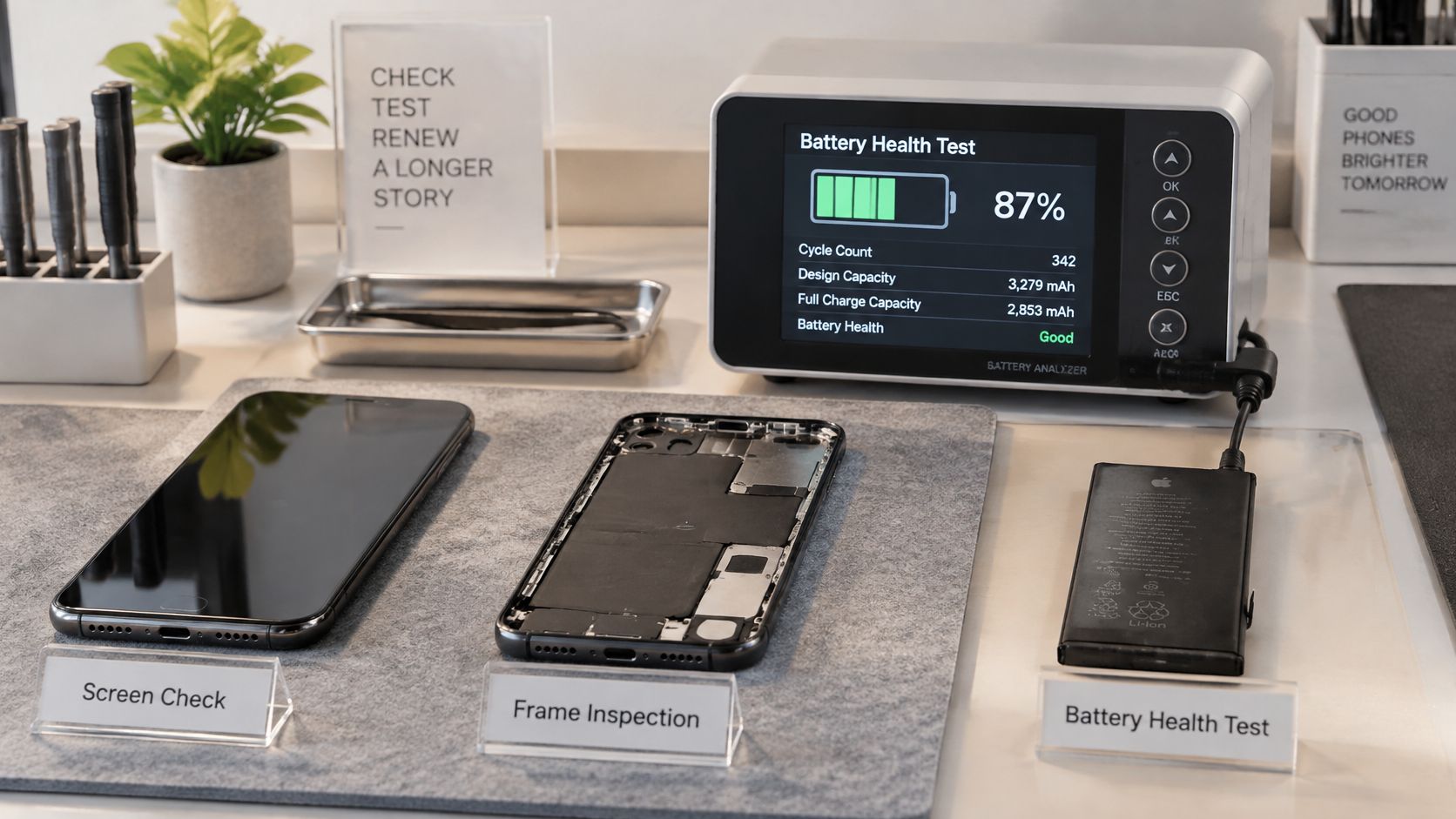
Refurbishment checks cover functionality, a secure data wipe, battery condition, cosmetic grade and final quality control. Technicians test Face ID or fingerprint recognition, charging, both cameras, speakers, microphone, buttons, Wi-Fi, mobile signal and touch response across the screen. A handset only passes when every function works under normal use, not just when it powers on.
Common faults affect both platforms: cracked screens, worn charging ports, weak or swollen batteries, and bent or scratched frames. Water damage needs particular caution because corrosion can cause later faults. Board-level problems are harder to resolve than a straightforward parts replacement and can change whether a repair makes sense.
Grade labels matter less than the actual wear. Light marks hidden by a case are different from deep frame damage or a screen scratch you can feel with a fingernail. A lower-grade phone can suit someone who prioritises function and plans to use a case. Visible wear may be a poor fit for a gift or for anyone who wants a phone that looks close to new.
Repair decisions depend on the handset's overall condition and remaining software life. A battery replacement can make sense when the body and screen are sound and the model still has useful support ahead. Board-level faults, widespread water damage or several failing major parts can make a phone uneconomical to repair. Replacing parts is not worthwhile if reliability is likely to suffer.
A buyer comparing a lower-priced Android with an older iPhone should weigh the battery reading, condition and remaining update support alongside the price. Someone who needs a larger screen on the same budget may reasonably choose the Android instead. Compare nearby models and grades to see whether the price difference reflects cosmetics, storage or useful ownership life.
What We Commonly See
- iPhone charging wear: Older Lightning models may have loose ports or intermittent charging.
- iPhone battery fade: Heavy video, hotspot or gaming use can leave less battery life for everyday use.
- iPhone screen marks: Grit trapped under an ill-fitting case can leave fine marks around the edges.
- Android battery fade: A handset can look clean while delivering reduced battery endurance.
- Android USB-C wear: Frequent cable changes can leave ports loose or packed with dust.
- Android frame scuffs: Repeatedly removing and refitting a case can scuff corners and areas around buttons.
Which Platform to Buy and Why
My default recommendation is clear. If you want the fewest surprises, buy a refurbished iPhone with verified battery health, clear grading and enough iOS support left for the years you plan to keep it. That route can cost a little more up front. In return, it stays predictable for non-technical buyers, parents and anyone who does not want to compare update policies model by model.
Android is still the right answer for plenty of UK buyers. Anyone shopping the best budget Android phones can get a bigger screen, more storage or a newer handset for the same money. The trade is that you check the exact model more carefully, because update commitments, battery condition and parts availability all vary between brands.
Match your situation to a platform rather than re-reading a verdict:
Accessories deserve a check of their own before you commit. A buyer tracking training through a smartwatch workout app should confirm the watch pairs properly with the new platform, because the phone is only one part of that setup. Students and young professionals often favour Android value or a lower-grade iPhone. Parents buying a first phone usually benefit from simplicity and repairability. Small businesses buying several handsets should standardise on one platform so setup and support stay manageable.
For a concrete iPhone option, the iPhone 15 Plus – Black – 128GB – Like New listing describes a refurbished iPhone 15 Plus in Like New condition, SIM-free and fully tested, with 85%+ battery health, an 18 Month Warranty, 30-day returns and fast UK delivery. That specification suits a buyer who wants a larger iPhone without paying new prices. A buyer whose budget points firmly towards Samsung or Motorola will get more hardware per pound on Android, and that choice is just as sound when the handset has been properly tested.
Skip iOS if your must-have hardware feature only appears on Android at your budget, or if Apple's tighter control over defaults frustrates you. Skip Android if you cannot confirm update support for the exact model, or if the listing will not state battery health and warranty clearly.
Whichever side you land on, pick the tested handset whose battery health and remaining support window cover the years you plan to keep it. Divide the price by those years and the platform argument mostly settles itself: the phone that costs less per year of supported use is the better buy, whatever logo sits on the back.
If you are ready to compare tested phones by battery health, grade, storage and warranty rather than by platform slogans, browse the SIM-free refurbished iPhone, Samsung and Motorola listings at Used Mobiles 4 U and choose the handset that fits your budget and ownership period. Every eligible phone is clearly graded and data wiped, with UK support if you need help after delivery.
Looking for a refurbished phone?
Shop professionally tested refurbished iPhones and Samsung phones with 18 month warranty, 30 day returns and free UK delivery.
Browse Refurbished Phones