


Refurbished Lenovo Laptops UK: Models, Specs and Checks

06/11/2026

13 Mins
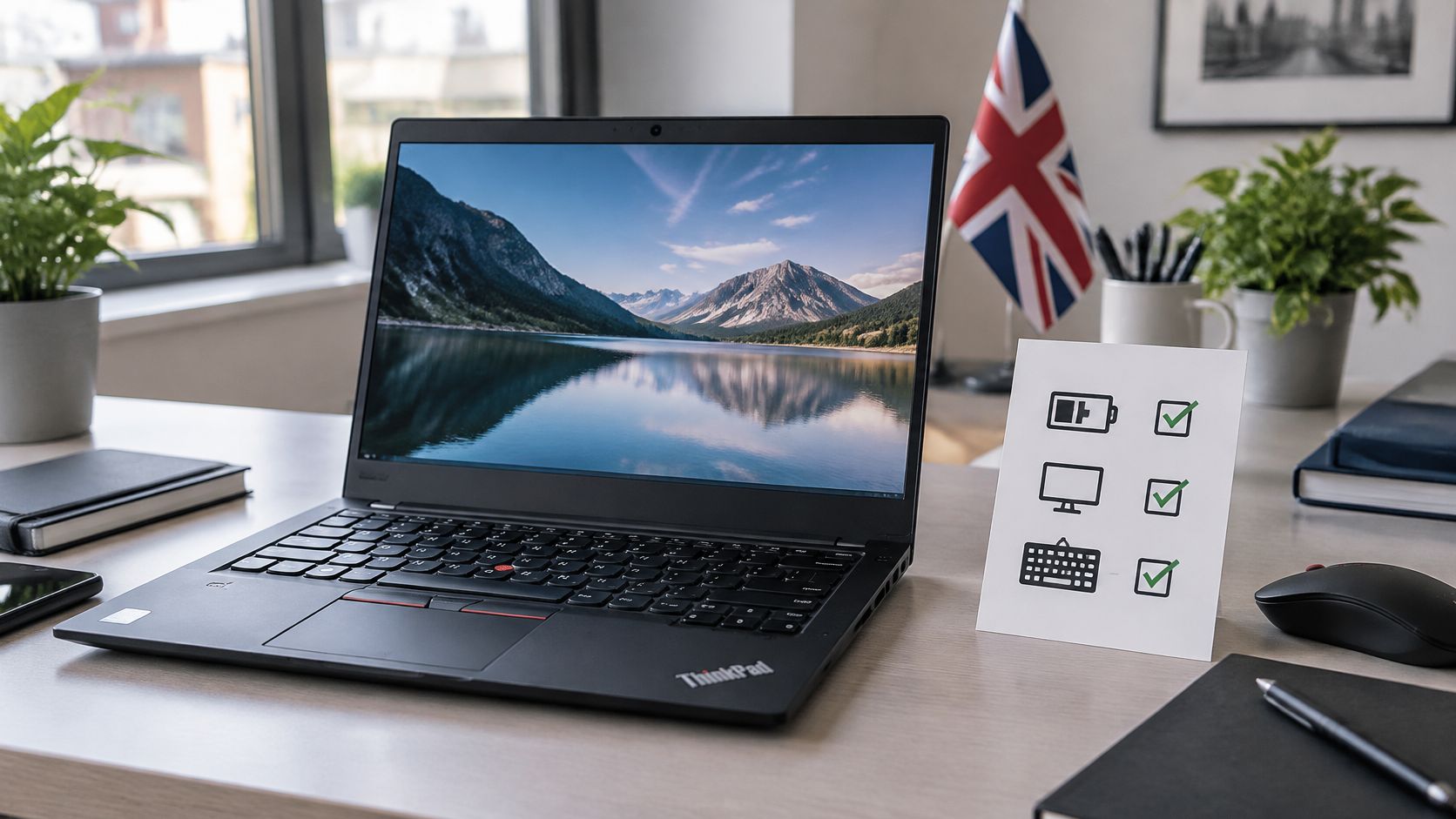
The cheapest refurbished ThinkPad can be the poorest value if its battery is worn or it cannot run Windows 11. For refurbished Lenovo laptops UK buyers use for work or study, the safest starting point is a ThinkPad with 16 GB RAM and a 512 GB SSD. Check the exact configuration before you compare price.
The Short Version
A refurbished Lenovo laptop is worth buying when the seller confirms the exact processor, RAM, SSD, battery health and Windows 11 eligibility in writing. The same model name can cover very different machines, so an 8 GB version only makes sense at a clear price gap.
- Choose ThinkPad X13 Gen 3 if: you travel, join long video calls and want a portable machine with proper headroom.
- Choose ThinkPad T14 Gen 3 if: you need mixed office and browser work, and the seller can supply or fit 16 GB and 512 GB where the chassis allows.
- Choose ThinkPad E15 Gen 3 if: you mainly study or do admin at a desk and want a larger screen on a tighter budget.
One UK listing for a ThinkPad T14 Gen 3 describes a 10-core/12-thread Core i5-1235U, 8 GB RAM, a 256 GB SSD, a 14-inch 1,920 × 1,200 IPS screen, a 39.3 Wh battery, Thunderbolt 4, HDMI and USB-A. That is usable, but memory and storage will feel tight sooner than the processor will.
Treat any listing without an exact processor as incomplete until the seller confirms it in writing.
What the Specs Mean for Real Work and Study
The configuration on the label decides how a refurbished Lenovo feels in month six. The processor name decides very little on its own. Memory, drive health and battery capacity are what turn a spec sheet into a working day, and those are the three details listings most often leave vague.
Processor and memory in daily use
Recent Core i5 and Ryzen 7 chips handle Microsoft 365, browsers, video calls and light programming comfortably. The gap shows under sustained multitasking, when Teams, a large spreadsheet, cloud sync and twenty tabs compete for the same resources.
8 GB RAM is where that competition becomes visible: tabs reload, apps pause when you switch windows, and video calls stutter while files sync in the background. 16 GB RAM lets you keep work open without closing things all day. That is why I would pay for memory before paying for a small processor step up. A U-series i5 with 16 GB will serve most students and office users longer than a P-series i5 with 8 GB, and on soldered-RAM chassis the decision cannot be reversed later.
Storage behaves the same way. A 256 GB SSD fills fast once Windows updates, OneDrive or Google Drive, downloads and local project files build up. A 512 GB SSD leaves working space, and larger drives are worth comparing on our guide to laptops with 1 TB SSD storage if you keep media or virtual machines locally.
What PCMark Scores Tell You About Daily Use
PCMag UK tested a ThinkPad X13 Gen 3 with a Core i5-1240P, 16 GB RAM, a 512 GB SSD and a 1,920 × 1,200 display, scoring 5,206 in UL PCMark 10 and 1,421 in the storage subtest. Read that as strong for web apps, documents, programming and calls. The storage subtest number is the more useful warning of the two: two laptops with identical drive capacity can post very different results, so ask for a drive health reading instead of assuming every SSD performs alike.
Battery results for that same X13 Gen 3 configuration, as recorded in PCMag UK's review, came to eight hours, and the review named the standard 41 Wh battery as the limiting factor, with the optional 54 Wh version expected to add roughly two hours. Two listings that look identical in photos can hand you noticeably different working days.
A 1,920 × 1,200 display gives more vertical room than 1,920 × 1,080 for documents, email and spreadsheets, so you scroll less across a full day. USB-C charging and Thunderbolt 4 matter if you dock the laptop, run an external monitor or shift large files to a fast external drive.
Connectivity shifts the choice too. The Lenovo IdeaPad 4G – Silver – 256GB – Excellent listing is a 4G-capable IdeaPad graded Excellent, and the built-in data SIM is its selling point rather than its processor. Confirm the exact chip, fitted memory and drive type in writing before you pay, because mobile data is only worth having on a machine that keeps up with your workload.
Ask every seller for four details in writing before you pay.
- Exact processor: full model name, not just i5 or Ryzen 7.
- RAM: fitted amount and whether it can be upgraded.
- SSD: capacity, health result and whether it has been securely wiped.
- Battery: reported health, charger wattage and whether USB-C charging works.
How Refurbished Lenovo Laptops Are Graded and Tested
Cosmetic grading tells you how a laptop looks; functional checks tell you whether it works. Scratches, small dents, hinge wear and faded key legends matter, but a clean lid will not fix a tired battery or a loose USB-C port.
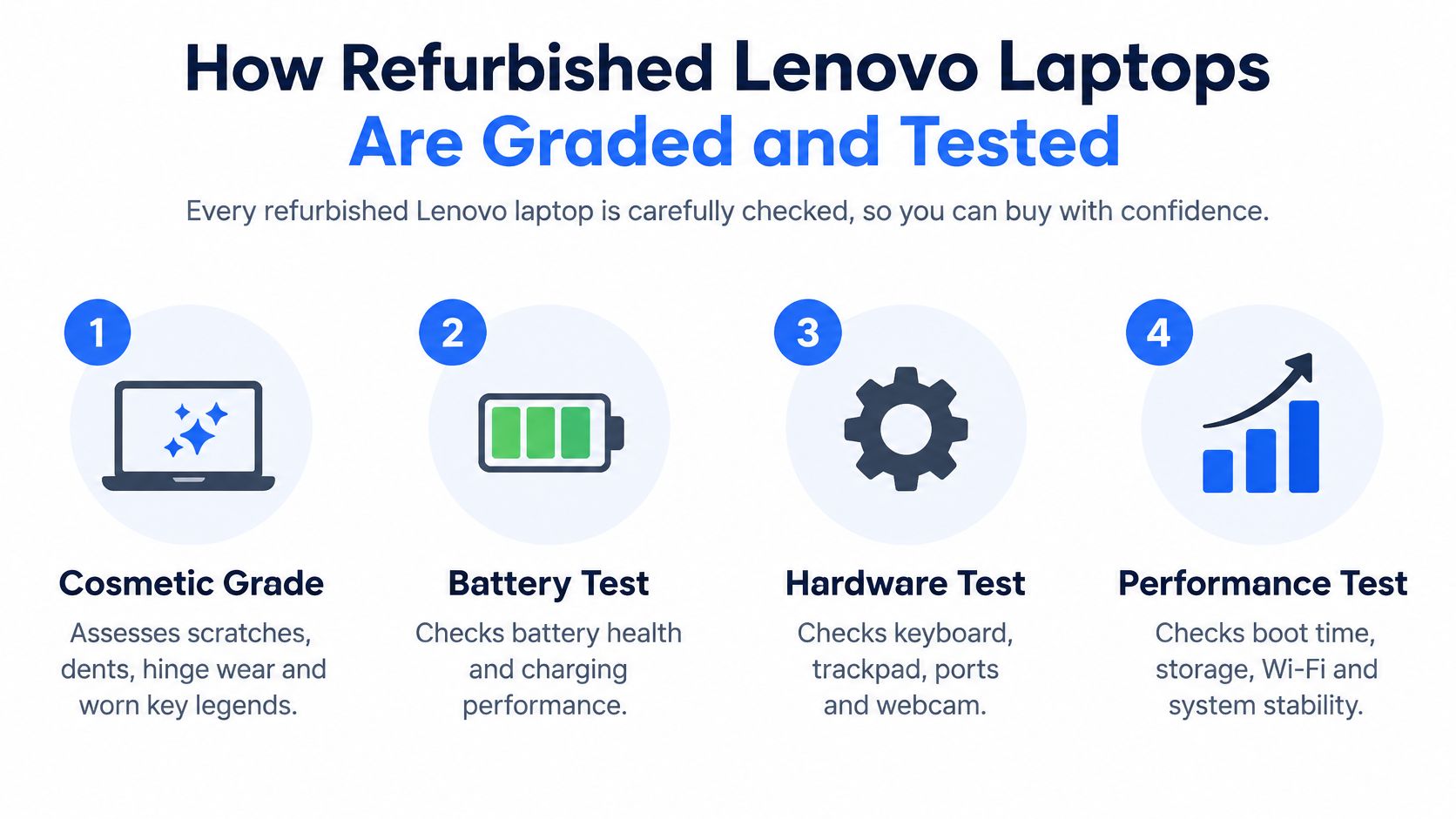
Grade labels vary between sellers, so ask what each grade covers and look at photos of the actual unit. Corners, palm rests, screen marks and the most used keys show heavy use first, and those are the areas that decide whether an "Excellent" label feels honest in daily handling.
The functional checks that matter
A credible refurbishment should cover the parts you rely on every day. Battery health should be reported as a percentage, the keyboard and trackpad should respond across their full surface, and every USB-C, USB-A, HDMI or Thunderbolt port should be tested with a real device. The webcam, microphone, speakers, Wi-Fi and Bluetooth need the same treatment. Open and close the lid to feel for hinge play, then check the screen on white, black and grey backgrounds for dead pixels, pressure marks and backlight bleed.
Storage needs an SSD health check and a full secure wipe before resale. Windows should be cleanly installed, activated and supplied with a recovery route, while the charger should match the laptop's required wattage and charge steadily without cutting out when the cable moves. A matching charger is part of the test, because a weak USB-C supply can make a healthy laptop look unreliable.
Use this order when you assess any listing.
- Battery health: ask for the percentage and cycle information if available.
- Ports and charging: confirm the correct charger is included and USB-C charging works.
- Screen and keyboard: check photos and the grade description for wear that affects daily use.
- SSD health and wipe: confirm the drive was tested and securely wiped.
- Windows edition and activation: confirm the licence status in writing.
Practical rule: a slightly scuffed laptop with strong battery health is usually better value than a top cosmetic grade that needs a charger beside it all day.
You can check a Windows battery yourself once the laptop arrives. Open Command Prompt, run powercfg /batteryreport, open the saved report, then compare design capacity with full charge capacity. Ask the seller to send that report before purchase if battery life is central to your decision.
Used Mobiles 4 U states a minimum of 85% battery health for eligible refurbished phones at the point of sale. For a Lenovo laptop, ask for the battery report and treat that percentage as a separate buying point. The 10-step refurb check explains the structured approach used before devices are listed.
Do not accept "battery good" as a test result. Ask for the percentage, the report and the charger wattage. Those details answer the battery question before you pay.
Will an Older ThinkPad Still Run Windows 11?
A laptop that boots into Windows is not automatically a supported laptop. That assumption is where buyers lose money on older ThinkPads that look solid, type well and still feel fast enough for basic work.
Microsoft ended standard Windows 10 support on 14 October 2025, so unsupported machines no longer receive free security updates or technical support, as set out in this refurbished laptops buying guide. Eligibility for Windows 11 depends on the precise processor, TPM 2.0, Secure Boot and other hardware requirements.
"Windows installed" therefore proves very little. You need the exact configuration and a clear upgrade result for that unit, especially if you are a student, home worker or small organisation planning to keep the laptop for several years.
A five-part compatibility check
Run these checks yourself, or ask the seller to send screenshots before you pay.
- Note the processor: open Settings, then System, then About, and record the full processor model.
- Run PC Health Check: use Microsoft's PC Health Check app and save the result.
- Confirm TPM 2.0: open Windows Security, then Device security, and check the security processor details.
- Check Secure Boot: open System Information and confirm Secure Boot State is on.
- Record the licence: note the Windows edition and activation status under Settings, then System, then Activation.
Students revising operating systems alongside a purchase may find it useful to revise utility software for GCSE computing, because the same ideas around system software and utilities sit behind these checks. For buying, though, the screenshot matters more than the theory.
The trade-off is blunt. A cheap Windows 10 ThinkPad may have excellent build quality, but it is poor value if you must replace it soon, pay for temporary Extended Security Updates or accept growing security risk. Banking, work accounts and university systems all assume a supported operating system.
Ask for the full processor model, Windows edition, TPM and Secure Boot status, PC Health Check outcome and expected support route in one message. If a seller will not confirm those points in writing, I would walk away and choose a slightly newer configuration.
Warranty, Returns and Your Consumer Rights
Your statutory rights and a seller's warranty are not the same thing. The law sits underneath the purchase, while the warranty is the seller's own promise about what happens if something goes wrong.
If a second-hand laptop is faulty, not of satisfactory quality or materially different from its description, you may be entitled to a repair, replacement or refund. Those rights do not cover faults caused by misuse, an accident or ordinary wear and tear, and they do not apply where a fault was clearly disclosed before purchase.
What to compare in the written warranty
Citizens Advice explains warranty claims and says a written warranty should state its duration and the remedy available, such as repair, replacement or refund. You will usually need proof of purchase, details of the fault and the warranty paperwork when you claim.
Compare who handles repairs, whether return postage is covered and whether the battery is included or only the main hardware. Battery cover matters on a refurbished laptop because wear is expected, but a battery that drops sharply soon after purchase is a different problem from gradual ageing.
Our page on Lenovo laptop warranty in the UK is the place to check the exact terms that apply to a listing before you commit. Compare warranty length, remedy and returns process side by side, because sellers vary and headline wording can hide narrow cover.
For a sense of how clear terms should read, the iPhone 14 Plus – 128GB – Black – Like New listing states it is fully tested, SIM-free and without network restrictions, with an 18-month device warranty, 12-month battery cover and 30-day returns. A laptop listing should be just as specific about what is covered and for how long.
Before you buy, save a screenshot of the grade, specification, battery claim and Windows claim. Keep the invoice, warranty paperwork, original charger and packaging until you have tested the machine properly.
Test it during the returns window, not weeks later. Charge it fully, run it on battery, join a video call, plug in your monitor and use every port you paid for.
What You Should Pay and How Long It Lasts
The sticker price is the least reliable number on a refurbished Lenovo listing. Processor generation, memory, storage, battery health, cosmetic grade, warranty length and stock all move the figure, so two laptops with the same badge can be different products.
A 16 GB machine with a healthy battery, correct charger and confirmed Windows 11 support should cost more than an 8 GB machine with vague battery wording. Run the arithmetic over three years: a laptop priced 20% higher that lasts three years instead of two costs about 20% less per year, before any battery or memory upgrade on the cheaper machine. That is why I would pay more for 16 GB and confirmed Windows 11 support.
The sustainability case needs the same discipline. The Green Alliance report on device reuse reports that almost 40% of laptops taken to recycling points are likely to be suitable for reuse, yet only 14% of UK electrical and electronic equipment is diverted for reuse compared with 53% sent for recycling. It also warns that operating-system withdrawal, design constraints and lack of spare parts can stop older devices being reused effectively.
Grade, battery, charger and warranty are already on your checklist. Two details decide how long the laptop stays useful.
- Spare parts: battery, charger and SSD can be sourced without a long search.
- Repairability: the battery and storage can be reached without a sealed unit or unusual tools.
Buying refurbished makes sense when the laptop will stay supported for the years you need it.
A well-maintained, Windows 11 compatible business laptop that serves several more years is better reuse than a cheaper machine replaced in 18 months.
Our Experience Refurbishing This Model at Used Mobiles 4 U
A ThinkPad can open apps quickly on a desk and still lose much of its runtime the moment you unplug it. Batteries and hinges age faster than processors, so the spec sheet tells you less about a used Lenovo than the wear pattern does. Judge the unit, the battery report and the support route together, not the badge alone.
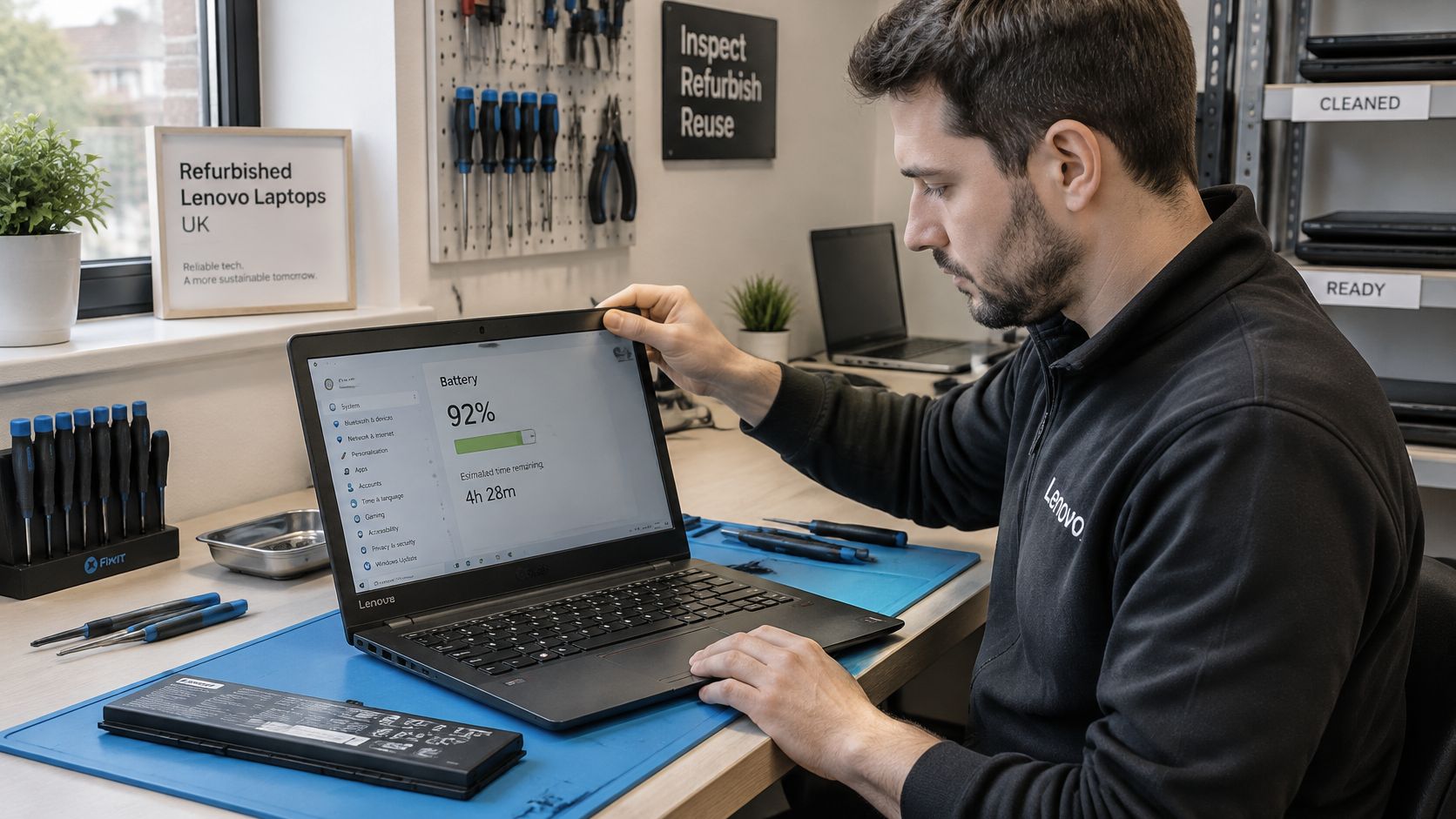
Wear shows up in predictable places. Palm rests go shiny, legends fade on Enter and Backspace, hinge plastic cracks at the corners, and dust packs the vents until the fan runs harder than it should. Those marks tell you how the machine was used, and they help you decide whether the grade and price match the condition in front of you.
Repair or replace logic
A worn battery or tired SSD is usually a straightforward fix, provided the correct part is available and the chassis is worth the work. A cracked display, liquid damage or a failed board changes the answer quickly, because the repair can swallow the saving that made refurbished attractive. In practice, that calculation decides more laptops than cosmetic grade does.
Grade differences show most on the outside, but the decision inside the machine matters more. A visible scuff explained clearly is a better buy than a polished shell hiding a loose port, a mismatched charger or a battery report nobody checked.
What We Commonly See
- Battery wear: reduced full charge capacity despite a clean exterior.
- Port damage: loose USB-C sockets from frequent docking and cable strain.
- Keyboard wear: shiny keys, worn legends and occasional sticky travel.
- Windows limits: Windows 10 installs that cannot upgrade to Windows 11.
- Charger problems: missing, underpowered or mismatched power supplies.
The same discipline applies at the point of sale. Used Mobiles 4 U runs a 50-step check on its refurbished phones covering device-status checks, functional testing, secure data wiping, battery-health verification, cosmetic grading and final quality control. Ask for the laptop equivalent of that list before you pay: a battery capacity reading, a note on port condition and the exact charger wattage. If a seller cannot supply those three, the price is doing the persuading rather than the condition.
Is a Refurbished Lenovo Laptop Worth Buying in the UK?
A refurbished Lenovo laptop earns its place when the machine matches the job in front of you. Students writing long essays, home workers on back-to-back video calls and small teams buying matching machines get the clearest value from a business-grade keyboard and chassis at a lower price than new.
The exact configuration decides whether the saving holds. Memory and storage are where a cheap listing hides its age, and Windows 11 eligibility is the limit that can turn a working laptop into a short-lived one. Check those before you fall for a clean exterior.
Used Mobiles 4 U sells refurbished Lenovo laptops for work and home, alongside MacBook, MacBook Air and MacBook Pro laptops and selected tablets. If a ThinkPad layout does not suit you, the guide to the best refurbished laptops covers wider choices.
Skip a refurbished Lenovo if you need heavy video editing or gaming performance, or if the seller will not confirm battery health and Windows 11 status before payment. Silence on those points usually becomes your cost later.
If the laptop travels daily, protect it with a padded compartment and a bag that holds the charger without bending the cable. When you compare leather options, understanding briefcase leather grades helps you judge whether the hide and lining will stand up to a commute.
My rule is simple: treat confirmation as part of the product. If the seller cannot put battery health, Windows 11 status and warranty in writing, the low price is doing the persuading.
If you are unsure which configuration suits your course or job, the Used Mobiles 4U team can explain the grades, battery health and warranty before you commit.
Browse tested, clearly graded refurbished Lenovo laptops for work and home at Used Mobiles 4 U, and check the exact processor, memory, battery health and warranty on each listing before you buy. If you need help choosing between configurations, ask the UK team and they will point you to the machine that fits your workload and budget.
Looking for a refurbished phone?
Shop professionally tested refurbished iPhones and Samsung phones with 18 month warranty, 30 day returns and free UK delivery.
Browse Refurbished Phones