


Lenovo Laptop Warranty UK: What Is Covered and How to Claim

04/11/2026

9 Mins

An expired Lenovo warranty doesn't necessarily mean you must pay for a faulty laptop yourself: your rights against the seller exist separately from manufacturer cover. A Lenovo laptop warranty UK buyer should check three layers of protection, the manufacturer's warranty, statutory rights and any retailer or optional protection plan, rather than treating them as interchangeable.
Lenovo Laptop Warranty Cover at a Glance
A failed keyboard, a worn battery and a screen broken in a fall can fall under different cover. Identify which provider handles the specific fault, then check the laptop's eligibility and the applicable terms.
Lenovo's consumer services information says some protections may need to be added within 90 days of purchase or while the original warranty remains active, subject to the product and plan.
Check whether any remaining cover transfers to a second owner, and confirm upgrade eligibility before buying a used laptop. Legal claim deadlines are not warranty periods and do not guarantee fault-free operation.
Manufacturer Warranty Versus Your Statutory Rights
If a laptop is faulty, you may have a 30-day short-term right to reject it under the Consumer Rights Act. The Act's remedy framework also provides for repair or replacement after that period, with necessary labour, materials and postage paid by the trader.
A laptop should match its description, be suitable for a purpose you made known to the seller and meet a reasonable quality standard. For refurbished goods, reasonable expectations take account of age, price and disclosed condition. A scratch described in the listing is different from an undisclosed functional fault.
What the seller should do
The seller must provide an applicable remedy within a reasonable time and without significant inconvenience. Your preferred option can be refused if it is impossible or disproportionate compared with the alternative. If a repair or replacement fails, or the seller does not meet those requirements, a price reduction or final rejection may be available under the Act's conditions.
For example, if a laptop develops an internal fault shortly after delivery, contact the seller promptly. Describe the symptoms and state which statutory remedy you are seeking. A manufacturer repair may be an option, but it is not automatically your only route.
Practical rule: Keep the original listing as carefully as the receipt. It records what the seller promised you were buying.
Keep evidence, not just an order number
- Purchase evidence: Receipt, seller details and delivery information.
- Description evidence: The listing, specification and condition grade.
- Fault evidence: Photos, error messages and a dated account of the symptoms.
Lenovo's UK terms say its limited warranty adds to consumer-law protection. They also describe claim limitation periods of up to six years in England, Wales and Northern Ireland, or five years in Scotland. These are deadlines for pursuing certain claims, not guaranteed warranty periods. Whether a seller is responsible for a later failure depends on the circumstances.
Used Mobiles 4 U provides UK-based support for questions about products, policies and existing orders. Its refurbished device warranty information explains the retailer cover available on eligible devices.
What Battery and Accidental Damage Cover Leave Out
A fault's cause often determines which cover can help. A component that fails during normal use may fall under standard defect protection, while damage from a drop or spill usually needs accidental damage cover.
Lenovo's UK service information sets out optional accidental damage cover for eligible incidents such as drops, spills, bumps, electrical surges and LCD damage. The same information says eligible sealed-battery protection can extend battery cover to as much as three years, subject to performance conditions and a one-time replacement model.
Battery claims depend on the battery type, its measured condition and the applicable minimum-performance terms. A shorter runtime on its own may not establish that the battery qualifies for replacement. Our explanation of battery warranty cover sets out the distinction between battery issues and other hardware faults.
Common Lenovo laptop faults and the cover that usually applies
A stiff hinge can have different causes. A failed mechanism and impact damage to the casing may look similar, so the diagnosis and any evidence of impact matter when assessing a claim.
Used Mobiles 4 U's 18-month warranty covers hardware faults and technical issues. Eligible devices also include battery cover; the applicable terms determine what a battery claim can cover. Cosmetic marks should be judged against the condition grade shown in the listing.
If the drive clicks or the laptop reports bad sectors, stop using it before repair work begins. Continued use can put files at further risk. A hard drive recovery lab may be relevant if files need specialist recovery, since a hardware warranty does not itself promise file recovery.
Before buying, check the written terms for the specific fault, any return postage and the repair process. Keep the terms with your purchase records.
How to Make a Lenovo Warranty Claim – Quick Steps
Back up your data before sending the laptop anywhere, and remove or note any sensitive files because repairs can involve a wipe.
If the laptop won't start, tell the repair provider that you couldn't complete a backup. Don't authorise a reset without understanding what could be lost.
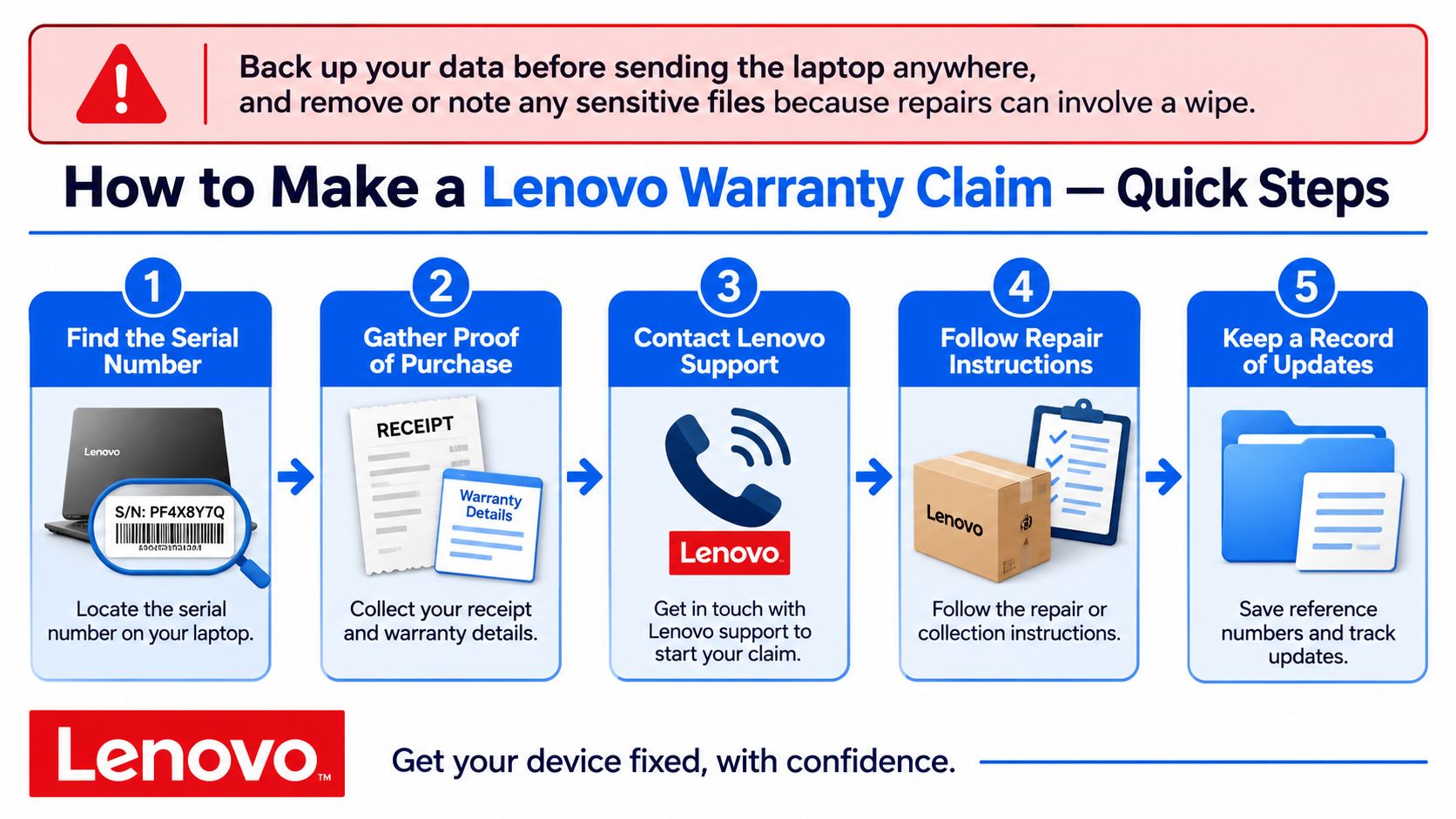
Find the serial number. Look at the underside label or the identification information in the BIOS. Keep it alongside your invoice and seller details so support can identify the precise machine.
Check the entitlement. Enter the serial number in Lenovo's Warranty Lookup, which can show remaining coverage and associated service options. Save the result, because apparently identical ThinkPad, IdeaPad or Legion laptops can have different entitlements.
Identify the provider. Establish whether you're using Lenovo cover, a retailer warranty or statutory rights against the seller. Contacting the wrong provider first can add unnecessary delay.
Document the symptoms. Include when the problem started, any error message and whether it happens on battery power, mains power or both. A short video of an intermittent display or charging problem can be more useful than saying the laptop doesn't work.
Open the claim through the correct route. Contact the seller for retailer cover, or Lenovo for a manufacturer claim, quoting the serial number and purchase evidence. Describe any drop, spill or previous repair so the technician can assess the cause.
Confirm the service arrangement. Lenovo's warranty protection information distinguishes depot and onsite service options. Ask whether you're sending the laptop away, receiving an engineer visit or following another authorised process.
Keep the paperwork. Save the case number, collection instructions, courier proof and repair report. Photograph the laptop's condition before packing it, and follow the provider's packaging instructions.
State your preferred remedy promptly. If you're seeking statutory rejection rather than a repair, say so when reporting the fault. Don't let an automated repair booking substitute for explaining what you're asking the seller to do.
When troubleshooting is worth trying
A settings or software issue may be resolvable without shipping the laptop. If you choose independent help such as 247TechTeam remote technical support, agree the scope first and avoid destructive resets or paid repairs before the warranty provider authorises them.
Used Mobiles 4 U provides UK-based support for product, policy and existing-order questions, and offers 30-day returns. Our warranty claims and repairs guidance is the starting point for help with an order from us.
What We Check on a Refurbished Lenovo Laptop
A Lenovo laptop's condition depends on the exact model and configuration. Used Mobiles 4 U sells refurbished Lenovo laptops for work and home, alongside tablets and other refurbished devices. For any individual laptop, check its product page for the applicable warranty and returns terms.
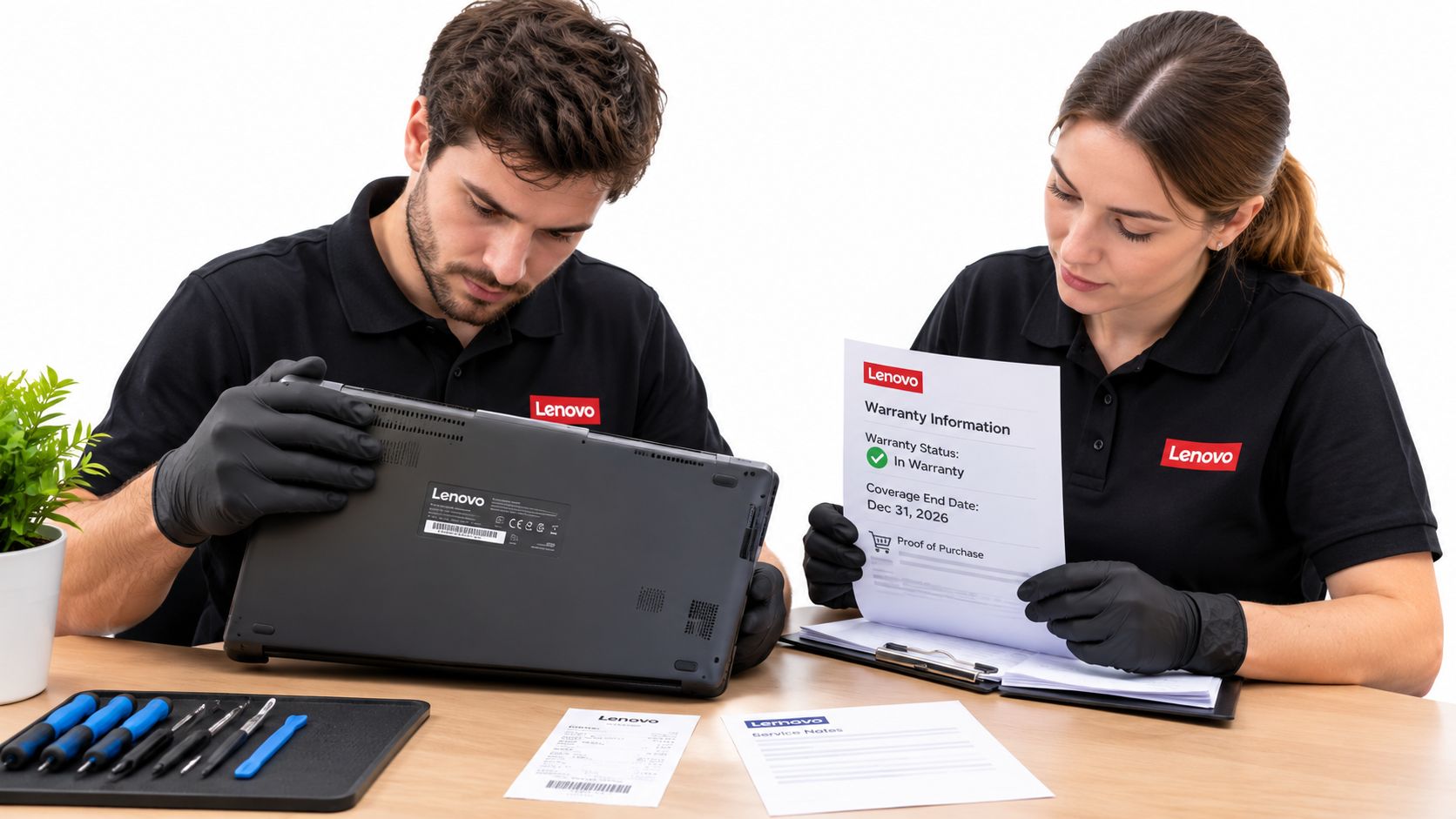
What a useful assessment establishes
On Windows, generate a battery report by opening Command Prompt and entering powercfg /batteryreport. Compare full-charge capacity with design capacity. The figures can indicate battery wear, but they do not replace a practical runtime check or identify every charging fault.
Check keys individually, including the space bar and modifier keys. Open and close the lid carefully, watching for movement in the hinge mounts or surrounding casing. If charging seems unreliable, inspect the connector and test with a compatible charger.
- Battery: Short unplugged runtime can indicate wear; workload and power settings also affect it.
- Keyboard: Check whether keys are sticky or loose, and whether the problem may instead involve settings or contamination.
- Hinges: Look for movement in the casing as well as resistance in the hinge.
- Charging: A compatible, known-good charger can help distinguish a faulty charger from a laptop fault.
These checks help narrow down possible causes. They do not establish that every Lenovo laptop has the same faults.
Repair the fault, not the assumption
If a laptop charges normally but loses power quickly when unplugged, investigate battery wear before assuming motherboard failure. A repair decision also depends on the exact model, parts access and labour involved.
A laptop with one replaceable fault may be a better repair candidate than one with several worn assemblies.
For ThinkPad and IdeaPad options, judge the individual machine by its condition, configuration and suitability for your work. The product family alone does not tell you whether a particular laptop is the right choice.
What Usually Affects Value
The best-value Lenovo is the one that fits your routine without requiring immediate compromises. Compare the condition, configuration and included accessories against how you'll use it.
A grade B laptop with cosmetic marks may suit desk-based work if its battery meets your needs. A grade C machine with a healthier battery could be the better choice for commuting, provided its casing and hinges are in acceptable condition. The grade alone does not settle the trade-off: read the product description carefully.
Configuration can change the value just as much as condition. Compare processor generation, memory, storage and the operating system licence against the work you need to do. A suitable charger is useful from day one; original packaging is usually less important.
Prices vary with grade, configuration, warranty and availability. Judge each listing by what you would need to replace or compromise on after purchase.
Buy a Lenovo Laptop With Warranty Cover You Understand
A refurbished Lenovo can be a sensible work or home purchase when its listed condition and warranty terms suit your needs. The warranty provider matters: manufacturer cover, statutory rights and a retailer's warranty are separate protections, and each may apply to different problems.
Keep your invoice and the laptop's serial number. If a fault develops, those details can help identify the purchase and check the terms that apply.
Who should be more cautious
A laptop that meets your workload may still be a poor fit if its support terms are unclear or the likely repair cost outweighs its value. Check the product page before ordering, and contact the retailer if you need clarification.
Used Mobiles 4 U sells refurbished Lenovo laptops for work and home. Warranty and returns terms are shown on each product page, and UK-based support is available for questions about products, policies and existing orders.
Used Mobiles 4 U offers refurbished Lenovo laptops for work and home. Compare the listed terms before ordering, and ask UK-based support about anything that remains unclear.
Looking for a refurbished phone?
Shop professionally tested refurbished iPhones and Samsung phones with 18 month warranty, 30 day returns and free UK delivery.
Browse Refurbished Phones