

Samsung Galaxy A53 Buyer’s Guide: Is It Worth Buying Used?

16/11/2026

11 Mins
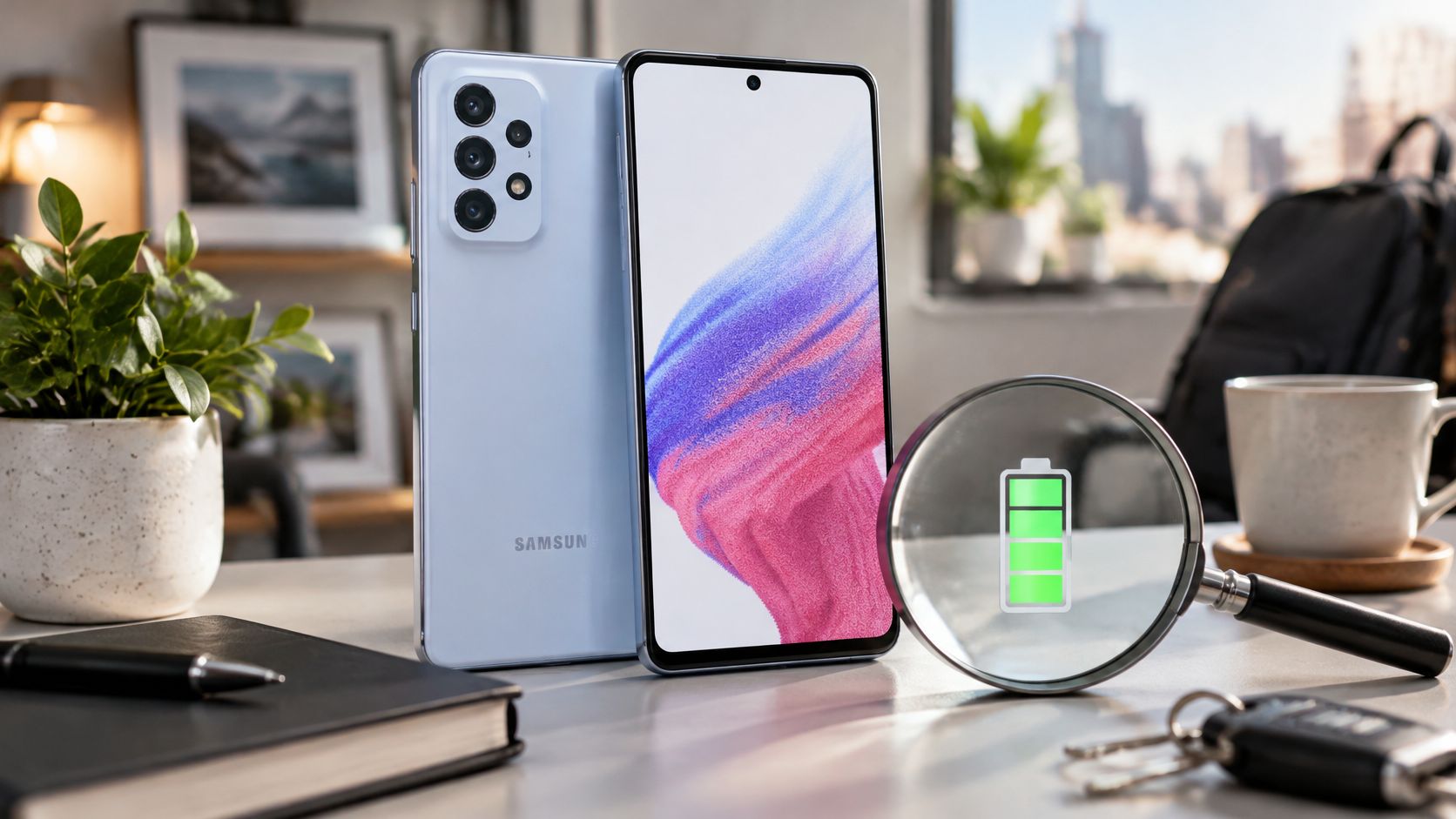
Yes, a used Samsung Galaxy A53 is a sensible buy if you want a smooth 120Hz screen, 5G and Samsung's long software-support commitment at a mid-range price, provided battery health is at least 85% and 4G Calling works on your network. A clean-looking handset isn't necessarily the better purchase: battery condition and reliable calls matter more than an unmarked back cover.
The Short Version
- Best suited to everyday use: The A53 makes sense for messaging, browsing, streaming, navigation and ordinary photography. It's less convincing if demanding games are your main reason for buying.
- Buy condition, not just appearance: A higher cosmetic grade should mean fewer visible marks, not permission to overlook battery wear, camera faults or charging problems.
- The screen is a genuine attraction: Scrolling feels fluid, and the AMOLED display makes films and photographs look appealing. Check the panel itself, rather than assuming every replacement screen will give the same experience.
- Charging needs realistic expectations: This isn't a phone to choose for the quickest possible top-up. A compatible charger and sound USB-C connection matter.
- Launch price isn't today's value: The original retail price is useful background, but it doesn't tell you what a particular refurbished handset is worth now.
- Software support needs checking: Samsung's original commitment was generous for this class of phone. However, buying used doesn't restart that support period.
- Check the battery: Ask how battery health was assessed, not whether the phone charges.
- Check the hardware: Test the whole screen, both cameras, speakers, microphones and charging connection.
- Check your calls: Put your intended SIM in the phone and make an ordinary voice call before committing to keeping it.
I'd prioritise a properly tested example with clear grading over a cheaper private-sale handset with an unknown history. If your present phone struggles to last through work, concentrate on battery condition; if you're changing networks, prioritise the calling test.
The A53's appeal is straightforward: a pleasant everyday phone without paying for flagship performance you might never use. It stops being good value when the saving disappears into avoidable repairs.
Galaxy A53 Specs That Matter When Buying Used
Match the listing to the handset
Samsung's UK launch announcement places general availability on 1 April 2022, with a £399 recommended price for 6GB RAM and 128GB storage, launching on Android 12 with One UI 4.1. It also specifies the 6.5-inch Full HD+ Super AMOLED display at 120Hz, 5G, a 5,000mAh battery, and a quad-camera system led by a 64MP main camera with optical image stabilisation.
That announcement promised up to four generations of Android and One UI upgrades and up to five years of security updates. Treat that as a commitment attached to the model's original lifecycle, not a fresh period beginning when you buy it refurbished.
Specifications that change the buying decision
The GSMArena specification listing records the Exynos 1280, microSD expansion, 189g weight, 8.1mm thickness, and cameras comprising 64MP main, 12MP ultra-wide, 5MP macro, 5MP depth and 32MP front. Those details help identify the handset, but only the main and ultra-wide cameras are likely to drive most purchasing decisions.
Optical stabilisation helps with hand movement. It doesn't freeze a moving child or turn a dim room into daylight, so take an indoor test photograph rather than judging the camera by its megapixel count.
A large screen also brings a handling trade-off. Try reaching the upper corners with your normal grip, especially if you plan to use a bulky case.
Buying rule: Match the exact model, memory and storage before comparing prices. The same model name doesn't guarantee an identical configuration.
Check Settings > About phone against the listing, then inspect storage separately. Don't assume a memory card makes a low-space handset equivalent to one with more internal storage; apps and system files still need room on the phone.
How Fast and Smooth the A53 Feels Day to Day
The A53 is comfortable with ordinary apps, but it isn't a flagship hiding behind a lower price. Switching between messaging, maps and music is a fair expectation; demanding games and persistent heavy multitasking are tougher assignments.
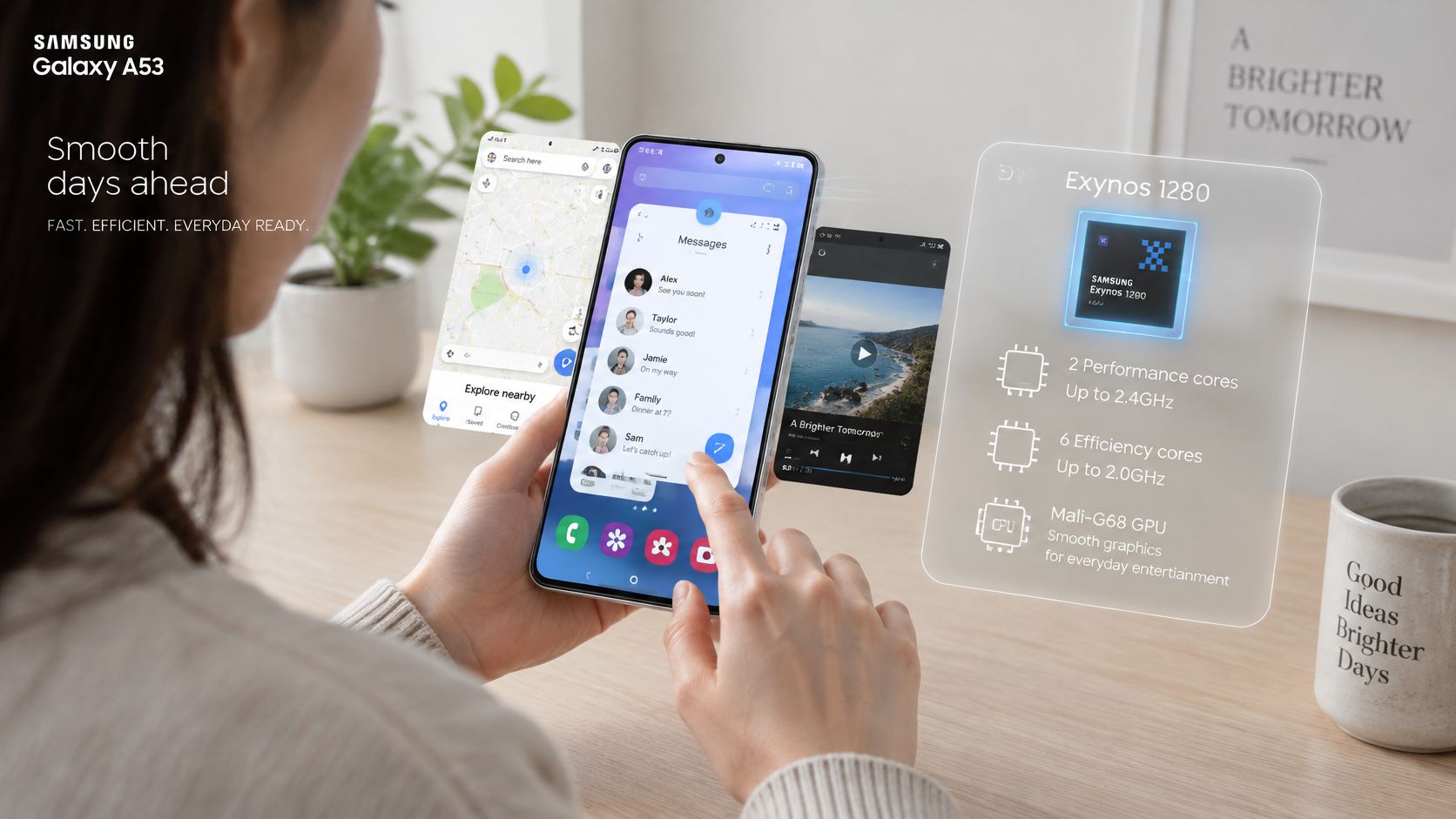
The processor details accompanying Vodafone's Galaxy A53 specifications identify two Cortex-A78 performance cores at up to 2.4GHz, six Cortex-A55 efficiency cores at up to 2.0GHz and Mali-G68 graphics. The useful distinction is between responsiveness during light tasks and how well the phone holds up when several demanding jobs compete for resources.
Don't diagnose every pause as a processor problem. Pending updates, background downloads and nearly full storage can all muddy an arrival test. Let initial setup finish before deciding the handset is unusually slow.
How to Test Everyday Performance, Quick Steps
- Start from powered off. Boot the handset and watch for repeated restarts, freezes or error messages.
- Switch between familiar apps. Use your browser, messages, maps, music and email, noting repeated reloads or hesitation.
- Open the camera. Check that it launches reliably and takes a photograph without hanging.
- Play a sustained video. Look for stutter, unexpected shutdowns or excessive heat.
- Inspect free storage. Open Settings > Battery and device care > Storage, allowing for menu differences between software versions.
These checks don't erase anything. If you later consider a factory reset to troubleshoot a fault, back up first because resetting removes your data.
For a browsing-and-streaming buyer, this level of performance is usually a sensible compromise. If you already find mid-range phones frustrating, I wouldn't buy another because its cosmetic grade looks attractive.
Battery Health, Charging and Real Endurance
A used battery needs its own assessment. The capacity printed in a specification sheet doesn't show how much charge that particular battery can still hold.
Samsung's A53 product information gives 5,000mAh typical capacity, 4,860mAh minimum rated capacity and charging at up to 25W, alongside an up-to-two-days endurance claim based on a typical usage profile. Samsung's testing notes refer to LTE and 5G Sub6 networks, with actual results affected by network conditions and charging history.
That endurance claim isn't a promise for a used handset. Weak signal, bright screens, gaming, camera use and background apps can change what you get between charges.
Read the symptom before buying a part
Maximum charging power isn't guaranteed throughout a charging session. Nor does a charger need to carry the original branding to work correctly, but it must be compatible and in sound condition.
Every phone we sell has a minimum of 85% battery health. Our phone battery-health check guide explains what to ask before paying; don't confuse the displayed charge percentage with battery health.
Sudden drain, shutdowns or excessive charging heat deserve inspection, not an optimistic explanation from the seller.
Will a SIM-Free A53 Make Calls on Your Network
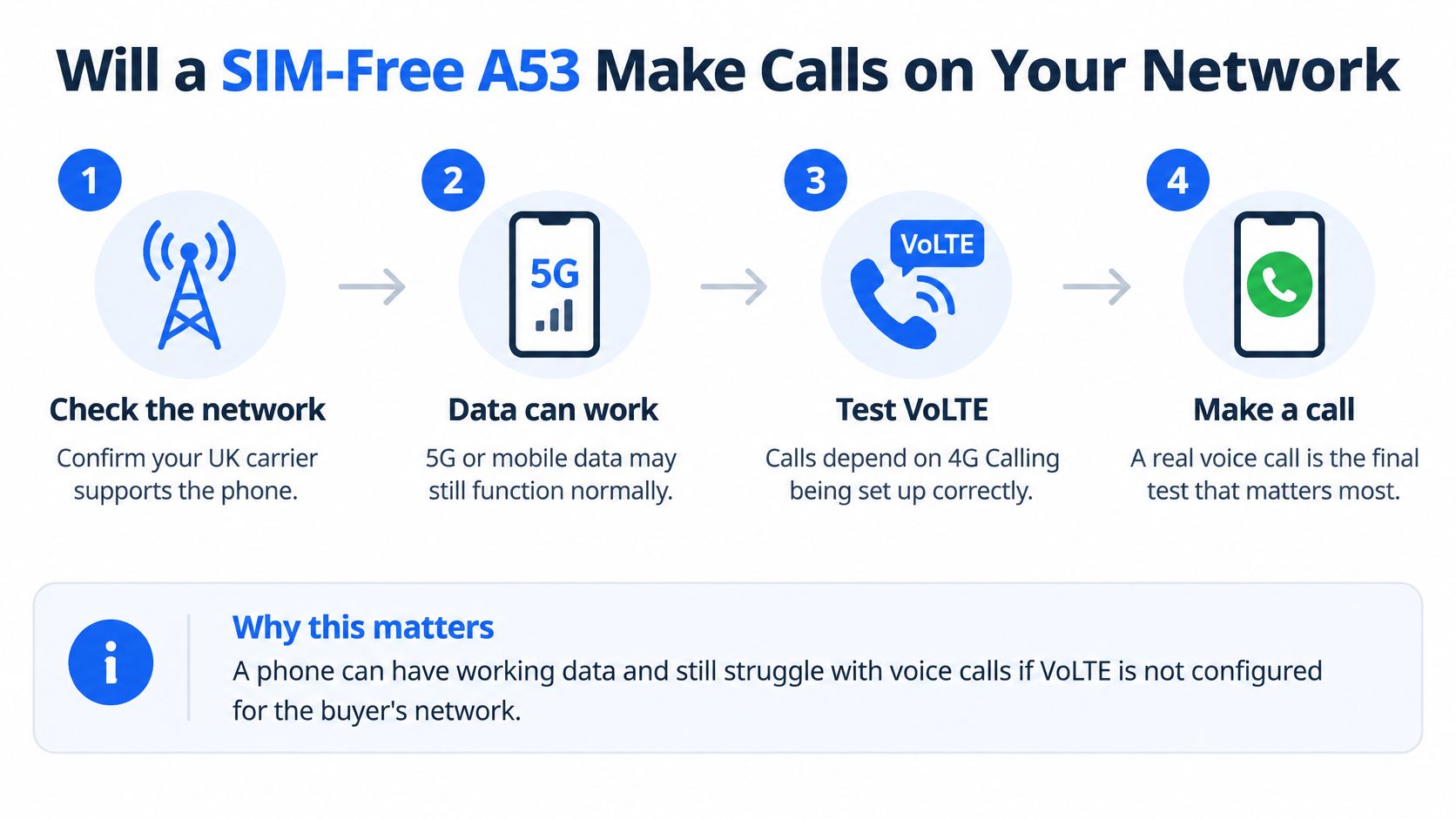
Working mobile data doesn't prove working voice calls. A handset can browse normally yet struggle with calls if its network settings or provisioning aren't right.
The Connection Technologies guide to the UK's 3G switch-off explains why 4G Calling, also called VoLTE, matters when older voice networks retire. A phone that can't use the appropriate voice service may lose normal calling even while data remains available.
SIM-free means the handset isn't restricted to one network. It doesn't guarantee identical carrier firmware, supported bands or account provisioning across every imported variant; our SIM-free phone explanation makes that distinction clearer.
How to Test 4G Calling on Arrival, Quick Steps
- Back up photos and contacts first. These checks shouldn't erase data, but backing up is sensible before troubleshooting or making broader changes.
- Confirm the model. Open Settings > About phone and check the full model number against the seller's description, including its regional suffix.
- Fit your intended SIM. Power off, insert it and restart.
- Check network mode. Open Settings > Connections > Mobile networks and select the available LTE or combined mobile-network option appropriate to your network.
- Enable 4G Calling if the switch appears. Menu names vary, and some networks manage this automatically rather than showing a separate toggle.
- Make an indoor call. Check that the handset remains on LTE or a newer data connection during the call, and confirm both people can hear clearly.
- Inspect emergency-call access without placing a test call. Never dial an emergency number just to test the handset; a visible emergency option alone doesn't verify emergency-call routing.
- Report failures promptly. Contact the seller and network before your return window closes rather than assuming an update will fix it.
Test where you use the phone. A successful call outside the shop won't tell you how reception behaves in your kitchen or workplace.
Our Experience Refurbishing This Model at Used Mobiles 4U
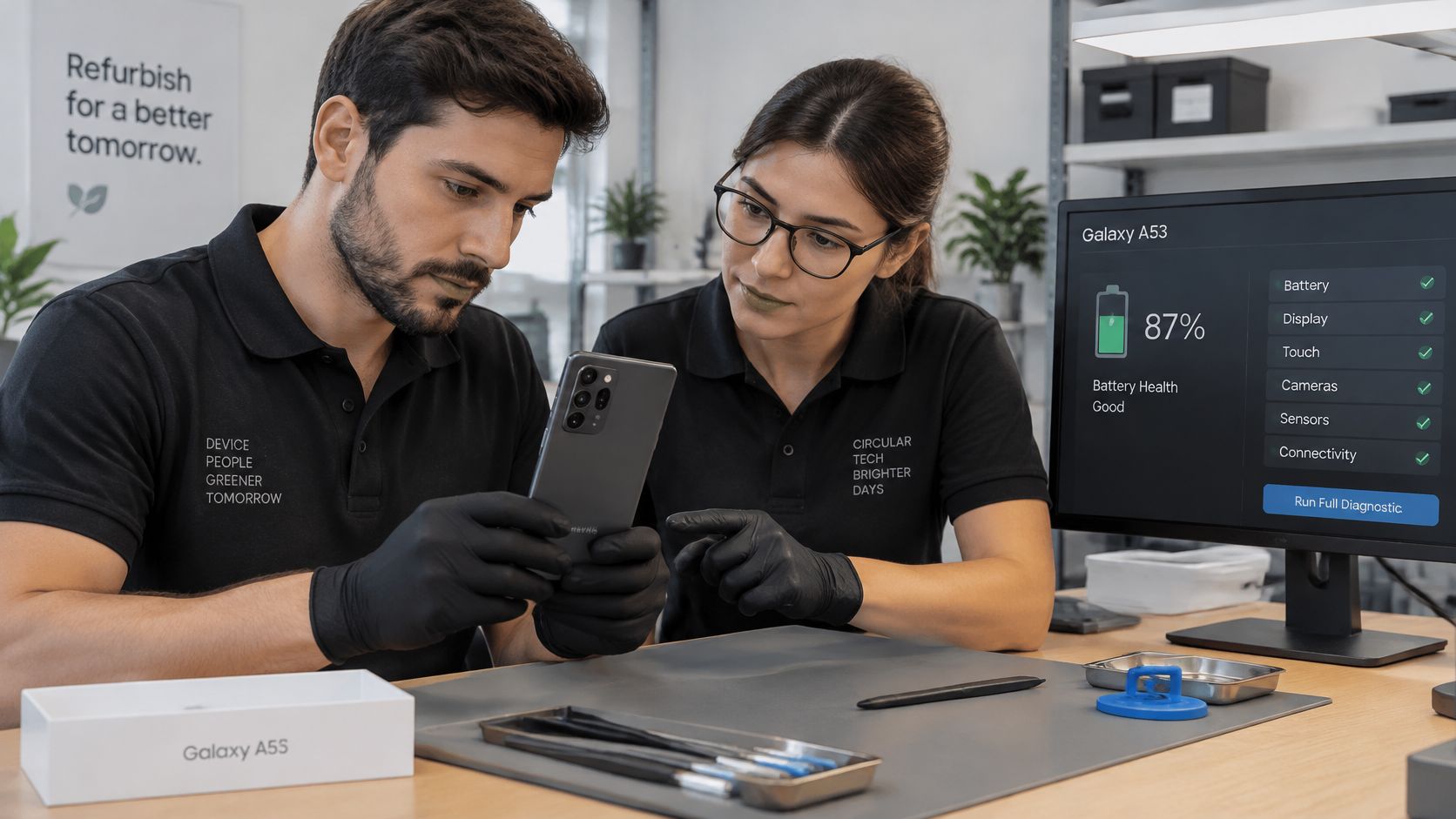
Battery verification comes before judging how smart an A53 looks. Our refurbishment process checks battery health separately from cosmetic condition, because a tidy housing doesn't establish how the phone performs.
We professionally check performance, functionality and battery health. That gives a more useful basis for buying than assumptions about how carefully a previous owner treated the device.
What matters on the repair bench
A sensible A53 inspection includes the USB-C connection, screen condition, rear camera glass, speakers and microphones. Charging that disconnects when the cable moves needs investigation; it shouldn't be dismissed as a harmless quirk.
Screen ghosting, worn edges and scratched camera surrounds are useful warning signs, but they aren't diagnoses by themselves. A scratched lens cover needs a photograph test, while suspected microphone trouble needs a recording and a call.
Batteries, charging assemblies and screens are possible replacement parts when those checks identify faults. There's no reason to replace a sound component because the phone is used.
A typical decision might involve a clean handset with poor endurance but an otherwise sound frame and working cameras. I'd assess a battery replacement before replacing that whole phone; a distorted frame or suspected board fault changes the calculation substantially.
Repair judgement: Spend on an identifiable fault in an otherwise sound handset. Don't keep authorising parts when the underlying problem remains uncertain.
Grade is about appearance, not permission for faults
An Excellent-grade handset should show less visible wear than a Good-grade example, although you should always read the actual listing's description. Visible scuffs can be acceptable value; failed functions aren't a cosmetic grade.
- Choose the Galaxy A53 if: Everyday apps and a pleasant display matter more than flagship speed, and the individual handset passes the condition checks.
- Choose a newer mid-range model if: You want more performance headroom or regularly photograph difficult, dimly lit scenes. Compare the actual alternative rather than assuming newer automatically means better.
Every refurbished phone goes through our structured 50-step check before listing. Our refurbishment process covers device-status checks, functional testing, secure data wiping, battery-health verification, cosmetic grading and final quality control.
What Buyers Usually Ask Us About the A53
Is the mobile-network capability worth choosing over a cheaper older phone? It can be, particularly if you'll use mobile data away from Wi-Fi. However, paying for a newer network label while ignoring voice compatibility is the wrong priority; use the calling steps earlier in the guide.
Will the usual storage configuration be enough? For messaging, ordinary apps and a managed photo library, it can be perfectly workable. If you download lots of games or keep extensive offline media, check your current phone's storage usage before buying rather than guessing.
Does microSD expansion solve storage worries? It's useful for photographs, videos and other compatible files. It doesn't remove the need for adequate internal space, so don't treat it as a substitute for checking the handset's actual configuration.
Do I need the original charger? Compatibility and condition matter more than the logo. If charging is disappointing, try a known-good suitable charger and cable before concluding that the battery needs replacing.
How much software support remains? Samsung's original upgrade commitment isn't a new guarantee starting on your purchase date. Check Settings > About phone > Software information for the security patch, then run Settings > Software update > Download and install to see what's available.
Will SIM-free mean it works everywhere? No handset can promise reception in every building or location. An unrestricted phone still needs suitable network support and a working account, so test your own SIM rather than relying on the listing alone.
Is the cheapest example usually the best student phone? Consider a student buying mainly for streaming, messaging and travel: an apparently cheap handset with an unknown battery may need attention soon after purchase. That's a buying scenario, not a prediction that every low-priced phone will fail.
Should I pay extra for a cleaner grade? Pay for it if visible marks will bother you or you're buying a gift. If the phone will live in a case, verified function and battery condition are usually better places to put a limited budget.
What protection comes with a purchase from us? Every phone sold includes an 18-month device warranty and 12-month battery cover. Read the applicable terms so you understand the cover rather than assuming it includes accidental damage.
Deciding Whether a Used Galaxy A53 Suits You
Buy a used Samsung Galaxy A53 when its battery meets the stated minimum, calls work with your SIM and the price fairly reflects its condition and cover. For everyday browsing, messaging, streaming and photographs, that's a practical purchase rather than a compromise you need to apologise for.
Avoid it if demanding mobile games are your priority, you're particularly sensitive to app-loading delays, or difficult low-light photography is central to how you use a phone. I'd also pass on a seller who won't let you establish whether calling works within the return period.
Compare the whole purchase
Grade, storage, battery health, cosmetic condition, warranty and availability all affect value. A cheaper listing isn't directly comparable if it leaves important checks unanswered.
For a broader shortlist, the HearSmart budget smartphone rankings offer another place to consider alternatives, but apply the same used-condition checks to any recommendation. If your main choice is between nearby Samsung generations, our Galaxy A54 versus A53 comparison is the more focused next read.
My recommendation is to buy the A53 for what it does well, not because its original specification sounds expensive. A tested, graded example makes more sense than a cosmetically impressive phone with unresolved faults.
Written by James Waterston, 24 years in the mobile phone industry from customer service through to Sales Director of a global repair and recycling company. Now running Used Mobiles 4U for over 8 years. James Waterston on LinkedIn.
Used Mobiles 4 U offers professionally tested, SIM-free refurbished Samsung phones with clear grading and free UK delivery. Visit Used Mobiles 4 U to compare current Galaxy listings, and choose your A53 by battery condition, storage and grade rather than appearance alone.
Looking for a refurbished phone?
Shop professionally tested refurbished iPhones and Samsung phones with 18 month warranty, 30 day returns and free UK delivery.
Browse Refurbished Phones