

Phone Battery Health Check: How to Read Your Result

27/10/2026

9 Mins

Meta description: See how a phone battery health check on iPhone or Samsung should be read, why 80% is a warning line, and when 85% plus steady runtime is worth keeping.
For a phone battery health check on an iPhone, open Settings > Battery > Battery Health & Charging and read Maximum Capacity. On a Samsung, open Samsung Members > Support > Phone diagnostics, then Battery status. Treat 80% as the common warning line, and treat 85% as the minimum we apply to eligible refurbished phones.
A tidy percentage can still belong to a phone that dies before tea. In a 2023 survey of 2,000 UK respondents, battery problems were the most frequently reported phone issue, named by 33%, ahead of slow performance at 28%, while 45% wanted their devices to last longer, in Vodafone's lifetime phone research. Those respondents kept phones for approximately four years, so a used handset may already have years of charging behind it.
I would not buy, keep or price a phone on the number alone. Steady runtime, shutdowns and heat tell you whether the cell can still do a normal day.
Quick Answer
On an iPhone, Maximum Capacity sits in Settings > Battery > Battery Health & Charging. On a Samsung Galaxy, Battery status sits in Samsung Members > Support > Phone diagnostics > Get started. On a supported Pixel, battery health sits in Settings > Battery. A reading of 85% or above with a steady day is usually fine. Anything under 80% means you should plan a replacement.
- Healthy: 85% or above, steady runtime, and no shutdowns.
- Watch: 80 to 84%, shorter days, and a price you should allow for before you buy.
- Replace: Below 80%, unexpected shutdowns, swelling, or a lifting back.
The percentage is a starting point. Symptoms, age and the model decide the rest, and the checks below show how to read them.
How to Run a Phone Battery Health Check on iPhone
A phone battery health check on iPhone is read-only. You are recording what iOS already estimates, not fixing the cell.
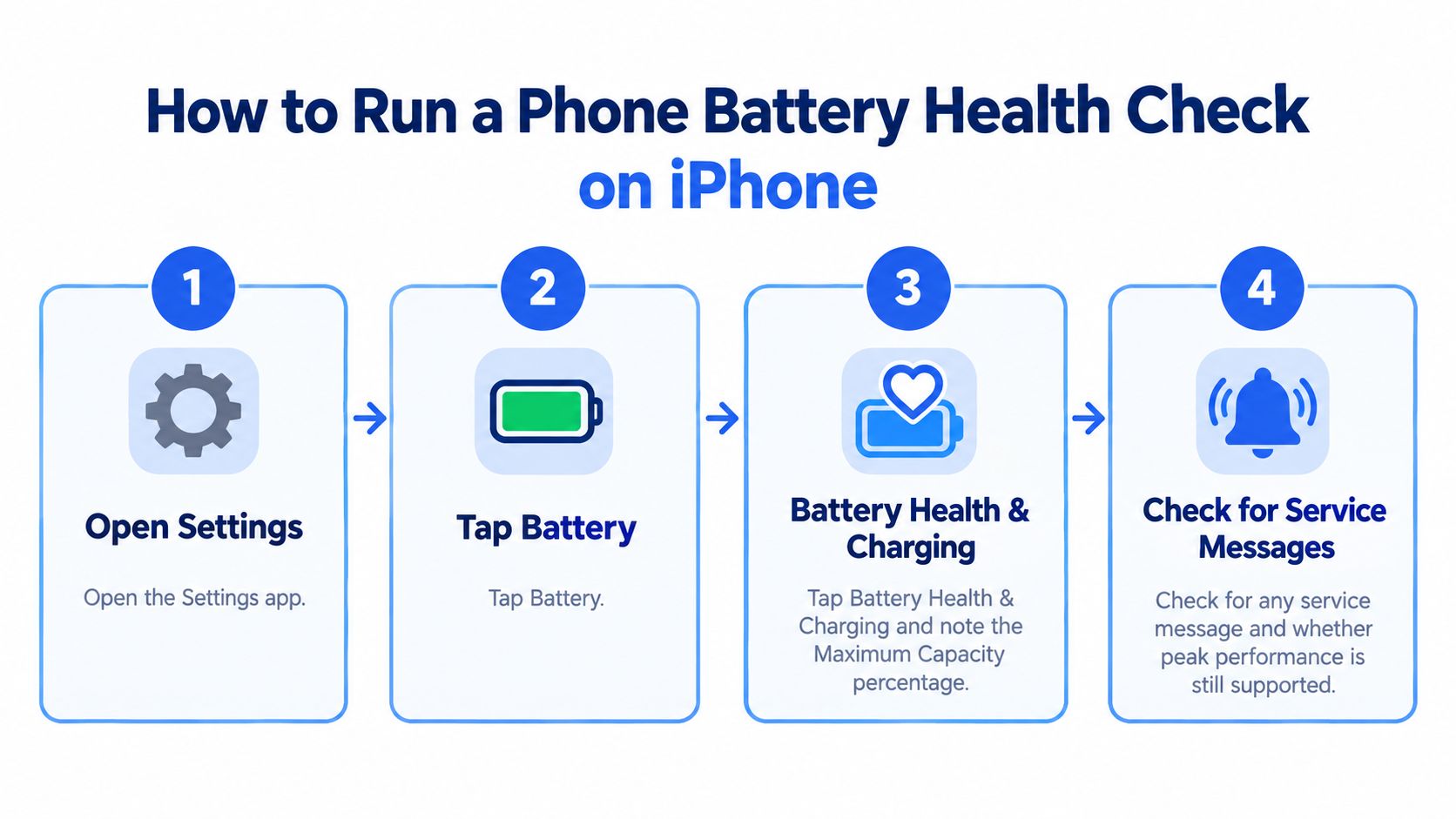
Quick steps
- Open Settings.
- Tap Battery.
- Tap Battery Health & Charging and note the Maximum Capacity percentage.
- Check for a service message, and whether peak performance management is on.
- Go back to Battery and scan the last 24 hours for apps using unusual power.
- Write down the percentage, the date and the iOS version.
- Repeat after a week of normal use and see whether the figure has moved.
This check does not erase data. Do not reset or restore the phone just to test the battery. Back up to iCloud before any repair, and turn off Find My before the phone goes away for battery service.
Maximum Capacity estimates current capacity against a new battery. It is not a cycle counter. Apple's iPhone battery guidance counts one charge cycle when the phone has used a total of 100% of its capacity, even across partial charges, and says batteries are designed to retain about 80% after a high number of cycles. Frequent top-ups do not each count as a full cycle. A lower percentage usually means less runtime, but signal, temperature, apps and peak power still change the day you get. Android uses different menus, and the percentage still needs that context.
Checking Battery Health on Samsung, Pixel and Other Android Phones
Android has no single battery percentage, so the path follows the brand.
- iPhone: Settings > Battery > Battery Health & Charging. You get a Maximum Capacity percentage and any service message.
- Samsung Galaxy: Samsung Members > Support > Phone diagnostics > Get started > Battery status. The result is Normal, Weak or Bad.
- Google Pixel: Battery health in Settings > Battery on supported models. The status reads healthy, or Reduced when it is below 80%.
- Other Android brands: Use the maker's diagnostic tool if one is offered. Many show no percentage, so judge runtime, heat and drain over several days.
Samsung's Galaxy battery status guide spells out the three results. Normal means no battery issue was found. Weak means efficiency may have reduced through use or conditions. Bad means battery life has significantly degraded.
What those labels mean in a shop
A Weak result does not make a Galaxy unusable. It is a fair reason to expect shorter gaps between charges, and to negotiate the price or budget for a new cell. A Bad result, especially with unexpected shutdowns or a sharp drop in runtime, is a repair warning, not a small cosmetic fault. A short counter demo will not show that.
On a supported Pixel, Reduced is the label to take seriously. On brands with no health percentage, repeat the same day twice: note temperature if the phone shows it, how fast the percentage falls while idle, and whether charging current looks steady in the system menus. Third-party apps can help you spot a trend, but treat their capacity guesses as indicative. Check which permissions they want, and whether they are only reading figures the phone already reports.
A Normal Samsung result plus a clean drain test is strong evidence. You do not need a workshop visit to get that far.
Reading Your Battery Health Percentage Without Overthinking It
80% is the line most makers treat as the start of a worn battery. It is a warning, not an automatic fail.
Google's Pixel battery health guidance defines health as "Reduced" below 80% and recommends considering replacement, while Which? reports that manufacturers generally regard 80% or more as healthy and commonly design batteries to stay above 80% for at least 800 full charge equivalents. iPhone 14 and earlier batteries are designed to retain 80% after 500 complete cycles, iPhone 15 and later after 1,000, and results still vary by model and temperature.
That is why a bare percentage needs the model and the age next to it. Our minimum for eligible refurbished phones is 85%, which leaves a buffer above that 80% line. If you want the counting method behind partial charges, see how iPhone cycle counts add up.
- 85% or above: Close to what everyday use expects from a healthy cell. Keep the phone if the day stays steady.
- Below 80%: Reduced capacity. Replace the battery before you rely on the phone for a full day out.
Practical rule: Do not "calibrate" a lithium-ion battery by running it to zero. That adds stress and does not put lost capacity back.
A reading of 80 to 84% can still be safe to use. Expect shorter days, and price that in when you buy or sell. The percentage is one input. The symptoms in daily use decide whether it is telling the truth.
Symptoms That Matter More Than the Percentage
A high percentage does not guarantee a good battery. The figure estimates remaining capacity. It does not prove the cell can deliver that energy under load, so a phone at 85 to 90% can still miss a normal day.
Run a short controlled test instead of trusting the menu.
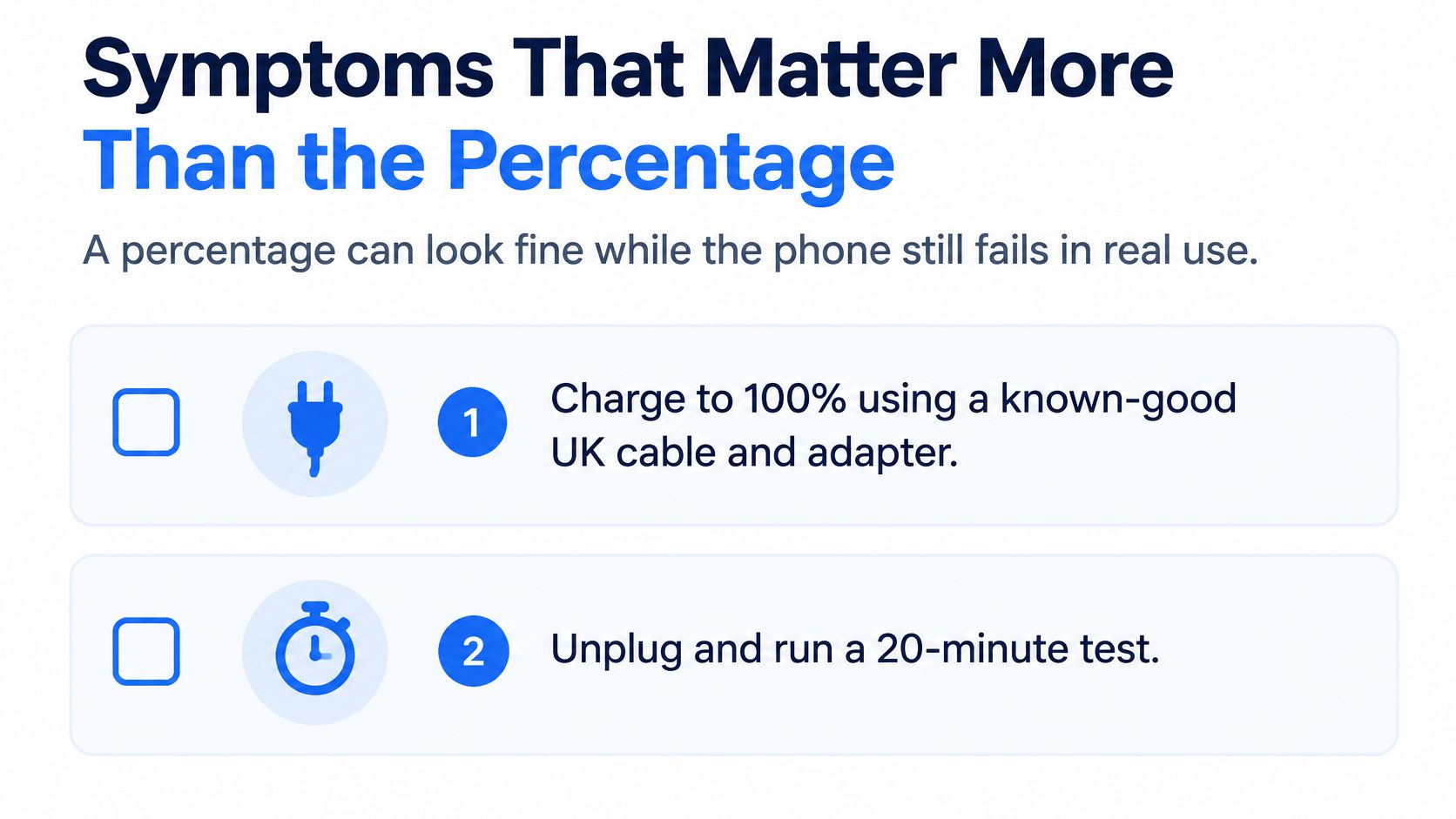
- Charge to 100% with a known-good UK cable and adapter.
- Unplug, then play video or browse hard for 20 to 30 minutes.
- Record the drop, any heat, and any shutdown.
- Check Battery Usage for background drain across the day.
- Charge again and see whether it climbs steadily.
- Look along the screen edges and the back for lifting.
A pass is stable percentage reporting, no sudden shutdown, no abnormal heat, and normal charging. The warning signs are shutdowns while charge still shows, the percentage jumping several points at once, idle overnight drain, charging that stops and starts, and warmth when the phone is doing nothing. If the percentage falls while you sleep, compare it with this guide to overnight iPhone drain before you blame the cell.
A dirty port, a tired cable or a weak adapter can imitate a worn battery. So can an app that never sleeps. Swap the cable and adapter first.
Swelling, leakage, a chemical smell or excessive heat means stop. That is a safety stop, not a grade to haggle over, as Samsung's repair guidance makes clear.
Our Experience Refurbishing This Model at Used Mobiles 4 U
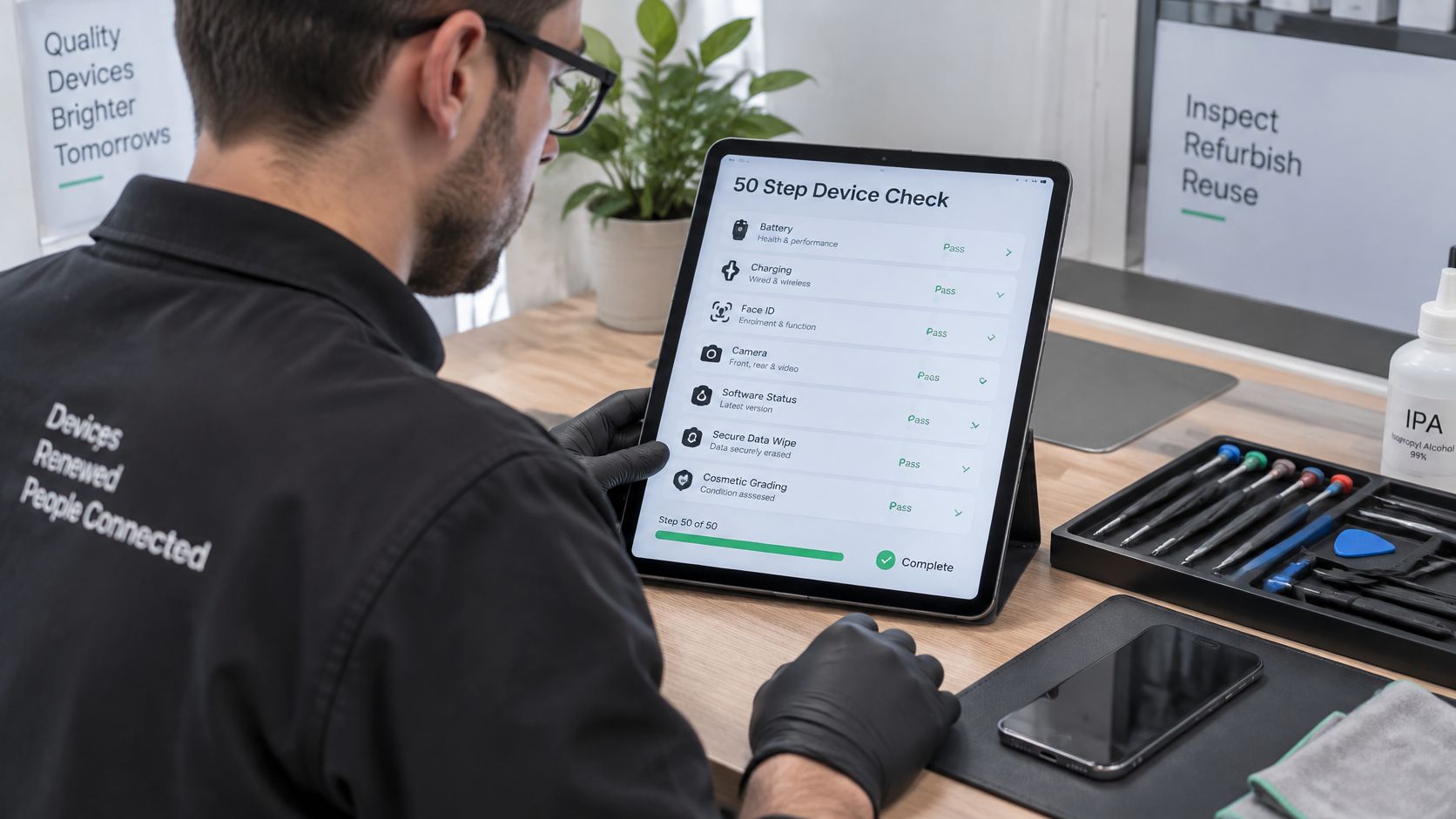
On the bench, battery verification sits inside a structured 50-step device check, judged separately from charging, Face ID, cameras, software status, the secure data wipe and the cosmetic grade.
One thing we regularly notice is a reading that looks calm at rest, then falls quickly once video or the camera is running. Our technicians often see worn charging ports and warm casings on phones that have had heavy daily use. Those signs usually point to a tired battery before the on-screen figure looks poor. A high cosmetic grade does not guarantee battery health, so we keep the two scores apart.
A clean back and a bright screen do not tell you how the battery behaves at 4pm.
Where the body and screen are sound and the battery is the only fault, a battery replacement usually makes sense. Where the body is worn or the model is older, a different refurbished phone is often better value, and the decision path at the end is the one we use with customers. A newer model holding 85% or higher often beats an older model with a fresh cell, because you also keep more software support and a stronger resale position.
A common example we see is a buyer who takes the cheapest listing, then finds it struggles through the afternoon. The saving disappears in extra charges, a battery quote, or a second phone.
What We Check Before Resale
Before a refurbished phone reaches the shop, it has to clear a fixed standard. If it does not, it is repaired and retested, or it comes off sale.
- Battery at sale: Eligible refurbished phones are at least 85% at the point of sale, above the common 80% replacement line.
- Battery cover: 12 months on eligible devices.
- Device warranty: 18 months on eligible devices.
- Returns: 30 days on eligible purchases, without limiting your statutory rights.
- The check itself: Battery verification, Face ID, charging, cameras, software status and a secure data wipe, as set out in our refurbishment check.
What we commonly see
- Worn ports and warm cases: A loose charge or a case that heats up in light use often means the battery is tired, even when the grade looks smart.
- Offer questions: Buyers often ask whether the battery cover still applies when the phone is on offer. Read the cover terms for that listing rather than assuming the offer changes them.
The same standard is what you should see on a product page. The iPhone 14 Plus – 128GB – Black – Like New is a refurbished 128GB model in Black, graded Like New, SIM-free and not tied to any network, with an 18-month device warranty, 12-month battery cover and 30-day returns. Prices vary by grade, storage, battery health, cosmetic condition, warranty and availability, so use the live page.
If you are selling an older handset for cash instead, function and cosmetic condition both move the offer, which is the same idea behind these Idaho Pawn & Gold Exchange appraisal tips.
Replace the Battery or Buy a Different Phone
Keep the phone when the reading is 85% or above, the runtime is consistent, and none of the warning symptoms show. A headline percentage is not the same thing as a reliable day.
Consider a new battery when the body and screen are sound, the phone is still current, and the cell sits at 80 to 84% with real runtime loss. Compare that quote with a refurbished phone that already includes a warranty and battery cover. Replace the phone when the result is Bad, it shuts down, the back is lifting or swollen, or the software support window is closing. Vodafone's notes on Samsung battery trouble separate a status label from unexpected shutdowns and sharp runtime drops, which is the right way to treat an 85 to 90% phone that still cannot finish the day.
This suits someone with a solid phone who wants to keep it and understands what the percentage does and does not say. Skip any handset with an unknown battery if you want cheap without checking, and stop using any phone that is swelling.
Choose a battery replacement if:
- The body and screen are sound: The phone is still current, and runtime loss is the only real problem.
- The quote is sensible: It costs less than a warranted refurbished replacement once you have checked the battery cover.
Choose a different refurbished phone if:
- The body is worn: Or the software support window is closing.
- The battery is below 80%: Or you are seeing shutdowns or a lifting back.
A healthy battery at 85% or above, with a steady day, is worth keeping. A phone that swells or shuts down should be replaced. Run the check first, then look at refurbished iPhones held to that 85% line, or use Sell Your Tech if the old phone still has value.
Written by James Waterston, 24 years in the mobile phone industry from customer service through to Sales Director of a global repair and recycling company. Now running Used Mobiles 4U for over 8 years. LinkedIn.
Used Mobiles 4U tests SIM-free refurbished phones in the UK, grades them clearly, and sells eligible handsets at 85% battery health or higher with a battery cover, warranty and returns. If your phone battery health check shows a tired cell, compare a repair with a tested replacement before you spend twice. Visit Used Mobiles 4 U to see current stock or to sell a phone that still has value.
Looking for a refurbished phone?
Shop professionally tested refurbished iPhones and Samsung phones with 18 month warranty, 30 day returns and free UK delivery.
Browse Refurbished Phones