





MacBook Pro M2 Max: Is It Worth Buying Refurbished?

18/10/2026

11 Mins
If you're comparing refurbished listings, the MacBook Pro M2 Max is worth buying for demanding creative or development work, but not because the price looks tempting. Buy the configuration your work needs, with documented battery condition, rather than the cheapest machine carrying the M2 Max name.
Quick Answer for UK Buyers
- Buy it for demanding work: Video production, complex graphics and development environments justify this class of laptop.
- Avoid it for basic use: Email, streaming and ordinary office work don't justify paying extra for Max graphics.
- Check the actual configuration: Don't rely on the product title or photographs.
- Demand battery evidence: Ask for condition information and a meaningful explanation of the seller's battery cover.
- Prioritise function over finish: A tidy casing doesn't prove the screen, charging connections or storage are healthy.
A refurbished professional laptop should solve a problem you already have. If your current machine struggles with projects, runs out of usable memory or leaves you waiting for exports, an M2 Max deserves consideration. If you mainly want something that feels premium, there are more sensible ways to spend your money.
Start with your work, not the badge
Write down the applications you use, the projects you handle and where you normally work. Someone editing footage on location needs a different balance from someone leaving the laptop connected to a monitor all day.
Then compare refurbished MacBook Pro listings against that list. The MacBook Pro sale catalogue is a useful starting point, but inspect each description rather than treating all machines with the same chip name as equivalent.
Buying rule: Pay for capabilities you'll use and condition you can verify. Don't pay a premium for a specification you can't explain.
A seller should make the buying decision clearer, not leave you guessing. If the listing is vague and the seller won't supply the missing details, walk away.
What the MacBook Pro M2 Max Actually Is
The M2 Max is a professional laptop chip, not a separate MacBook body style. Apple introduced it in the UK on 17 January 2023, with availability beginning on 24 January 2023, positioning it for demanding video, graphics and software-development workflows in its M2 Pro and M2 Max launch announcement.
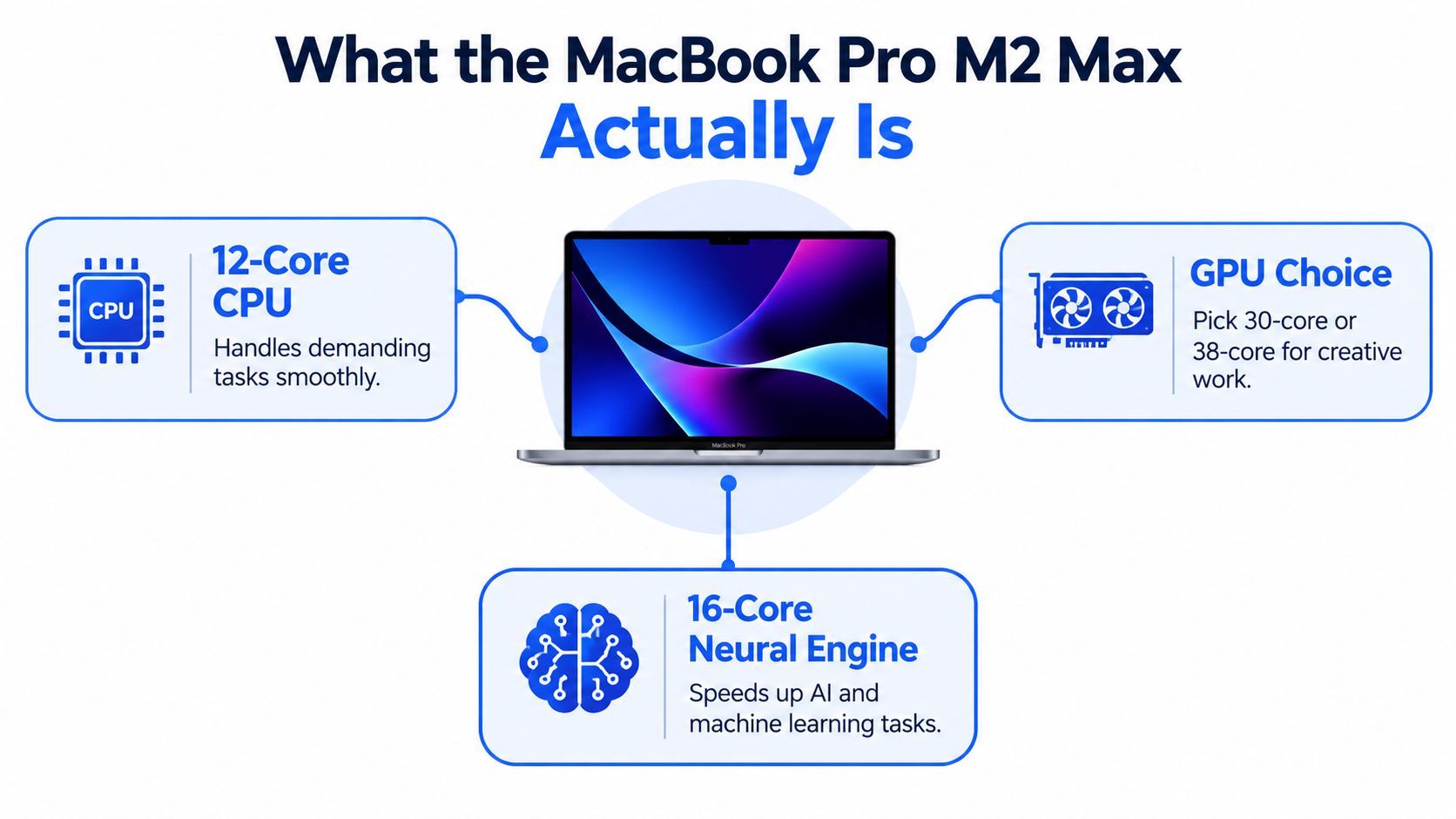
The diagram gives you the basic layout. The buying question is which parts your applications use.
Processing power in plain English
The CPU handles general computation: running applications, compiling software and coordinating demanding tasks. Graphics hardware matters when an application uses it for rendering, effects or image processing. That distinction explains why a powerful graphics configuration can be valuable to a motion designer without making someone's email noticeably better.
The Neural Engine is another specialised component. Don't assume every application with an AI feature uses it, or that its presence guarantees your preferred tool will run well. Application compatibility comes before hardware enthusiasm.
Unified memory is a shared working space rather than separate pools reserved for different processors. For the buyer, the useful question is whether the machine can hold an active project and its supporting applications comfortably, not whether the terminology sounds impressive.
The screen and the machine you'll carry
Apple's MacBook Pro launch specifications describe the smaller M2 Max model as approximately 1.63kg, with a 14.2-inch Liquid Retina XDR display; the larger version has a 16.2-inch display.
The smaller machine makes more sense when you regularly carry your laptop between appointments or workspaces. The larger screen is useful when you need room for a timeline, preview window and controls without immediately connecting a monitor.
- For image work: The XDR screen is a reason to inspect display condition carefully, not just admire the specification.
- For development: Screen space can make logs, editors and documentation easier to arrange.
- For everyday admin: A premium panel won't turn an oversized workstation into the most practical purchase.
Treat HDR capability as a working tool, not a substitute for a properly managed colour workflow. Where client delivery requires calibrated monitoring, budget for that separately.
Configuration Choices That Actually Matter on the Used Market
Choose memory first, graphics second and cosmetic grade last. That's the order I'd use for a working machine.
The configuration trap is simple: two listings can both say M2 Max while offering different capabilities. Apple's technical specifications for this generation identify a 12-core CPU, a 30-core or 38-core GPU, 400GB/s memory bandwidth, and support for 96GB unified memory on the 38-core GPU configuration.
Those figures describe options, not a promise that every listing includes the highest specification.
Match memory to the project
My practical recommendation is to treat 32GB as the starting point for serious editing or development, and consider 64GB or 96GB for larger timelines, scenes or multiple virtual environments. These are configuration choices documented in UK used M2 Max listings, not measured guarantees that a particular workload will fit.
Check your current workload before buying. Look at memory pressure while your normal project is open, including the browser, communication tools and background applications you keep running. Testing an empty desktop tells you very little.
Unified memory isn't socketed for a later upgrade. Don't buy an underspecified machine on the assumption that a repair shop can add capacity when your projects grow.
A discounted laptop isn't good value if you already know you'll need to replace it because its memory is too limited.
Spend on graphics only when they earn their keep
The higher GPU tier is the sensible target when rendering, effects or graphics-heavy work dominates your day. For compiling code, handling documents or ordinary productivity, don't assume the extra graphics hardware deserves the same premium.
Ask whether your software uses the GPU for the tasks that currently slow you down. A specification comparison is less useful than understanding your application's requirements and checking performance with a representative project.
- Memory priority: Large active projects and several demanding applications favour more working capacity.
- Graphics priority: GPU-accelerated effects and rendering justify closer attention to the GPU tier.
- Storage priority: Allow room for applications, active files and working media rather than planning to keep the drive permanently full.
- Chassis priority: Choose a size you'll willingly carry, not one you'll leave at home.
Internal storage isn't a normal after-purchase upgrade either. External storage can help with media, but it doesn't excuse buying a configuration that's already cramped.
M2 Max Compared With M2 Pro and Newer Alternatives
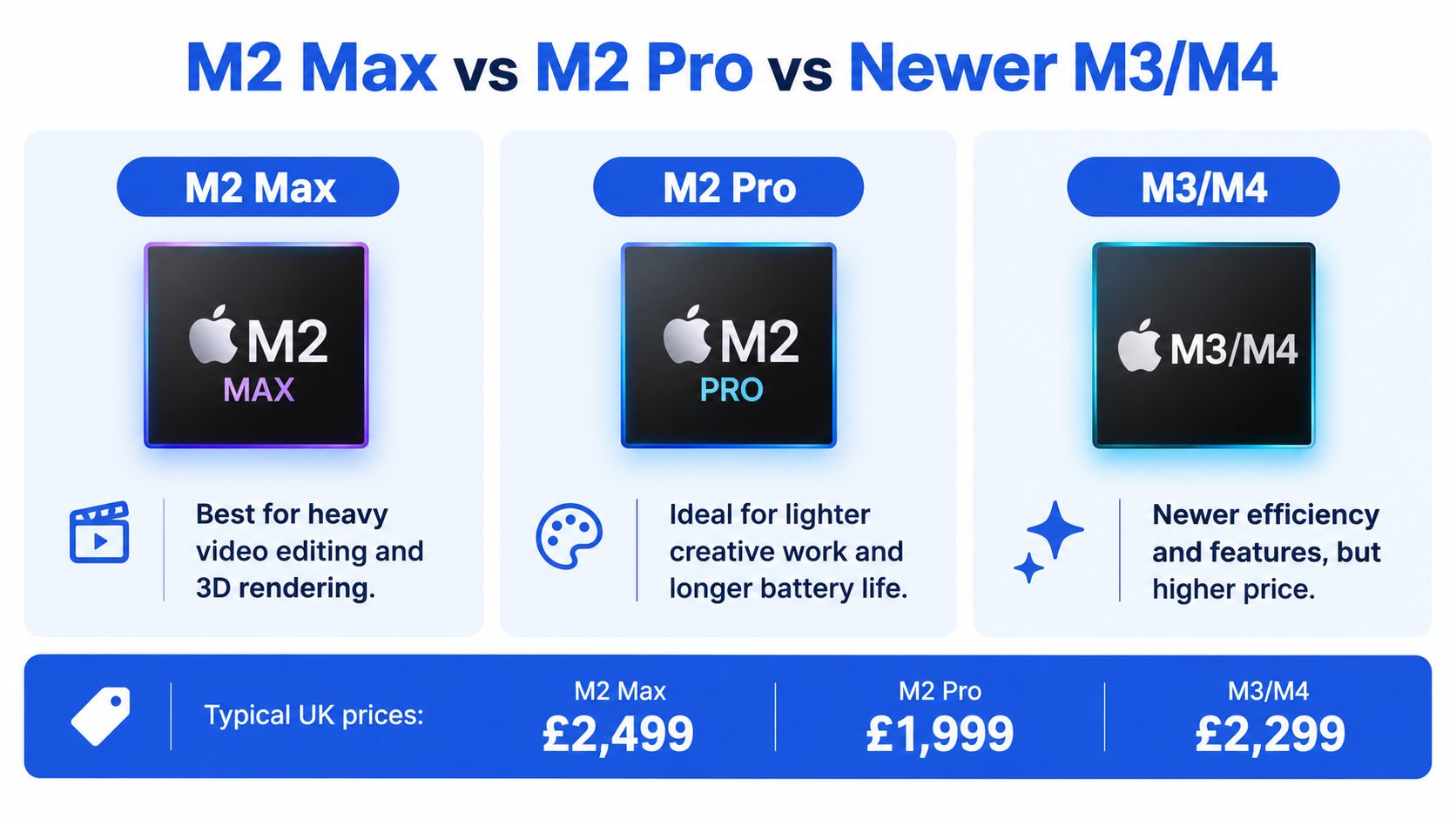
Compare complete laptops, not chip labels. Your decision should include condition, useful memory, battery evidence and the cost of making the machine ready for work.
Treat the following graphic as an orientation aid only. Any displayed prices aren't verified live refurbished prices, and its broad battery and efficiency descriptions aren't guarantees for an individual machine.
Choose M2 Pro if
- Your creative work is moderate: You edit conventional projects rather than spending much of your day on complex effects or rendering.
- The available machine is better suited: A well-documented example with the right capacity is preferable to a poorly described Max.
- The saving has a purpose: You'd get more benefit from a backup drive, monitor or other working equipment.
- You can test your applications: Confirm that your real workload runs comfortably before paying for unused headroom.
Choose M2 Max if
- Your work is sustained and demanding: Video production, motion graphics and large creative projects are your normal workload.
- You need substantial working capacity: Your projects and supporting tools need to remain available together.
- You have compatible specialist software: Check your plugins, development tools and machine-learning software before committing.
- The complete offer is convincing: Configuration, condition and seller accountability all justify the purchase.
Choose an M3 or M4 MacBook Pro if
- You're buying for a long ownership period: A more recent model deserves consideration, but don't invent a guaranteed macOS support end date.
- Your applications favour that hardware: Use relevant compatibility information and workload tests, not a generic claim that newer always wins.
- The older machine needs significant work: Compare the full purchase and repair commitment before accepting an apparent bargain.
- You prefer the newer model's specific features: Identify the feature you need rather than paying for the generation name alone.
Choose a MacBook Air if
- Your day is mostly ordinary computing: Documents, browser work and routine study don't automatically call for a workstation.
- Carrying comfort matters more: Compare the actual dimensions and weight of available machines.
- You're buying around a phone-led workflow: Occasional laptop use rarely justifies surplus professional hardware.
- You want to spend sensibly: Start with refurbished MacBook Air options before stretching the budget.
My recommendation: Choose M2 Max only when your work gives its extra capability a clear purpose. Otherwise, buy the better-value Pro or Air that meets your needs.
Our Experience Refurbishing This Model at Used Mobiles 4U
An honest refurbishment account needs to distinguish documented checks from claimed fault patterns. There isn't a published model-specific repair log here to support statements about typical returned battery readings, frequently replaced parts or recurring M2 Max failures. Those shouldn't be presented as established workshop findings.
The useful bench perspective is what should be inspected, what evidence should be recorded and when a machine shouldn't be offered for sale. A professional refurbishment label needs to mean more than cleaning the casing and reinstalling software.
Battery evidence and signs of heavy use
The larger model's official battery specification is 100 watt-hours, with Apple rating it for up to 22 hours of movie playback or 15 hours of wireless web use in its MacBook Pro technical specifications. Those are controlled test claims, not expected editing time for a used example.
Battery health and cycle count describe different things. Remaining capacity helps explain how much charge the battery can hold; cycles describe accumulated use. Neither tells the entire history of heat exposure, charging behaviour or demanding work.
A low cycle count shouldn't excuse poor remaining capacity. Equally, visible key wear doesn't prove the battery is defective. Inspect each area independently.
What We Check Before Resale
For this model, the inspection record should make these checks explicit:
- Charging and battery: Confirm stable charging, record condition information and investigate unexpected shutdowns or physical swelling.
- Display: Look for pressure marks, dead pixels, coating damage and persistent image issues. Don't casually label every display defect burn-in.
- Connections: Test data transfer and output, not merely whether a cable fits.
- Keyboard and chassis: Check consistent key operation, trackpad response, hinge movement and evidence of impact or liquid exposure.
- Storage and ownership status: Review available diagnostics and confirm that the machine can be set up without the previous owner's restrictions.
A cosmetic grade should describe appearance, not serve as permission for faults. Scratches and damaged functions belong in different conversations.
Repair decision: Repair and retest an identifiable fault when the result can meet the required standard. Remove the machine from sale when reliable operation can't be established.
For example, consider a mobile editor choosing between a pristine-looking laptop with uncertain charging behaviour and a scuffed one with documented functional testing. I'd favour the tested machine, provided its configuration fits the work.
That's an illustrative buying decision, not an invented customer case. The same logic applies to nearby alternatives: a sound, appropriate Air can be a better purchase than a questionable Pro.
What to Check Before Buying a Refurbished M2 Max
Ask for written answers before paying. Photographs are useful for appearance, but they don't establish battery performance, storage condition or whether external connections work.
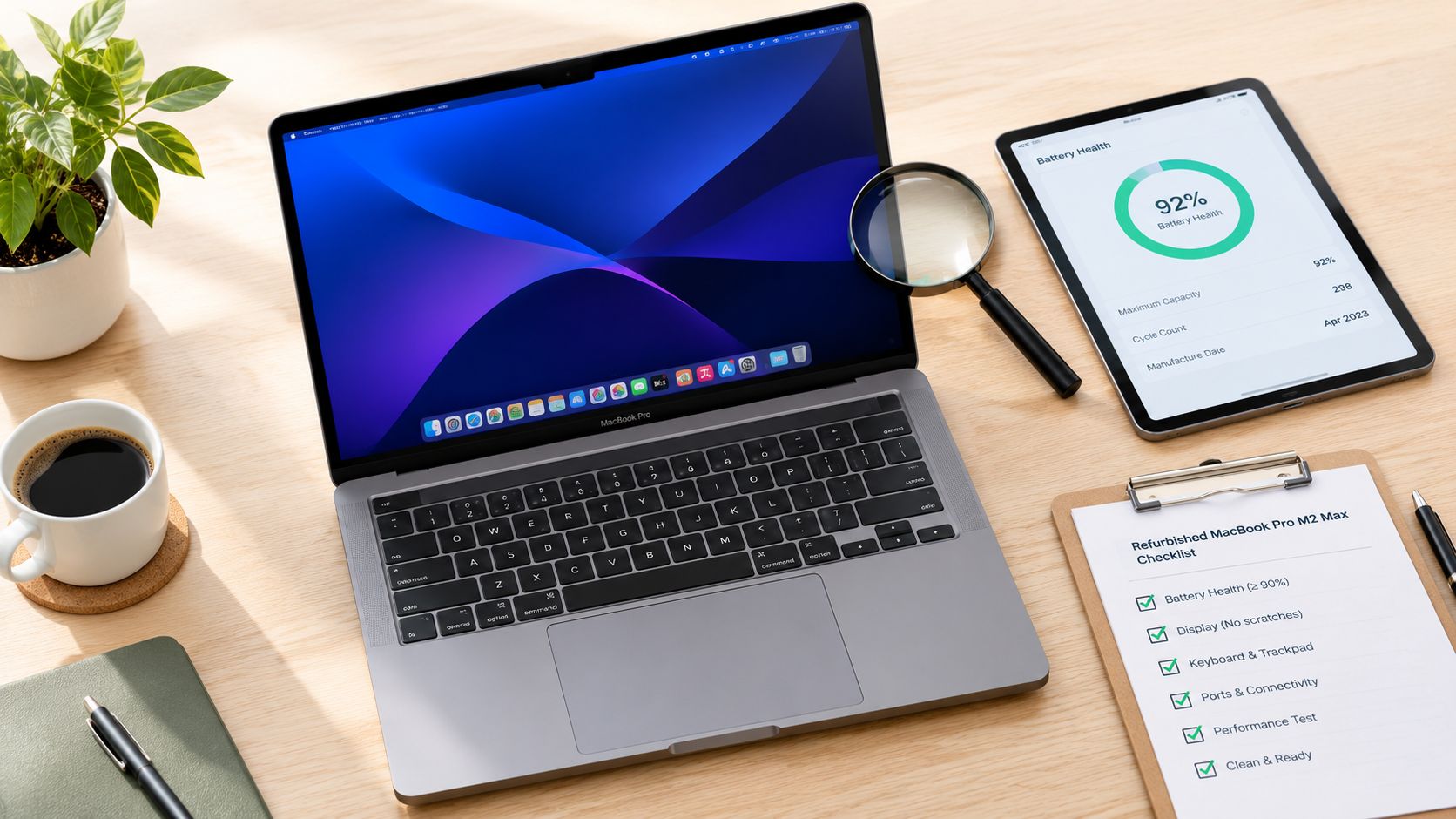
Use the desk setup below as a reminder to test the laptop with the accessories you'll use, not only by opening the lid.
Work through the checks in order
- Request battery records. Ask for maximum capacity, cycle count, condition warnings and the supplied charger details. The MacBook battery-health guide helps you understand what you're checking.
- Inspect the screen properly. Use plain light and dark backgrounds, then check moving content. Don't judge the panel through a photograph of a colourful wallpaper.
- Test each connection. Apple lists three Thunderbolt 4 ports, alongside HDMI, SDXC and MagSafe charging, in its MacBook Pro hardware announcement. Confirm that each relevant function works with suitable accessories.
- Review storage behaviour. Ask for available storage-health diagnostics, including SMART information where supported. Copy files and watch for errors, stalls or unexplained restarts.
- Check everyday controls. Try the keyboard, trackpad, camera, microphone, speakers, Wi-Fi and Bluetooth. An intermittent fault matters even if the machine passes a brief startup demonstration.
- Confirm clean setup and software suitability. Check that the previous owner's account or organisational management won't block use, then confirm your required applications work with the installed macOS version.
Get the seller's commitments in writing
For help locating identifying details, the Mac system info articles from Nerds 2 You Edmonton provide additional context. Use that information to reconcile the machine itself with its listing.
Ask what the warranty covers, what battery remedy applies and how returns work for that particular laptop. Don't assume a retailer's phone battery threshold applies to MacBooks.
Before resetting, repairing or transferring an existing machine, back up your files and verify the backup. Erasing storage removes data; a seller's secure-wiping process protects the previous owner, but it doesn't replace your own backup plan.
Verdict and Who Should Buy It
The refurbished MacBook Pro M2 Max is worth buying when it's a working tool, not a badge upgrade. Mobile video editors, motion designers, developers with demanding environments, music producers and small studios should consider a properly documented example.
It isn't the sensible default for every UK buyer. Casual users should avoid paying for capabilities they won't use, and anyone prioritising the longest prospective ownership horizon should examine newer alternatives without accepting unsupported software-support promises.
Buy, repair or replace
- Buy: Your workload needs this class of hardware and the individual machine passes the condition checks.
- Repair: Your current laptop still suits the work, the fault is understood and the repair has a clear scope.
- Replace: Reliability problems, unsuitable capacity or an uncertain repair commitment make continued use impractical.
Extending a working laptop's life can also be worthwhile environmentally. Green Alliance reports that almost 40% of laptops handed in for recycling are probably suitable for reuse in Making the Connection. That supports careful reuse, not buying faulty hardware just because it's second-hand.
For ownership planning, use the guide to how long MacBooks last alongside your application requirements and the machine's actual condition.
The final recommendation is straightforward: Buy the right configuration with a credible condition record. Leave vague listings alone, and don't let a polished casing distract you from an expensive functional problem.
Written by James Waterston. 24 years in the mobile phone industry, from customer service through to Sales Director of a global repair and recycling company. Now running Used Mobiles 4U for over 8 years. James Waterston on LinkedIn.
Meta description: Buying a refurbished MacBook Pro M2 Max? Get practical UK advice on battery health, GPU options, memory, condition checks and when to choose another MacBook.
Used Mobiles 4 U offers professionally tested, clearly graded refurbished MacBooks, with UK support and warranty information to check before ordering. Visit Used Mobiles 4 U to compare available stock, ask about a laptop's battery condition and configuration, or discuss selling your existing device through Sell Your Tech.
Looking for a refurbished phone?
Shop professionally tested refurbished iPhones and Samsung phones with 18 month warranty, 30 day returns and free UK delivery.
Browse Refurbished Phones



