





Refurbished MacBook Pro M2: A Practical UK Buying Guide

16/10/2026

11 Mins
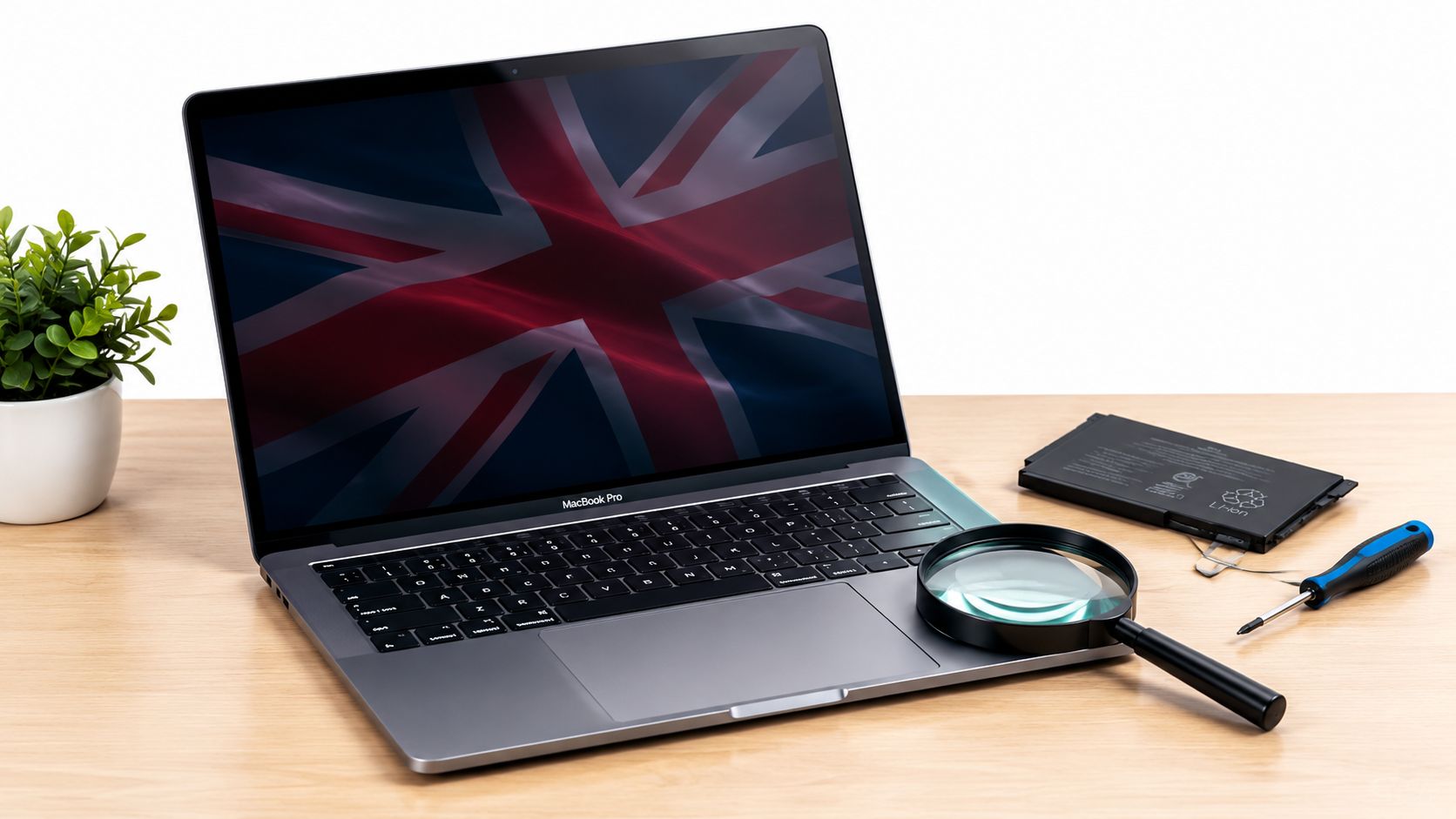
The 13-inch MacBook Pro M2 is a sensible refurbished buy for everyday work, but only if the battery and exact configuration are documented clearly, not just waved away as “tested”. It launched in the UK at £1,349, or £1,249 for education, so that original price is the baseline you should judge refurbished value against.
A lot of buyers get stuck at the same point. They want a macOS laptop for study, writing, office work or light creative jobs, but they don't want to pay new prices for a machine that looks tidy but hides battery wear or a weak spec.
Is a Refurbished MacBook Pro M2 Worth Buying
Yes, if you want a compact Mac that still has proper day-to-day punch and you're buying from a seller who tells you the truth about the battery. No, if you need a workstation, lots of ports, or long-term headroom beyond the base memory choices.
- Buy it if you’re a student, commuter or small-business user who wants macOS without paying for a new machine.
- Skip it if you do heavy video editing, run demanding development tools, or know you’ll need more than **16GB** of unified memory for the long haul.
- Check first the actual battery condition, not the cosmetic grade, because a tidy shell can hide a tired pack.
- Judge value against the original **£1,349** UK launch price, not against vague “deal” wording on a listing.
The M2 version makes sense because it isn't pretending to be a giant pro machine. It's a small, fan-cooled MacBook with enough speed for office work, browsing, coursework and moderate creative tasks, and that's exactly where refurbished buyers should be looking. Apple's launch spec also matters here, because the machine came with up to 24GB unified memory, up to 10-core GPU options and a 58.2Wh battery Apple UK newsroom.
Practical rule: if the seller won't tell you the battery health or cycle count, keep walking. “Tested” is not a battery report.
For most UK buyers, the refurbished MacBook Pro M2 is worth considering when the price is sensible, the memory and SSD are clearly stated, and the battery disclosure is real. If a listing is vague on any of those points, you're not buying a bargain, you're buying a guess.
What the MacBook Pro M2 Actually Is
The refurbished MacBook Pro M2 is the 2022 13.3-inch Touch Bar-era MacBook Pro with Apple's second-generation M2 chip. In plain terms, it sits between the cheaper everyday MacBook Air and the larger, more expensive 14-inch Pro machines that came later.
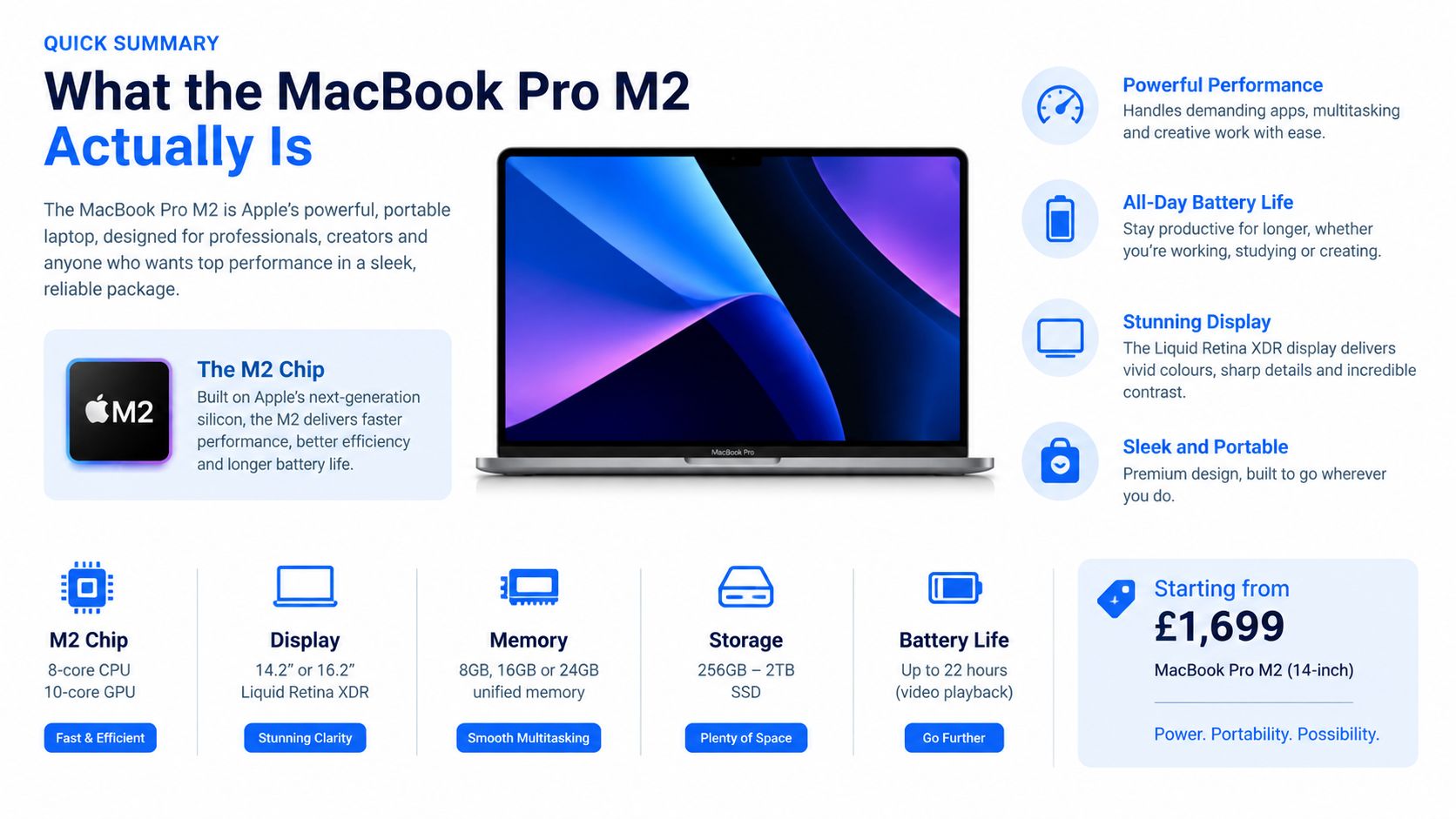
Apple's UK launch set the reference point clearly, with orders opening on 17 June 2022 and the starting price at £1,349 Apple UK newsroom. That matters because a lot of refurbished listings blur the line between this model, the older M1 version, and the much more expensive 14-inch Pro line.
What you're really buying
The M2 chip gives you an 8-core CPU and a GPU configurable with up to 10 cores, plus support for up to 24GB unified memory and 50% greater memory bandwidth than M1 Apple UK newsroom. Apple's product information also lists a 13.3-inch 2,560 × 1,600 Retina display, two Thunderbolt/USB 4 ports and a 58.2Wh battery Apple UK support.
That makes it a capable laptop, not a toy. For writers, students, office users and people who edit photos or smaller video projects, it's still plenty of machine. If you're doing heavier creative work, the better display, extra ports and stronger sustained performance of the 14-inch machines start to matter more.
For visual work, especially photo editing, the screen and colour tools are only part of the picture. A good RAW editor matters too, and a useful reference is this guide to the top RAW editor for Mac from RevelRaw.
Apple rates the battery at up to 20 hours of Apple TV app movie playback, but treat that as a controlled test result, not a promise from a used battery Apple UK newsroom. If a seller talks only about that headline figure, they're skipping the part that matters most to a second-hand buyer.
Refurbished MacBook Pro M2 vs M1 and Newer Options
If you're choosing between the older 13-inch M1, the 13-inch M2 and the later 14-inch Pro range, the decision is straightforward. The right answer depends on what you do with the machine, not on the badge on the lid.
usedmobiles4u.com/refurbished-macbook-pro-m-1/ is a sensible comparison point if you're looking at the older model side by side.
- Choose the M1 13-inch Pro if you mainly browse, write, stream and want the cheapest route into this chassis.
- Choose the M2 13-inch Pro if you want better graphics headroom, a bit more memory capacity and a more balanced refurbished buy.
- Choose the 14-inch M2 Pro if you do sustained creative work, want more ports and care about display quality above all else.
A common buyer mistake is paying too much for the 13-inch M1 when the M2 is only a small step away in price. Another is reaching for the 14-inch model when they don't need it, then paying for ports and performance they'll barely use. If you're trying to decide whether your current laptop really needs upgrading, this guide on when to upgrade your IT equipment is useful context.
For most UK buyers, the M2 13-inch is the sensible middle. If the price gap to the M1 is small, take the M2.
The 14-inch Pro is the better machine, but that doesn't make it the better buy for everyone. For standard refurbished value, the M2 hits the right balance more often than not.
Battery Health and What It Means in Real Life
Battery condition is the make-or-break issue on this model. A clean-looking chassis means very little if the pack is worn and the buyer has to hunt for a charger by mid-afternoon.
What the numbers actually tell you
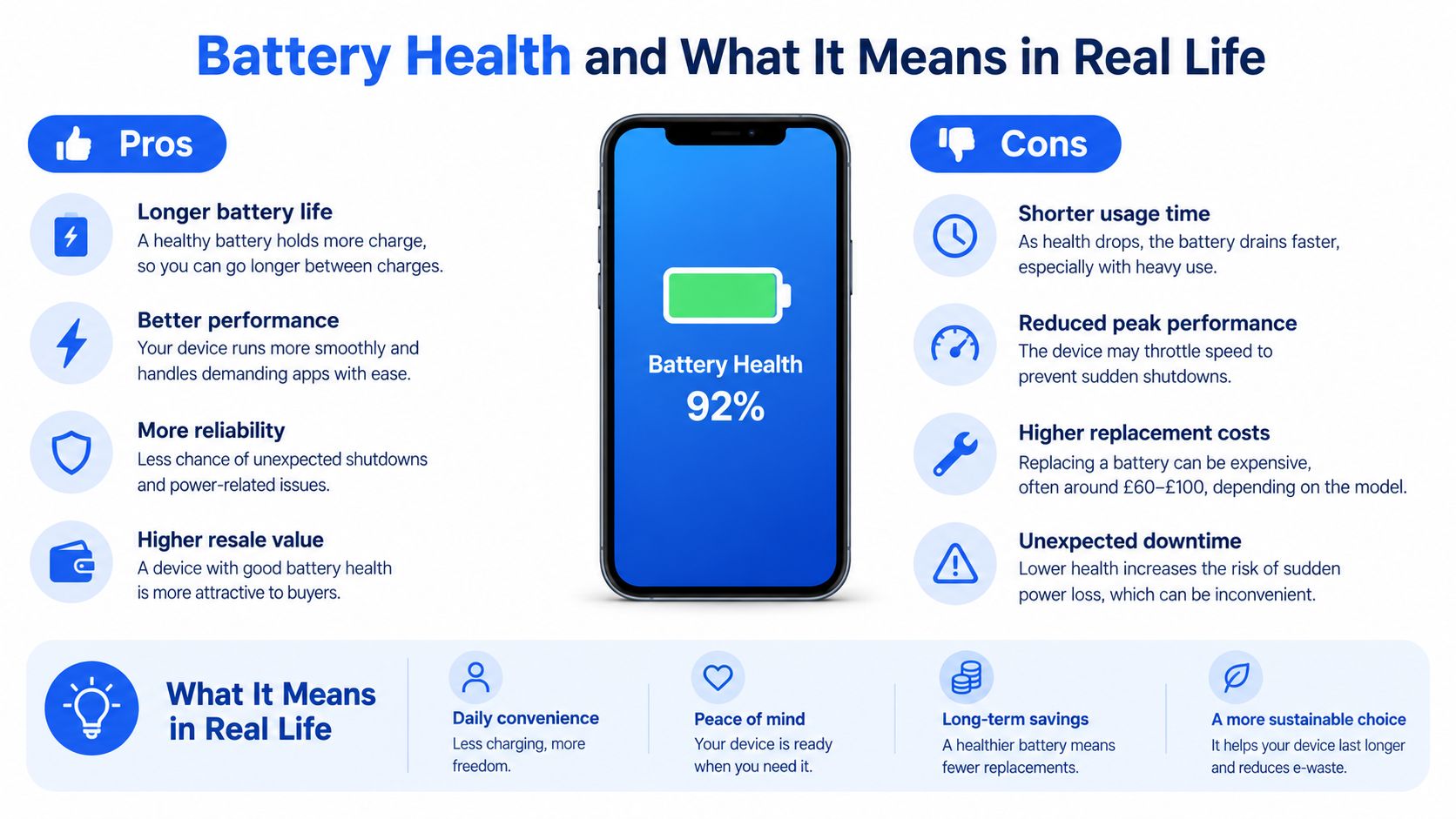
On a MacBook, battery health is a measure of remaining capacity, while cycle count tells you how many charge cycles the battery has gone through. Those numbers matter because the same laptop can feel excellent at one battery state and frustratingly weak at another.
Apple says normal wear isn't covered by the standard warranty, and AppleCare+ only gives no-cost battery service when capacity falls below 80% Apple repair guidance. That is the practical line I use. If a refurbished seller won't tell you how close the battery is to that point, you're being asked to trust a guess instead of a reading.
The other thing buyers miss is workload. A battery figure by itself does not tell you how long the machine will last in your hands. Bright screens, lots of browser tabs, video calls and background sync all pull runtime down, so a seller's battery claim is only a rough guide.
How to judge the deal properly
The right decision rule is simple, compare the purchase price plus any likely battery replacement with the price of a newer refurbished machine. If the pack is already weak, a low sticker price can turn into a poor purchase very quickly.
You can see how to check the battery properly in our guide to how to check MacBook battery health. On this model, I'd rather have a clean battery report than a prettier cosmetic grade.
Battery rule of thumb: if the battery disclosure is vague, treat the listing as incomplete. A “tested” badge doesn't tell you whether the laptop will suit real portable use.
For students and mobile workers, that's the key point. A MacBook Pro M2 with tired battery health may still turn on and pass basic checks, but it can still be the wrong buy if you need reliable unplugged use through the day.
Our Experience Refurbishing This Model at Used Mobiles 4U
One thing we regularly notice with the 13-inch MacBook Pro M2 is that the outside can look cleaner than the inside condition suggests. A machine that lived on a desk most of its life often has light surface marks and a decent keyboard, while a commuter's unit may show wear around the palm rest, small port scuffs and a battery that's already been worked harder.
What technicians check first
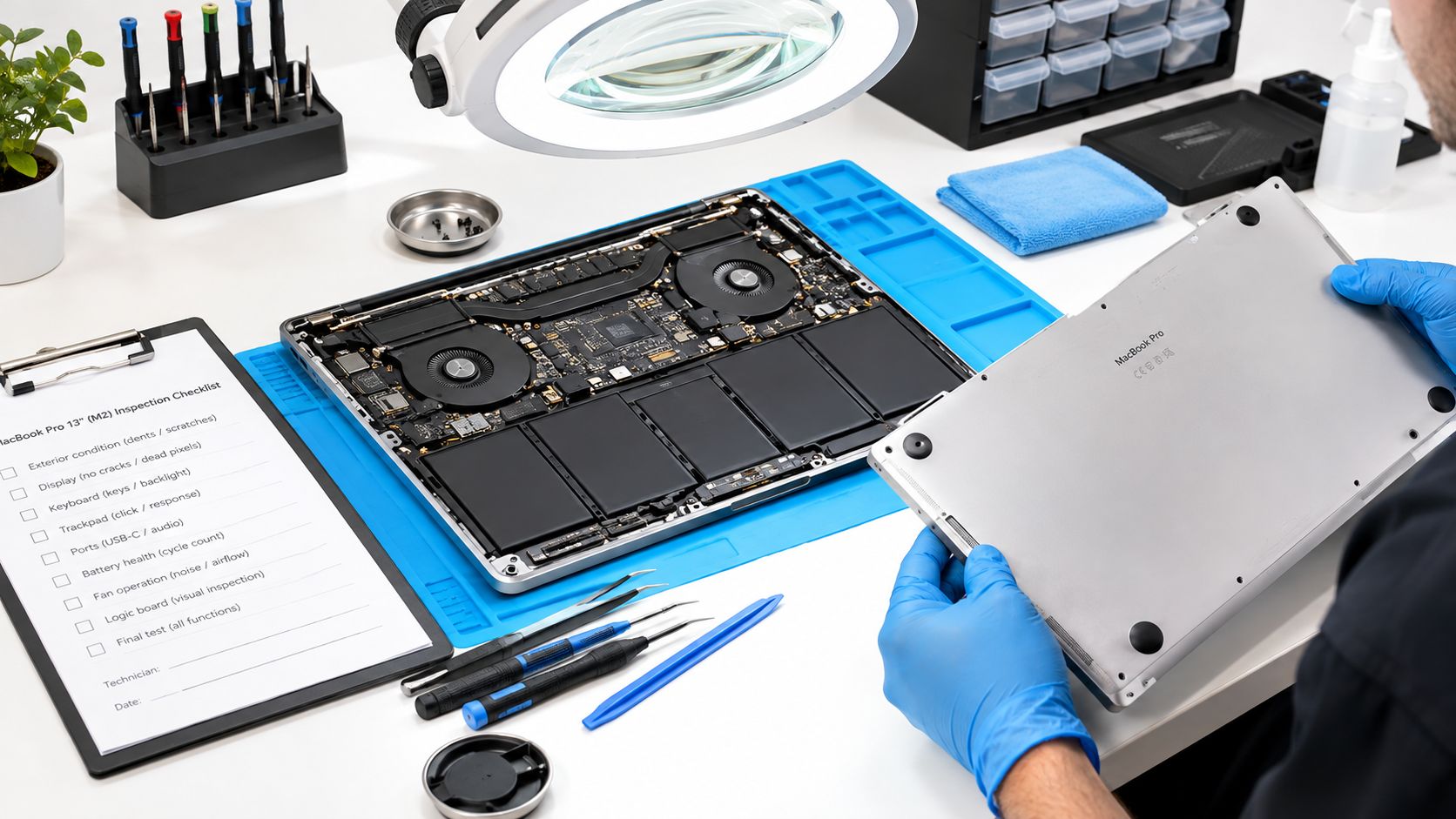
Our technicians often start with the chassis, hinge tension, keyboard feel and screen condition before they even get into software testing. Sticky keys, pressure marks on the panel, backlight bleed, damaged ports and charger issues all tell a story quickly.
- Chassis wear: Rounded corners, deep case scratches and dented edges usually point to heavier transport use.
- Keyboard condition: A tired keyboard often shows shine on the most-used keys and can hide spongy or inconsistent travel.
- Screen check: Pressure marks, dead pixels and backlight bleed are the faults customers notice fastest after purchase.
- Ports and charging: We inspect both Thunderbolt ports, the headphone jack and the charger for authenticity and fit.
The 13-inch chassis is small enough that wear tends to show quickly on the outside. That makes grading important, because two laptops can both be “refurbished” while looking very different in hand. A light-office machine and a machine that's been carried daily in a rucksack are not the same thing.
We also compare this model with the older M1 version. The M2 usually feels like the more useful buy when the battery and storage are honest, but the M1 can still be the better value when the customer only needs a basic portable Mac. For process context, our our refurbishment process page shows the sort of checks that matter before resale.
A common example we see is a student who needs something portable for coursework, note-taking and video calls. In that case, we'd rather send them a clean M2 with a transparent battery report than a “better spec” machine with a tired battery and vague history.
What to Check Before You Pay and When It Arrives
Don't buy this model on photos alone. A tidy listing can still hide the exact thing that causes regret later, which is a weak battery or a mismatched configuration.
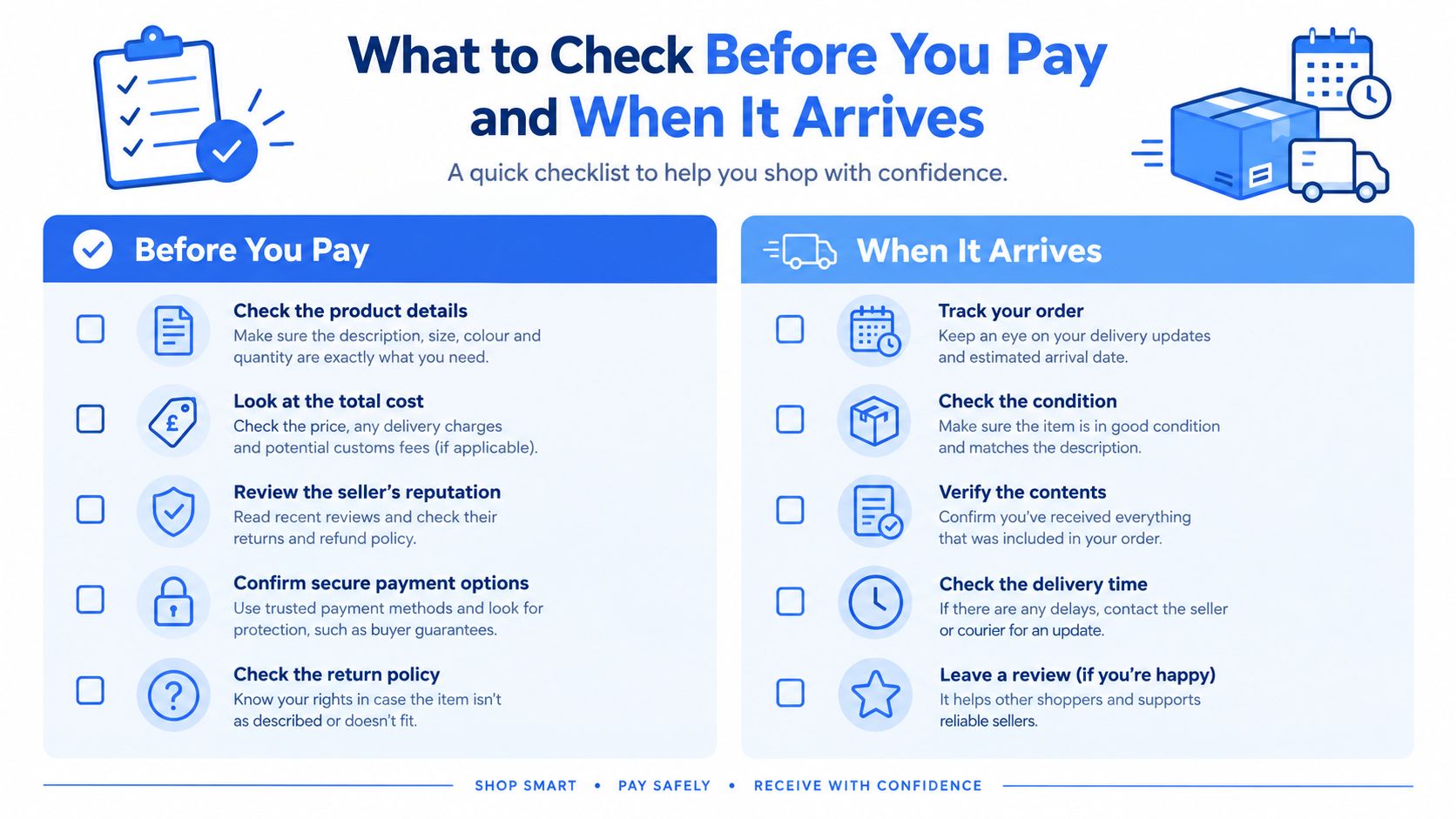
Before you pay
- Confirm the exact chip and graphics: make sure it's the 2022 M2 model with the listed CPU and GPU configuration, not a vague “MacBook Pro” description.
- Check memory and storage: unified memory and SSD size can't be upgraded later, so the listing needs to spell them out clearly.
- Read the battery disclosure carefully: ask for battery health or cycle count, not just “tested”.
- Inspect the grading photos: look for honest shots of corners, keyboard wear and screen condition in daylight.
- Check the warranty and returns terms: know what battery cover includes and how long the returns window is.
Within the first 48 hours
- Inspect the screen and case in good light: pressure marks and chassis damage are easier to spot early.
- Run the battery report: use About This Mac > System Report > Power and note the battery condition.
- Test every port: use a known-good USB-C or Thunderbolt cable and accessory.
- Check the keyboard and trackpad: make sure every key registers cleanly and the trackpad clicks properly.
- Confirm the charger: it should be genuine and the right wattage for the machine.
- Listen to the fan under load: a short intensive task will tell you whether cooling sounds normal.
If you spot a fault, report it quickly and keep photos. Under UK rules, you normally have 14 days from receiving an online order to tell the seller you want to cancel, then another 14 days to return it UK government guidance on returns and refunds.
The first two days matter. If something is wrong, that's when you document it, not a month later.
For a used laptop, this is the cleanest way to separate a good refurb from a risky one. If the seller resists any of these checks, that's already a warning sign.
Warranty, Returns and Your UK Consumer Rights
A refurbished MacBook should come with more than a sales label. You want a layered set of protections, starting with the seller's warranty and ending with your statutory rights if the item is faulty or misdescribed.
The retailer's warranty is the first layer. Read what it covers, especially any separate battery cover, because a battery policy can be limited even when the main device warranty looks decent. The second layer is your 14-day right to cancel an online order, followed by another 14 days to return it, with the seller normally refunding you within 14 days of getting the item back, including standard delivery charges UK government guidance on returns and refunds.
The third layer is fault or misdescription. If a laptop arrives with a problem, or the listing was not accurate, your rights are separate from any commercial warranty. A retailer cannot wipe those away with bold wording on the product page.
Keep the paperwork. Save the order confirmation, photograph the machine when it arrives, and report any fault in writing straight away. Don't rely on a “no returns” note if that conflicts with your underlying UK consumer rights.
Used Mobiles 4 U returns policy is worth reading if you want to see how a proper seller frames returns alongside statutory rights. That's the standard you should expect elsewhere too.
My view: if a seller hides battery terms inside the warranty text, read that as a warning, not a feature.
When you're buying a refurbished MacBook Pro M2, protection matters almost as much as the hardware itself. A clean listing with weak rights is a weaker purchase than a slightly pricier machine backed properly.
Should You Buy, Skip or Spend a Little More
Buy the refurbished MacBook Pro M2 if you want a portable Mac that still feels properly usable for work, study and everyday life. It suits students, commuters, writers and small-business users who want a compact machine and are buying from a seller that discloses the battery, the exact spec and the warranty clearly.
Skip it if your work is heavy, your ports matter, or you already know you'll outgrow the memory ceiling. The 13-inch chassis is tidy, but it isn't the place to force a demanding workflow.
Spend a little more on a newer refurbished model if the price gap is small and the battery condition on the M2 isn't fully transparent. That extra spend is also sensible if the seller can't show evidence of proper testing, warranty cover and battery terms.
Choose the MacBook Pro M2 13-inch if:
• you want macOS in a compact laptop
• you need a machine for study, office work and moderate creative tasks
• you value a clear refurbished price over chasing the newest badge
Choose a newer refurbished MacBook Pro if:
• you need more than two ports
• you do sustained editing or development work
• you want more memory headroom and a better display class
My verdict is simple. The refurbished MacBook Pro M2 is a good buy when it's clearly described and fairly priced, and a poor buy when the battery detail is vague. If you want a straight answer, this is a sensible refurbished laptop for the right user, but it's not the one for heavy work or unclear listings.
Written by James Waterston, 24 years in the mobile phone industry from customer service through to Sales Director of a global repair and recycling company. Now running Used Mobiles 4U for over 8 years.
LinkedIn: https://uk.linkedin.com/in/james-waterston-9039a21a
If you want a refurbished MacBook Pro M2 with clear grading, proper testing and UK support, take a look at Used Mobiles 4 U. We list devices with practical buyer checks in mind, so you can compare stock, battery details and warranty terms without guessing.
Looking for a refurbished phone?
Shop professionally tested refurbished iPhones and Samsung phones with 18 month warranty, 30 day returns and free UK delivery.
Browse Refurbished Phones



