


Trade in Laptop UK: Where It Pays and How to Wipe

08/11/2026

11 Mins

Your old laptop still starts, but you've replaced it and don't want it sitting in a drawer. To trade in a laptop in the UK, check its condition, remove account locks and protect your data before accepting an offer. Trade-in saves effort, private sale can bring more money, and repair or donation may make more sense than recycling a usable machine.
The Short Version for UK Laptop Trade-Ins
The condition of the battery, charger, screen and account locks gives a useful preview of what an intake check may find. A refurbisher can resell a laptop that passes its checks, repair one with a worthwhile fault, or send an unsuitable device for recycling. The route depends on the model, its working parts and the cost of putting it back into saleable condition.
Trade-in, sale, donation and recycling compared
A UK study covered by Resource Recycling's report on e-scrap reuse found that about 2–2.5% of devices entering one municipal recycling centre were judged suitable for reuse, while 50% of items brought to Repair Cafés were successfully repaired. Those figures describe two different collection settings; they cannot predict whether a particular laptop will pass inspection or prove economical to repair.
Consider a 2019 ThinkPad with a dead battery and a working screen. I'd request a trade-in quote and disclose the battery fault. If the offer reflects the cost of replacing it, trade-in saves the effort of arranging a repair and private sale; if it does not, a repair assessment can show whether the laptop is worth selling or donating. A working screen alone does not guarantee a strong offer, because the charger, account locks and other functions also affect the intake decision.
An older laptop may still handle documents or basic household tasks. Check whether its software is supported, whether it runs the applications needed and whether its faults are economical to fix. Recycling makes sense once reuse, repair and worthwhile parts recovery are no longer practical.
Check Your Laptop and What Moves the Offer
An online quote is only as reliable as the description behind it. Booting successfully isn't the same as passing an intake inspection, and cosmetic grading shouldn't hide a functional fault.
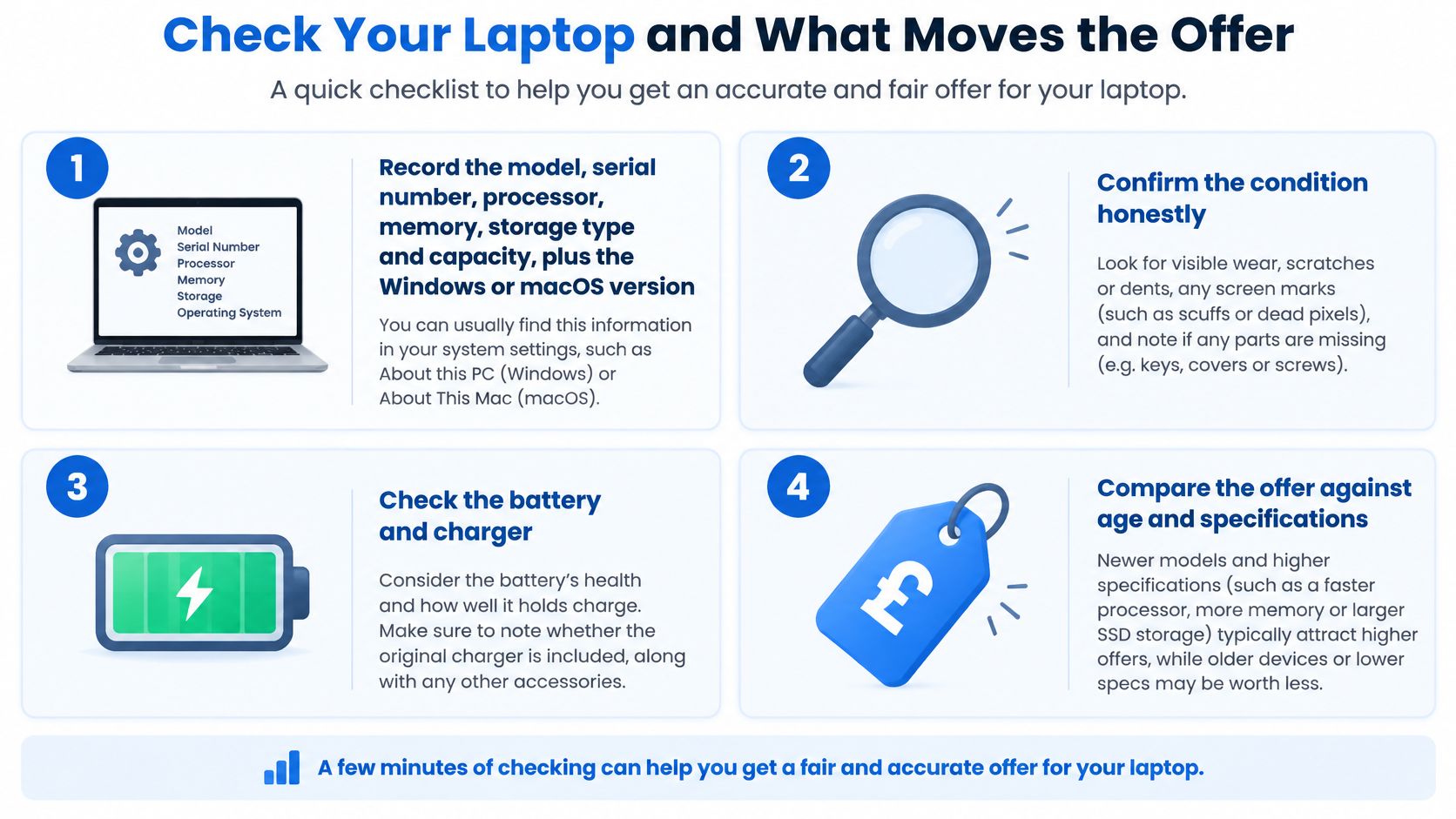
Run the checks before requesting a quote
Record the identity and specification. Note the model, serial number, processor, memory, storage type and capacity, plus the Windows or macOS version. On Windows, start with Settings > System > About; on a Mac, use the Apple menu > About This Mac. Similar-looking laptops can have quite different resale prospects.
Test ordinary functions properly. Check the display against a plain background, type across the keyboard and try the trackpad, webcam, speakers and Wi-Fi. Connect a known-working accessory to each relevant port and confirm charging with the original or correctly matched charger.
Check battery condition. On Windows, run
powercfg /batteryreportin Command Prompt, then open the report at the location shown. Compare full charge capacity with design capacity rather than treating the current charge percentage as battery health. On a compatible Mac, use System Settings > Battery > Battery Health; our MacBook battery health guide explains the checks.Look for route-changing faults. Check hinges, liquid staining, sticky keys, screen cracks and charging sockets. Stop using a laptop with a swollen battery, and don't press the casing flat or send it through ordinary postage without appropriate advice.
Separate appearance from operation. A scratched lid on a dependable laptop is different from a clean-looking machine with a cracked hinge mount. Record both accurately.
Photograph the evidence. Keep dated photographs of the screen, keyboard, base, ports, charger and serial label. Don't publish the serial number openly in a private-sale advert.
Factors that change a laptop trade-in offer
A refurbishment assessment should also include storage-health diagnostics, charging stability and retesting after repair. The government's WEEE evidence guidance identifies BS EN 50614:2020 as the standard for preparing WEEE for reuse, repair and refurbishment.
Declare faults before dispatch. An undisclosed fault can cause a revised offer and a return you could have avoided. Keep the charger with the laptop; the original box helps with packing, but don't assume packaging itself earns extra money.
How to Wipe a Laptop Before Trade-In, Quick Steps
Back up first, then check the backup opens. Signing out, removing management and erasing storage are separate jobs; completing one doesn't prove the others are finished.
These menu paths apply where the operating system supports them. Older versions and older Macs may need a different manufacturer-supported recovery method.
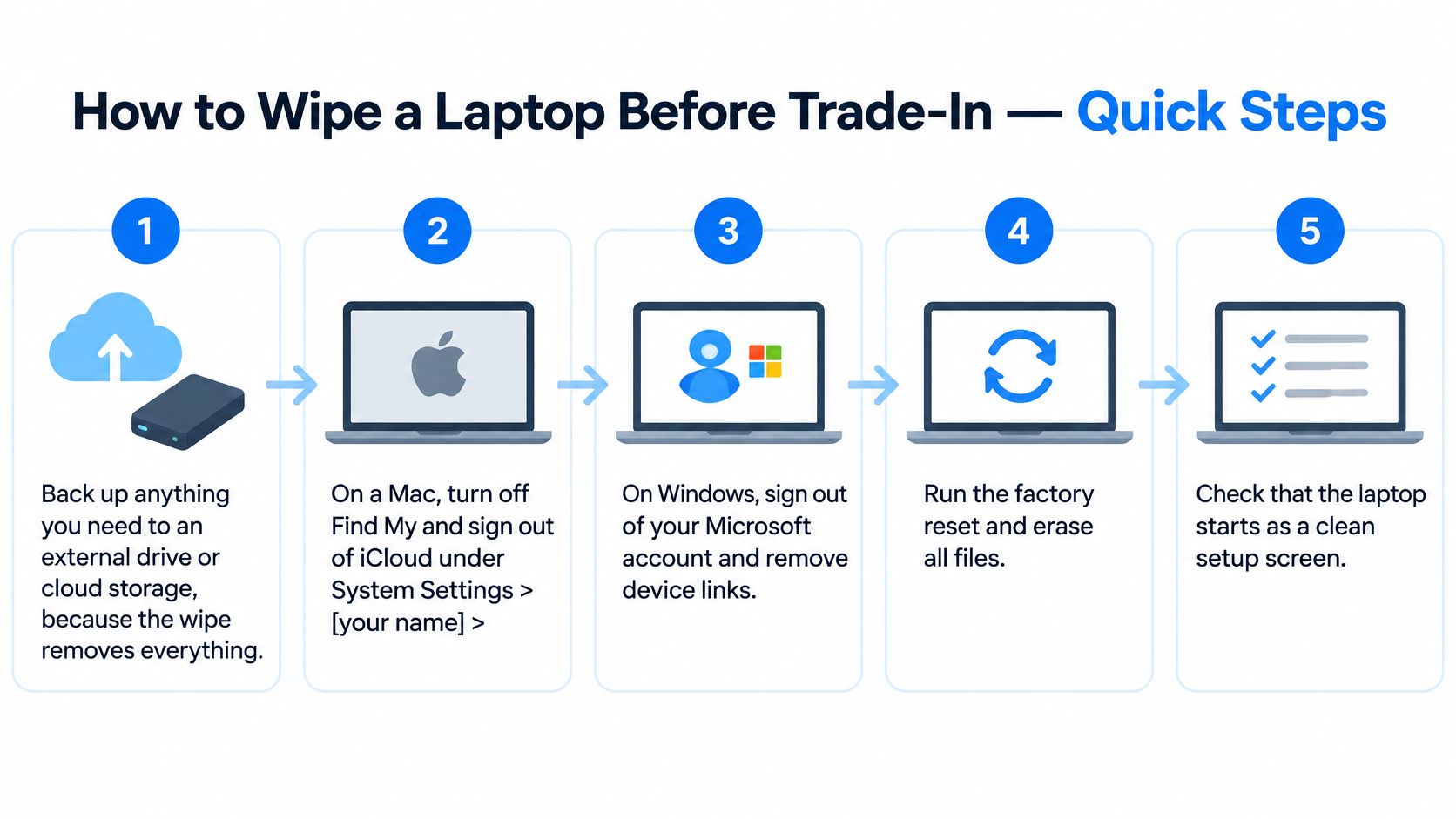
Prepare accounts and choose the erasure method
Back up what you need. Copy documents, photographs and other essential files to an external drive or suitable cloud storage. Check local Downloads folders and any application-specific exports, then disconnect backup drives and remove memory cards.
Remove Apple account links. On a Mac, open System Settings > [your name] > iCloud > Find My Mac and turn it off, then use System Settings > [your name] > Sign Out. Have the account password available and confirm Activation Lock is removed where applicable.
Disconnect Windows accounts and management. Review Settings > Accounts > Email & accounts and Settings > Accounts > Access work or school. Sign out of cloud synchronisation, and have the organisation's administrator release a managed laptop rather than trying to bypass its controls.
Sign out of applications. In Chrome, use the profile menu > Sync is on > Turn off, where shown. On a Mac, deauthorise relevant purchases through Music > Account > Authorisations > Deauthorise This Computer.
Data-loss warning: The next step removes local files. A reset isn't evidence of verified sanitisation, particularly for sensitive work data or storage with inaccessible areas.
Run the appropriate erase process. For a normal Windows reset, use Settings > System > Recovery > Reset this PC > Remove everything, and select the drive-cleaning option where offered. On a supported Mac, use System Settings > General > Transfer or Reset > Erase All Content and Settings.
Keep power connected. Don't interrupt the process or assume a temporarily blank screen means it has finished. Follow the completion prompts.
Verify and record the result. Leave the laptop at its first-run setup screen without adding your account again. Confirm that it doesn't demand the previous owner's credentials, then record the date, device identifier and method used before powering it off.
When a reset isn't enough
The NCSC's asset-decommissioning guidance distinguishes verified overwriting of HDD storage from manufacturer-supported sanitisation for SSDs, where remapped areas can retain data outside normal access.
For sensitive business information, arrange documented professional erasure appropriate to the drive. Our explanation of data destruction helps distinguish erasure from physical destruction.
If verification fails, don't sell the storage with the laptop. Arrange appropriate destruction and describe any removed drive clearly when seeking a quote.
Our Experience Refurbishing This Model at Used Mobiles 4U
Our refurbishment work centres mainly on phones. There isn't a single laptop model under discussion here, so it wouldn't be honest to present phone-bench experience as a model-specific laptop repair history.
What transfers well is the discipline behind our refurbishment process: check function, assess the battery, deal with faults, retest and grade appearance separately. The laptop observations below are general intake considerations, not claims about a dedicated laptop-buying programme.
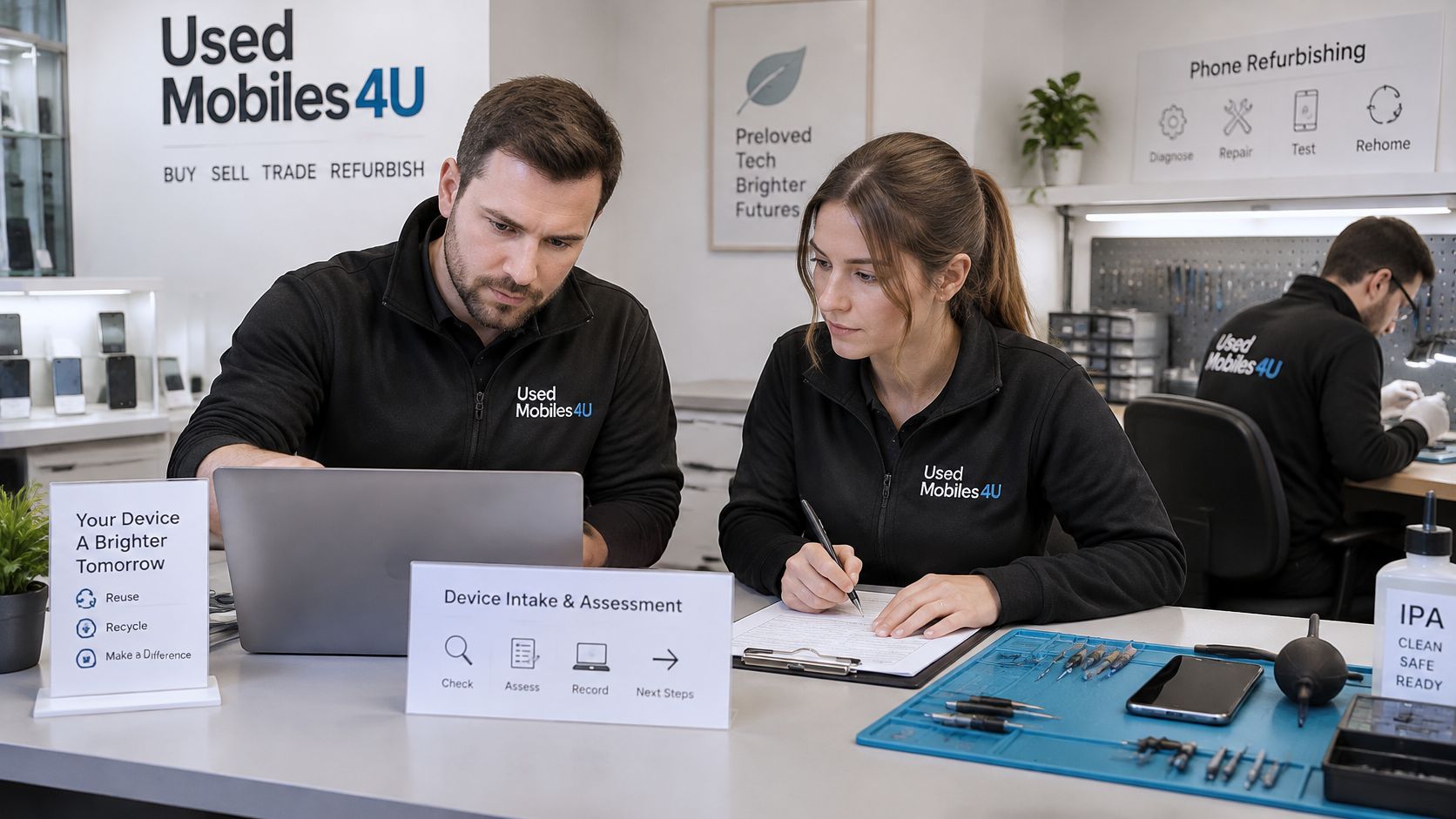
Battery first, replacement second
A battery can accept charge and still provide disappointing runtime. Before treating the whole device as worn out, establish whether the problem is battery deterioration, an unsuitable charger or unusually heavy background activity.
Say a laptop handles documents comfortably when plugged in but shuts down soon after unplugging. If its display, hinges, storage and software support are otherwise sound, a battery assessment is more useful than immediately shopping for a replacement.
The calculation changes when several faults appear together. A tired battery alongside a damaged hinge, intermittent charging and unsuitable software support is a much weaker repair candidate.
What We Check Before Resale
- Battery and charging: Charging behaviour matters alongside the reported battery condition.
- Controls and connections: Worn keys and loose ports need functional testing, not just a glance.
- Display and structure: Cracked glass, uneven brightness and movement around hinge mounts deserve attention.
- Storage condition: A drive that starts the operating system can still show concerning health indicators.
- Repair outcome: A replaced battery, keyboard or charging component must be followed by relevant retesting.
Signs such as shiny palm rests, worn key legends and distortion near hinges suggest heavy use. They aren't a diagnosis on their own, but they tell an assessor where to look more closely.
Cosmetic grades aren't performance grades. Like New should describe minimal visible wear, with battery condition checked separately; Good or Fair can still suit everyday work if the device is fully functional. Our positioning of Like New devices also considers strong battery health, but that shouldn't be mistaken for a universal grading standard.
A catalogue example is the Apple MacBook Air 13" (2013) – i5, 128GB – Silver – Good. Its age and Good cosmetic description don't, by themselves, establish whether it suits someone's current applications.
I'd favour a targeted repair on an otherwise suitable machine. When the repair approaches the cost of a comparable used replacement, especially one with more suitable software support, replacing becomes the more sensible choice.
Postage, Returns and Your Consumer Rights
A quote only holds if the laptop matches the details you supplied and arrives safely. Pack it securely, follow the buyer's dispatch instructions and keep the tracking information until the transaction is settled.
Pack and document the handover
- Protect the laptop: Shut it down fully, cushion it inside a rigid box and prevent movement.
- Separate the charger: Wrap it so the plug and power brick cannot strike the screen or casing.
- Follow the service instructions: Use the specified label and check the tracking, insurance and packaging requirements.
- Save transaction records: Keep the quote, photographs, postage receipt and any revised offer.
- Review a revised offer: Ask for the inspection reason and supporting photographs before deciding whether to accept it.
A swollen or damaged battery may be restricted by the carrier. Check the carrier's rules and arrange a suitable route before sending the laptop.
For a faulty machine, read the guidance on selling a broken laptop before choosing how to proceed.
Take-back isn't the same as trade-in
If you buy a replacement electrical item, the government's in-store take-back guidance gives you 28 days after purchase to return old equipment of the same type, regardless of brand. This is a recycling route, not a cash trade-in, and does not cover a standalone laptop sale or unrelated electrical items.
Electrical retailers must provide an appropriate free disposal route when selling a replacement of the same type, as explained in the government's WEEE regulations guidance. Eligible retailers can use an alternative scheme rather than operating their own counter. The Distributor Takeback Scheme guidance explains the alternative available to online-only sellers.
For purchases from Used Mobiles 4 U, the business offers 30-day returns. Check the returns terms for who pays return postage and how to arrange a return, then contact UK-based support with questions about products, policies or existing orders. Keep correspondence in writing.
Common Questions About Laptop Trade-Ins
Can I trade in a laptop with a cracked screen?
A specialist laptop repair or parts buyer is more likely to consider a cracked-screen device than a general trade-in service. They will usually ask whether the laptop powers on, whether the display still shows an image, and whether the damage affects the lid or hinges. Describe the fault before requesting an offer.
What if I've forgotten the Windows or Apple ID password?
Tell the buyer what kind of access problem you have. A forgotten local login password, an Apple Activation Lock, a firmware password and an organisation's device-management lock can require different steps. Resolve any ownership or administrator lock with the account holder before sending the laptop.
What if the laptop has no charger?
Check the buyer's intake terms before accepting an offer. A missing charger may affect whether the laptop can be assessed, so state clearly that it is not included rather than leaving the buyer to discover this after delivery.
Can I trade in a laptop that won't start?
Ask whether the buyer assesses non-booting devices and how the offer is handled if the storage cannot be checked. A laptop that will not start may still contain accessible data, so decide how to deal with its storage before handing it over.
Confirm the Route Before You Ship
A 2015 MacBook Air with a worn battery and no charger may still have resale value, but both faults affect the offer. A trade-in assessment will account for the battery and missing charger; a private buyer may pay more, but you'll need to describe both clearly and handle questions and delivery. For this example, I'd request an as-is trade-in quote first and compare it with the likely private-sale proceeds before choosing. Paying for a battery replacement first may not make financial sense.
The condition checks at intake help explain the offer. Battery health, charger compatibility, account locks and working components can determine whether a laptop is suitable for resale, needs repair or should be recycled. Accurate details before dispatch reduce the risk of a revised offer after inspection.
Before accepting any quote, check how the provider handles a changed offer, rejected devices, return costs and payment. Keep a record of the laptop's condition and the handover. Resolve ownership locks before sending it, and use an appropriate, verifiable erasure process for sensitive business data. If the laptop cannot boot and its storage may hold sensitive information, arrange suitable data handling before deciding whether to sell or recycle it.
Make the next step an informed one
Used Mobiles 4 U offers Sell Your Tech. Check whether your laptop is eligible and confirm the current process before arranging a handover. Have the model, condition and charger details ready when you enquire.
If you're replacing the laptop, compare the replacement's warranty terms, condition and software suitability. A lower price alone doesn't make it a better fit.
Written by James Waterston. View James Waterston's LinkedIn profile.
Used Mobiles 4 U offers Sell Your Tech and UK-based support for questions about eligible devices. Visit Used Mobiles 4 U with your laptop's model, condition notes and charger details ready, and confirm eligibility before arranging a handover.
Looking for a refurbished phone?
Shop professionally tested refurbished iPhones and Samsung phones with 18 month warranty, 30 day returns and free UK delivery.
Browse Refurbished Phones